Short answer: cPanel and DirectAdmin do not keep the root, WHM or admin password anywhere you can read it back. They are normal Linux user passwords, stored only as hashes in /etc/shadow. You either reset them or, better, log in with a one-time login link created from the command line. What you can read as root is the MySQL/MariaDB password the panel uses: /root/.my.cnf on cPanel, /usr/local/directadmin/conf/setup.txt and mysql.conf on DirectAdmin.
Every command below was run on our own lab servers on 6 October 2026 (cPanel & WHM 11.138 and DirectAdmin 1.712, both on AlmaLinux 9.8), and the screenshots are the real output. Passwords, login tokens and IP addresses were masked on the server before the output was saved.
Table of Contents
Before you start
- You need a root SSH session on the server. These files are readable by root only, and they should stay that way (mode
600). - Anything you print stays in your terminal scrollback, screen recordings and sometimes logs. Do not paste passwords or login links into tickets, chat or e-mail. Send a one-time link only when you must, and let it expire.
- If a password has been exposed, change it. The sections below show the reset command for each one.
Check the panel and MySQL versions
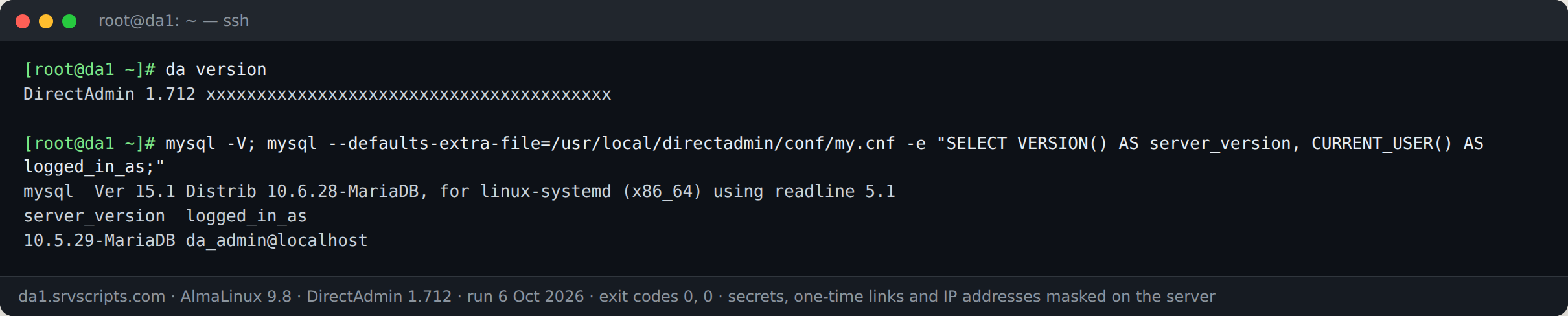
Start by confirming what you are working with. mysql -V shows the version of the client program; SELECT VERSION() shows the version of the server. They can differ: on our DirectAdmin test server the client was MariaDB 10.6.28 while the server was still 10.5.29.
# cPanel
/usr/local/cpanel/cpanel -V
# DirectAdmin
da version
# MySQL / MariaDB client and server
mysql -V
mysql -e "SELECT VERSION() AS server_version, CURRENT_USER() AS logged_in_as;"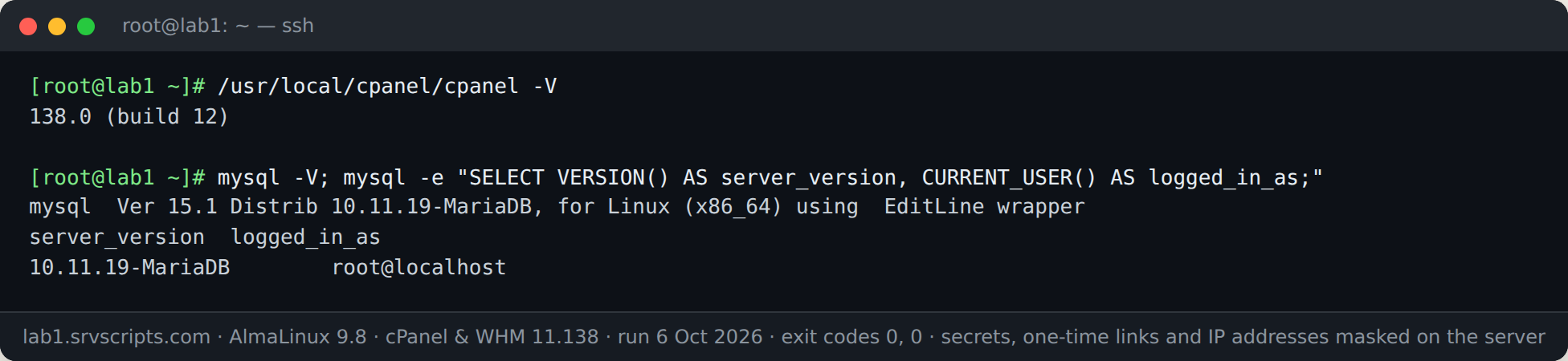
cPanel: MySQL root password
cPanel keeps the MySQL root login in /root/.my.cnf. Because the MySQL client reads that file automatically, root can run mysql without typing a password at all, which is usually all you need.
ls -l /root/.my.cnf
cat /root/.my.cnf                    # [client] user=root and password=...
mysql -e "SELECT CURRENT_USER();"    # works without a password prompt
To set a new MySQL root password, use WHM » SQL Services » MySQL Root Password, or the API (cPanel updates /root/.my.cnf for you):
whmapi1 set_local_mysql_root_password password='NEW-STRONG-PASSWORD'cPanel: root, WHM and account passwords
The root password that logs in to WHM, and every cPanel account password, exists only as a hash. There is no command that shows it. To get in, create a login link (next section). To change it:
passwd root                                            # root / WHM
whmapi1 passwd user=USERNAME password='NEW-PASSWORD'   # a cPanel account
cPanel: one-time root and user login links
whmlogin prints a single-use link that logs you in to WHM as root. whmapi1 create_user_session does the same for root, any cPanel account or a webmail address. Open the link straight away: it works once.
whmlogin                                                          # WHM as root
whmapi1 create_user_session user=root service=whostmgrd           # WHM as root
whmapi1 create_user_session user=USERNAME service=cpaneld         # cPanel account
whmapi1 create_user_session user=you@example.com service=webmaild # webmail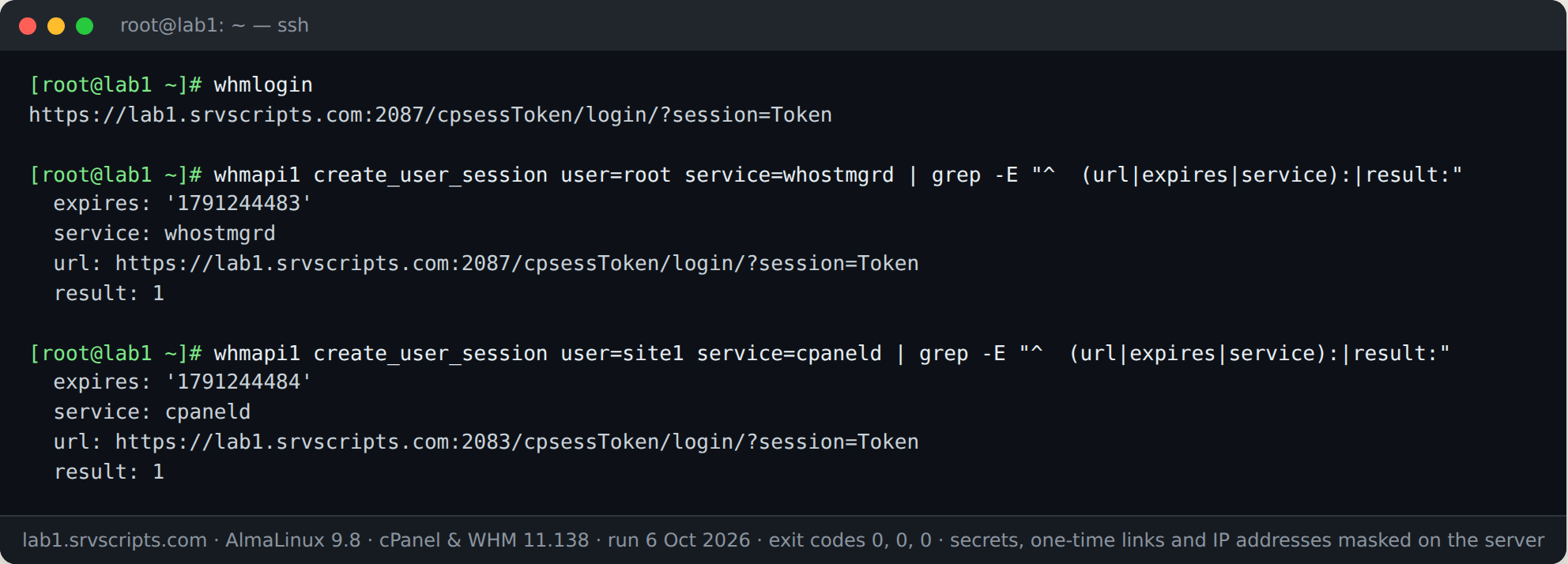
DirectAdmin: setup.txt (admin and MySQL root)
/usr/local/directadmin/conf/setup.txt is written by the installer. adminpass is the admin password set at install time: if anyone has changed the admin password since, this value is out of date. mysql is the MySQL root password.
cat /usr/local/directadmin/conf/setup.txt
# use the MySQL root password without printing it:
MYSQL_PWD=$(sed -n "s/^mysql=//p" /usr/local/directadmin/conf/setup.txt) \
  mysql --no-defaults -uroot -e "SELECT CURRENT_USER();"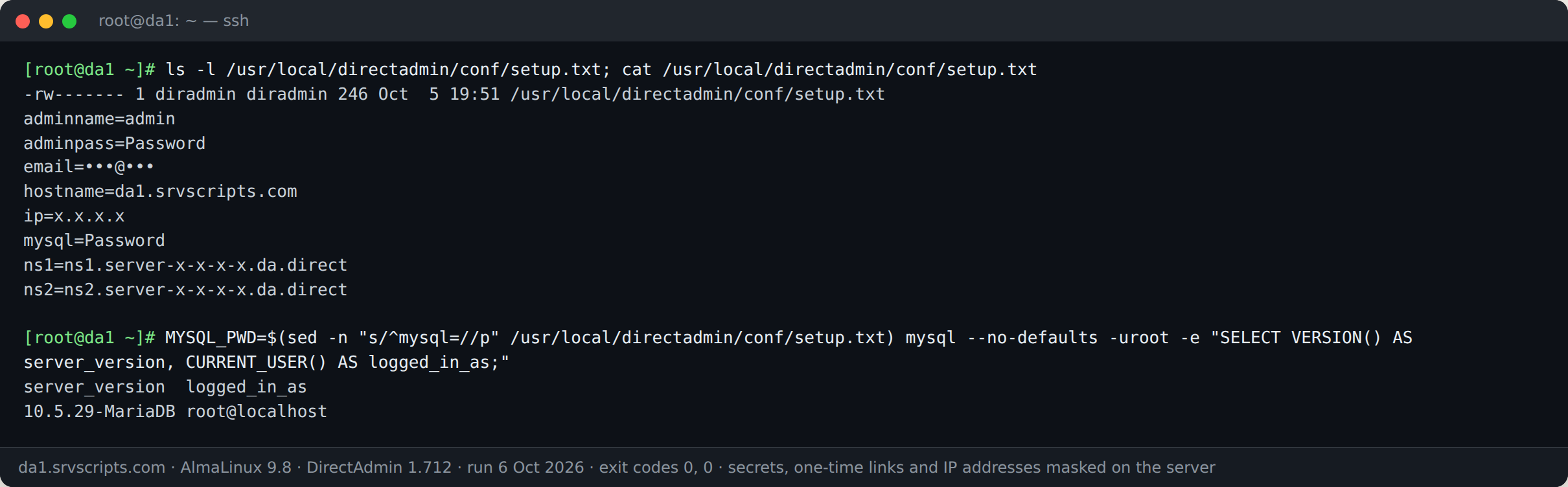
Why --no-defaults? On DirectAdmin, /root/.my.cnf often holds the da_admin login. A password in an option file wins over the MYSQL_PWD variable, so without --no-defaults the client sends the wrong password and you get Access denied for user 'root'@'localhost' (using password: YES). We hit exactly this on our test server.
DirectAdmin: the da_admin database login
DirectAdmin itself talks to MySQL as da_admin. The login is in /usr/local/directadmin/conf/mysql.conf, and the same credentials are in my.cnf next to it, ready for the client:
cat /usr/local/directadmin/conf/mysql.conf
mysql --defaults-extra-file=/usr/local/directadmin/conf/my.cnf -e "SELECT CURRENT_USER();"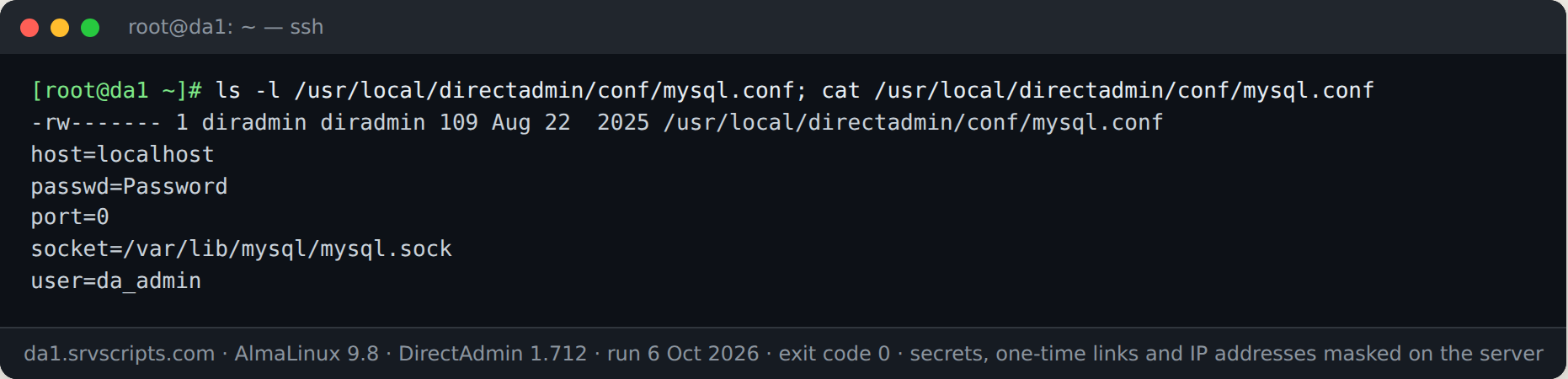
Do not change the da_admin password in MySQL alone: DirectAdmin reads it from both files above and loses access to its databases if they no longer match. Follow DirectAdmin’s documented reset procedure for your version.
DirectAdmin: one-time login link and admin password
da login-url creates a single sign-on link. Give it a short --expiry, and optionally limit it to your own address with --ip.
da login-url --user=admin --expiry=5m
da login-url --user=USERNAME --expiry=5m --ip=YOUR.PUBLIC.IP
On our fresh test server the link started with http://, because DirectAdmin’s own certificate was not set up yet. Enable SSL for the panel before sending links over the internet. DirectAdmin accounts, including admin, are Linux users, so passwd admin sets a new admin password.
Quick reference
| What | cPanel | DirectAdmin |
|---|---|---|
| Panel version | /usr/local/cpanel/cpanel -V | da version |
| MySQL server version | mysql -e "SELECT VERSION();" | same |
| MySQL root password | /root/.my.cnf | setup.txt, line mysql= |
| Panel database user | root (same file) | da_admin in conf/mysql.conf and conf/my.cnf |
| Root / admin password | Not stored. Reset: passwd root | Install-time value only, in setup.txt. Reset: passwd admin |
| One-time login | whmlogin, whmapi1 create_user_session | da login-url --expiry=5m |
Frequently asked questions
Where is the cPanel root password stored?
Nowhere in readable form. It is the Linux root password, kept as a hash in /etc/shadow. Use whmlogin for a one-time WHM link, or passwd root to set a new one.
Can I see a cPanel or DirectAdmin user’s password?
No. Account passwords are hashed. Create a login link for that user instead, or set a new password.
Is the adminpass in DirectAdmin’s setup.txt still valid?
Only if nobody has changed the admin password since installation. DirectAdmin checks the Linux password of the admin user, not setup.txt.
Why do I get “Access denied … using password: YES” with the right password?
The MySQL client probably read a different password from /root/.my.cnf. Add –no-defaults, or point –defaults-extra-file at the right file, so only the password you intend is used.
Are one-time login links safe to share?
Treat them like a password until they are used or expire. Create them only when needed, keep the expiry short, and never post them in a ticket or chat.