Active Directory has five operations master roles: Schema Master and Domain Naming Master at forest level, and RID Master, PDC Emulator and Infrastructure Master per domain. Most of the time nobody notices where they live, until you decommission the domain controller that holds them or it fails. A transfer is a cooperative handover between two live DCs; a seizure forces the role onto a new DC when the old one is unreachable and will never return. The commands below work on Windows Server 2019, 2022 and 2025.
Table of Contents
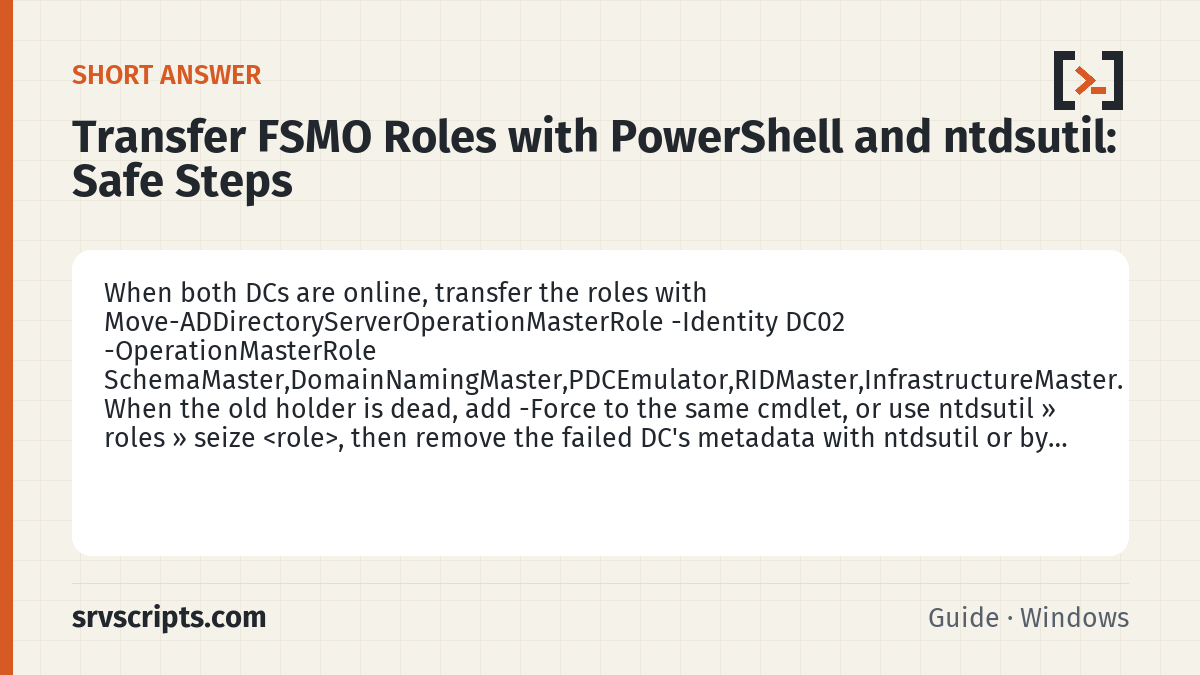
Short answer: When both DCs are online, transfer the roles with Move-ADDirectoryServerOperationMasterRole -Identity DC02 -OperationMasterRole SchemaMaster,DomainNamingMaster,PDCEmulator,RIDMaster,InfrastructureMaster. When the old holder is dead, add -Force to the same cmdlet, or use ntdsutil » roles » seize <role>, then remove the failed DC’s metadata with ntdsutil or by deleting its object in Active Directory Users and Computers. Never bring a seized-from DC back online without reinstalling it.
Find the current role holders
Before changing anything, record where the roles are:
netdom query fsmo
Get-ADForest | Select-Object SchemaMaster, DomainNamingMaster
Get-ADDomain | Select-Object PDCEmulator, RIDMaster, InfrastructureMaster
Run a replication check as well, because transferring roles to a DC that is not replicating simply moves the problem. repadmin /replsummary should show zero failures; if it does not, fix that first using the steps in check domain controller health with dcdiag and repadmin.
Transfer roles gracefully
Transfers require the account to be a member of Schema Admins (for the Schema Master), Enterprise Admins (for the Domain Naming Master) and Domain Admins (for the three domain roles). From PowerShell on any DC or management workstation with RSAT:
Move-ADDirectoryServerOperationMasterRole -Identity "DC02" `
  -OperationMasterRole PDCEmulator, RIDMaster, InfrastructureMaster, `
  SchemaMaster, DomainNamingMaster
You can also use the numeric aliases 0 to 4 in the same order (PDCEmulator=0, RIDMaster=1, InfrastructureMaster=2, SchemaMaster=3, DomainNamingMaster=4). The old and new holders talk to each other, the role ownership attribute is updated on both, and the change replicates normally. The same operation is available in the consoles: Active Directory Users and Computers » right-click domain » Operations Masters for the three domain roles, Active Directory Domains and Trusts for the Domain Naming Master, and the Active Directory Schema snap-in (after regsvr32 schmmgmt.dll) for the Schema Master.
Place the Infrastructure Master with care: in a domain where not every DC is a global catalog, it must not sit on a GC, or cross-domain group membership references stop being updated. If every DC is a GC, which is the norm today, the placement does not matter.
Seize roles when the holder is gone
Seizing is only for a DC that has failed permanently or is being rebuilt. If it comes back after a seizure, two DCs will claim the same role, which is especially dangerous for the RID Master and Schema Master. With PowerShell:
Move-ADDirectoryServerOperationMasterRole -Identity "DC02" `
  -OperationMasterRole 0,1,2,3,4 -Force
The cmdlet attempts a normal transfer first and only seizes if the old holder does not respond, so it is safe to use even when you are not sure the old DC is completely dead. The classic method with ntdsutil does the same:
ntdsutil
roles
connections
connect to server DC02
quit
seize pdc
seize rid master
seize infrastructure master
seize schema master
seize naming master
quit
quit
Each seize prompts for confirmation. Expect a delay of a minute or so per role while it tries the transfer path.
Clean up the failed DC’s metadata
A seized role leaves behind the dead DC’s NTDS Settings object, its server object, DNS records and possibly a DFS-R subscription. Since Windows Server 2008 R2, deleting the computer object under the Domain Controllers OU in Active Directory Users and Computers performs the metadata cleanup automatically, and deleting the server object in Active Directory Sites and Services removes the rest. The manual path still exists:
ntdsutil
metadata cleanup
remove selected server CN=DC01,CN=Servers,CN=Default-First-Site-Name,CN=Sites,CN=Configuration,DC=corp,DC=example,DC=com
quit
quit
Then remove stale A, NS and SRV records for the old DC in the DNS console under the forward zone and the _msdcs zone, and check repadmin /showrepl on every remaining DC for references to it.
Verify
Run netdom query fsmo on two different DCs and confirm they agree. Then run dcdiag /test:knowsofroleholders /v and dcdiag /test:fsmocheck; both should pass on every DC once replication has converged. Finally, confirm the new PDC emulator is syncing time from an external source, as described in configure NTP time sync for the PDC emulator.
Transfer FSMO roles at a glance
Official documentation: Active Directory Domain Services docs, Windows Server documentation.
Related guides: Fix “The trust relationship between this workstation and the primary domain failed” · Raise the AD forest and domain functional level safely · How to find the source of Active Directory account lockouts (Event ID 4740).
Frequently asked questions
Does transferring the PDC emulator role affect user logons?
No; the transfer completes in seconds and clients discover the new PDC through DNS, but you should reconfigure the time source afterwards because the new PDC emulator becomes the authoritative clock for the domain.
How long does seizing FSMO roles take?
Each seize attempts a graceful transfer first and waits for a timeout, so allow roughly one to two minutes per role, plus replication time for other DCs to learn about the change.
Can I undo a seizure by bringing the old domain controller back?
No; once a role has been seized, the old holder must be wiped and reinstalled, because reconnecting it produces two role owners and can corrupt the RID pool or schema.