Any Asterisk server with SIP open to the internet is found by scanners within hours. They send REGISTER requests for extension numbers like 100, 1000 and admin with common passwords, and one guessed password can turn into a large toll-fraud bill overnight. fail2ban reads the Asterisk logs and blocks an address after a few failed attempts. This guide sets it up for Asterisk with PJSIP, shows how to prove the filter actually matches your log lines, and covers FreePBX, which ships its own fail2ban.
Short answer: Add security => security to /etc/asterisk/logger.conf and reload the logger, check the stock filter with fail2ban-regex /var/log/asterisk/security /etc/fail2ban/filter.d/asterisk.conf, then enable an [asterisk] jail with backend = polling, both log files in logpath and your provider in ignoreip. Each failed REGISTER logs two or three matching lines, so maxretry = 6 bans after about three bad passwords. fail2ban is a second line of defence: restrict SIP to known addresses first.
Table of Contents
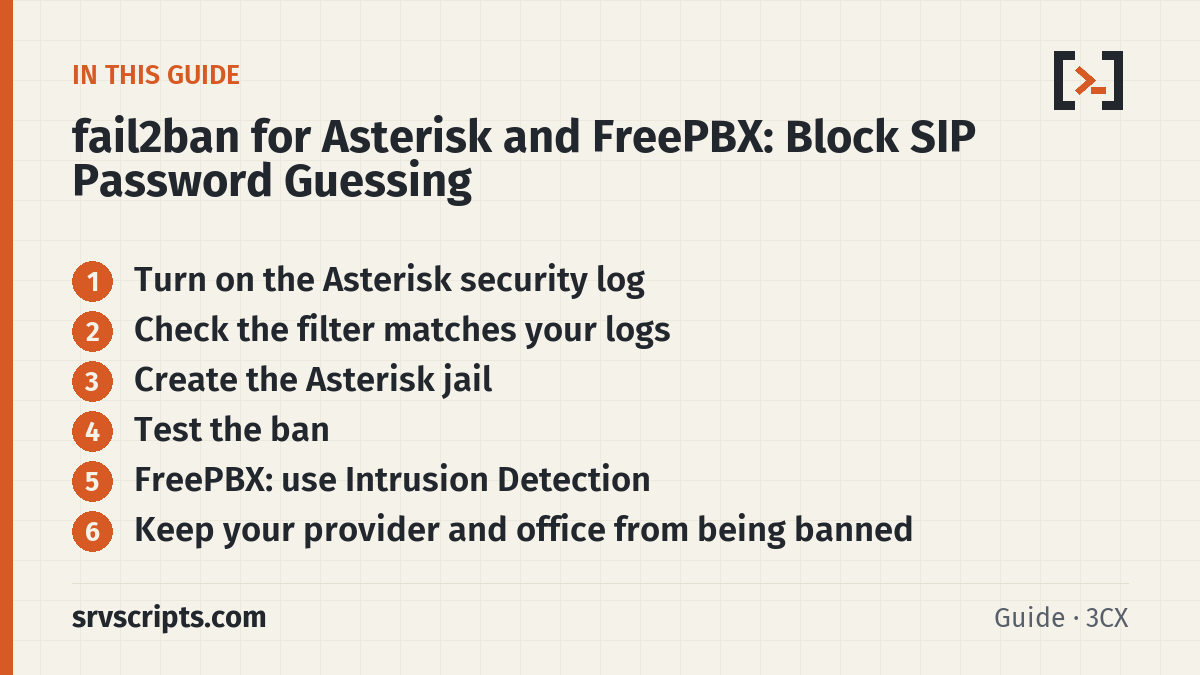
Turn on the Asterisk security log
fail2ban can only ban what Asterisk logs. PJSIP writes a short NOTICE line for each failed request to the normal log, and a detailed SecurityEvent line to the security channel, which is off by default on plain Asterisk. Turn it on:
; /etc/asterisk/logger.conf, under [logfiles]
security => security
messages => notice,warning,error
asterisk -rx "logger reload"
asterisk -rx "logger show channels" # /var/log/asterisk/security should be listedCheck the real file names on your system: Debian and Ubuntu packages log to messages.log by default, FreePBX logs to /var/log/asterisk/full, and the line above adds /var/log/asterisk/messages. Whatever the names, the jail’s logpath must point at files that exist.
A failed registration then looks like this (from our lab, with a wrong password):
SecurityEvent="ChallengeResponseFailed",...,Service="PJSIP",...,AccountID="201",...,RemoteAddress="IPV4/UDP/198.51.100.77/33772",...
Request 'REGISTER' from '<sip:201@pbx.example.com>' failed for '198.51.100.77:33772' (callid: ...) - Failed to authenticate
Check the filter matches your logs
Never trust a jail you have not tested against your own log lines. fail2ban-regex runs the filter over a log file and reports how many lines matched:
fail2ban-regex /var/log/asterisk/security /etc/fail2ban/filter.d/asterisk.conf
fail2ban-regex /var/log/asterisk/messages /etc/fail2ban/filter.d/asterisk.conf
In our test, five REGISTER attempts (two wrong passwords, two unknown users, one correct login) produced 15 lines in the security log; 8 matched the stock filter and the 7 that did not were the normal ChallengeSent and SuccessfulAuth events. The messages log matched 8 of 9 lines. If you see 0 matches, the log format or the file is wrong, not the attacker.
Create the Asterisk jail
Create /etc/fail2ban/jail.d/asterisk.local. Two settings matter more than they look:
- backend = polling (or
auto): Debian and Ubuntu setbackend = systemdas the default, which reads the journal and ignoreslogpath. Asterisk writes to files, so the jail would silently see nothing. - maxretry: one failed attempt logs two or three matching lines (the challenge failure, plus “No matching endpoint” for unknown users). In our lab,
maxretry = 6banned the address during its third failed attempt.
[asterisk]
enabled   = true
backend   = polling
filter    = asterisk
logpath   = /var/log/asterisk/security
            /var/log/asterisk/messages
port      = 5060,5061
protocol  = all
banaction = iptables-allports
maxretry  = 6
findtime  = 10m
bantime   = 1h
ignoreip  = 127.0.0.1/8 ::1 203.0.113.10 198.51.100.0/24
Use the firewall your server already runs: banaction = nftables[type=allports] on current Debian and Ubuntu, firewallcmd-rich-rules on AlmaLinux and Rocky with firewalld. If the server runs CSF, note that csf -r flushes the iptables chains fail2ban created; restrict SIP in CSF itself and restart fail2ban after any CSF restart. For repeat offenders, add the recidive jail, which bans addresses that keep coming back for a week.
fail2ban-client -t                  # test the configuration
systemctl restart fail2ban
fail2ban-client status asterisk
Test the ban
From a test machine that is not in ignoreip, register an extension with a wrong password a few times (a softphone is fine). Then on the server:
fail2ban-client status asterisk          # Banned IP list shows the test address
nft list ruleset | grep -A3 f2b         # or: iptables -S | grep f2b
fail2ban-client set asterisk unbanip 198.51.100.77
In our lab the test address was banned during its third failed REGISTER, and the next attempts timed out because the firewall rejected them. Tested on 3 October 2026 in a lab: Asterisk 20.6 and fail2ban 1.0.2 on Ubuntu 24.04, with test registrations from a lab address. Not yet run on a production FreePBX server.
FreePBX: use Intrusion Detection
FreePBX already includes fail2ban as Intrusion Detection, managed in Admin > System Admin > Intrusion Detection (with the Sangoma firewall in Connectivity > Firewall). Set the ban time, max retry and the whitelist there, and add your provider and office addresses to the Intrusion Detection whitelist and the firewall’s Trusted zone. Do not add a second jail by hand on FreePBX: the module manages its own fail2ban configuration, and two jails reading the same log ban twice and make troubleshooting confusing.
Open-source-only FreePBX 17 is different. Intrusion Detection is part of the commercial System Admin module. If FreePBX was installed with --opensourceonly (or System Admin was removed), the module is gone, and so is the Asterisk log channel that feeds fail2ban: the asterisk-iptables jail keeps watching /var/log/asterisk/fail2ban, but nothing writes to it. On our FreePBX 17 test server (Debian 12, Asterisk 22.11, 6 October 2026) the jail had banned nobody while 24 failed registrations sat in the full log. Add the channel back in the custom logger file, which FreePBX leaves alone:
echo "fail2ban => notice,security" >> /etc/asterisk/logger_logfiles_custom.conf
asterisk -rx "logger reload"
asterisk -rx "logger show channels"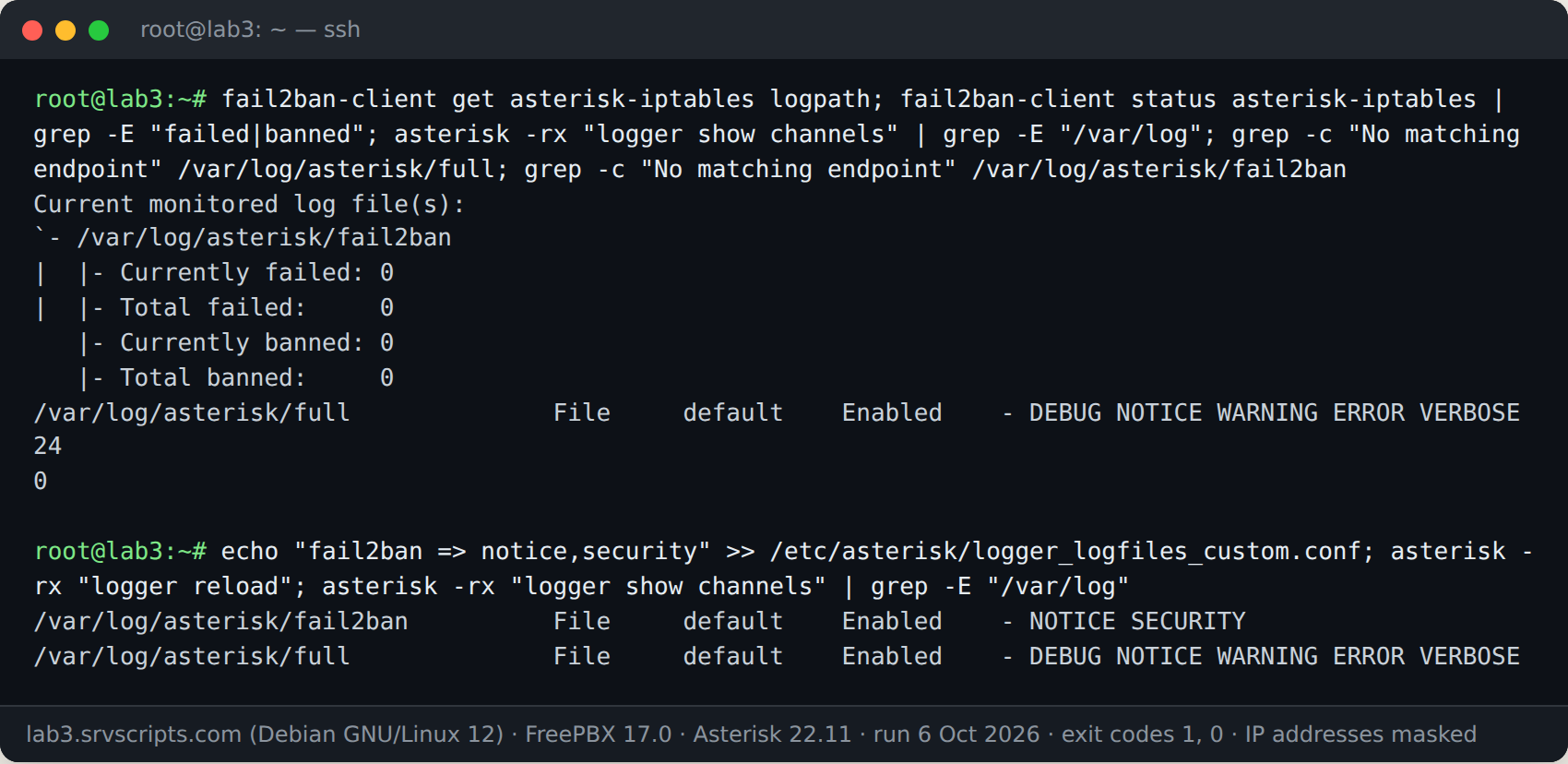
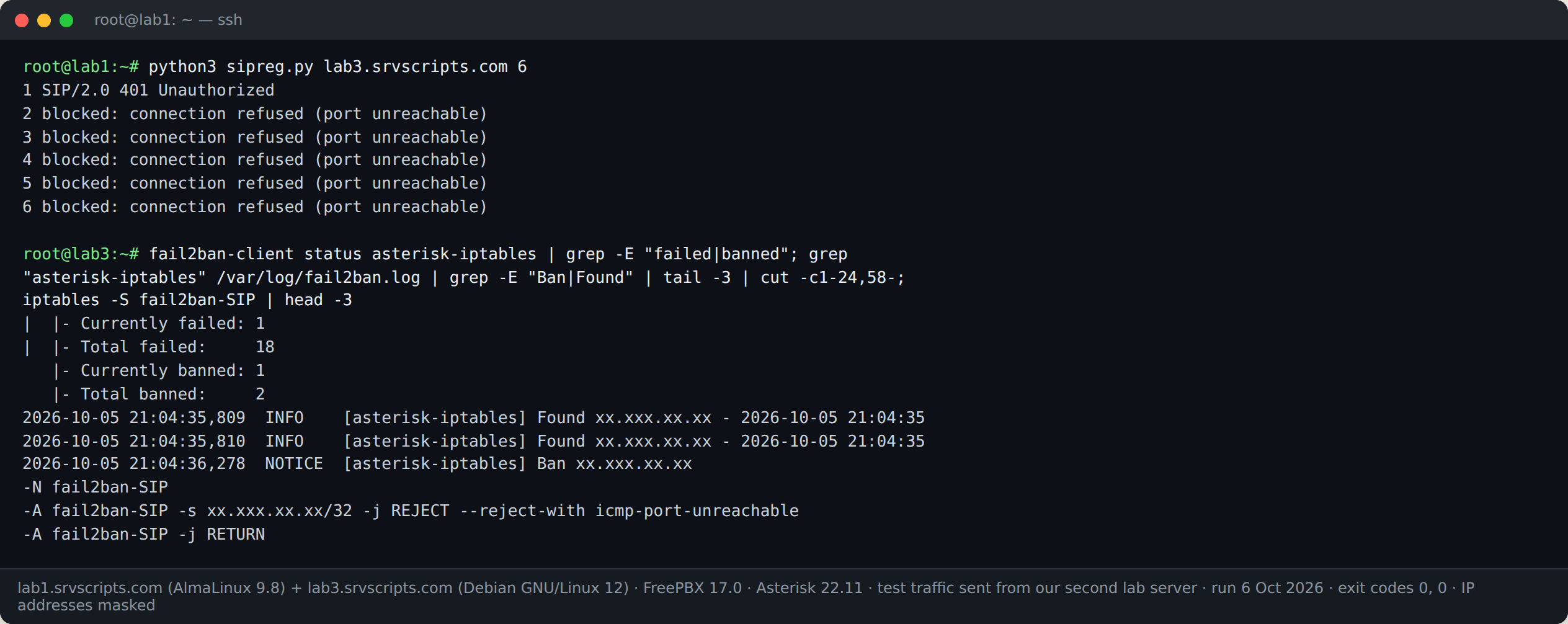
With the channel back, wrong-password REGISTERs from our second lab server were banned within seconds, and every later packet was rejected:
Keep your provider and office from being banned
A provider whose credentials are wrong, or a phone at the office with a stale password, generates the same failures as an attacker. Put these in ignoreip (or the FreePBX whitelist): your SIP provider’s signalling addresses, office public IPs, VPN ranges and monitoring systems. Then lock down the port itself so scanners never reach Asterisk; the SIP firewall rules generator writes those rules for iptables, nftables, UFW, firewalld, CSF and pfSense. Use long random passwords for every extension. PJSIP already answers unknown and real extension numbers the same way (both got 401 Unauthorized in our lab), so scanners cannot list your valid extensions from the replies.
fail2ban for Asterisk at a glance
Official documentation: Asterisk security events, fail2ban manual, FreePBX Intrusion Detection.
Related: SIP firewall rules generator · SIP ports and firewall · AI fail2ban regex generator · SIP trace analyzer.
Frequently asked questions
Does fail2ban work with PJSIP or only chan_sip?
Both. The stock asterisk filter matches PJSIP’s “Request … failed for … – Failed to authenticate” NOTICE lines and the SecurityEvent lines in the security log, as well as the older chan_sip messages. Test it on your own log with fail2ban-regex.
Why does my Asterisk jail never ban anyone?
The usual causes are backend = systemd (the Debian default) on a jail that reads files, a logpath that points at a file Asterisk does not write, or the security log not being enabled in logger.conf. fail2ban-client status asterisk shows “Total failed: 0” in all three cases.
How many failed attempts should trigger a ban?
Count log lines, not attempts: each failed REGISTER produces two or three matching lines. maxretry 6 bans after about three bad passwords, which is strict enough for scanners and loose enough for a user who mistypes once.
Is fail2ban enough to protect Asterisk?
No. It reacts after failures and scanners rotate addresses. Restrict SIP to your provider and known offices with the firewall, use long random passwords, and keep fail2ban as the second layer.