When a call fails on Asterisk or FreePBX, the PBX and the provider almost always tell you why in a single SIP response line, and it is usually not the line the caller hears. This guide shows how to find that response, then works through the errors that cause most failed calls (403, 404, 408, 480, 488 and 503), with the checks and fixes for each.
Short answer: Turn on pjsip set logger on in the Asterisk CLI, make one failing call and find the first 4xx, 5xx or 6xx response from the far end. 403 is usually authentication, an IP allowlist or a blocked destination; 404 and 484 are the number format; 408 and 480 mean nothing answered; 488 is a codec or encryption mismatch; 503 is a trunk that is down, full or out of credit. Look any code up in our SIP response codes tool.
Table of Contents
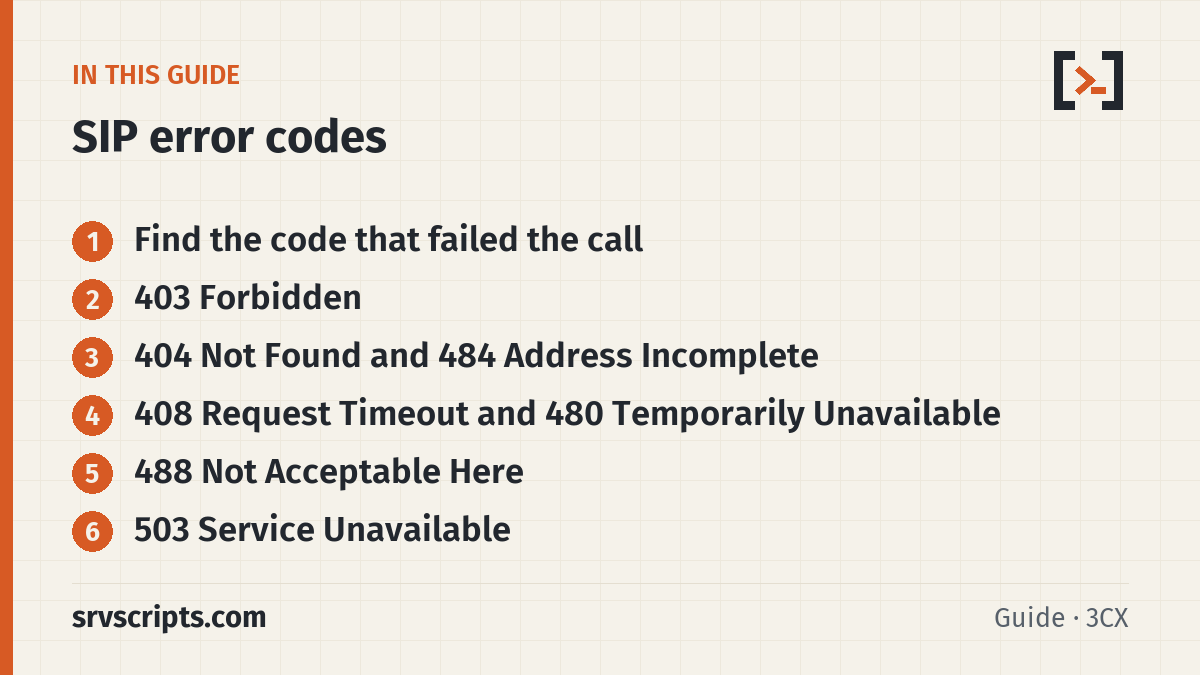
Find the code that failed the call
asterisk -rvvv
pjsip set logger host 203.0.113.20   # your provider, or: pjsip set logger on
# make the failing call, then:
pjsip set logger off
Look for the first final response to your INVITE: a line starting with SIP/2.0 4, SIP/2.0 5 or SIP/2.0 6. Ignore a single 401 or 407; that is the normal login challenge. Many providers add a Reason or Warning header with a plain-English cause, which is worth more than the code itself. Paste the whole call into the SIP trace analyzer to have it pick out the failing response and any NAT or codec problems automatically.
For calls that have already happened, the CDR keeps the Q.850 hangup cause. In FreePBX it is visible in CDR Reports; from the shell:
mysql -e "SELECT calldate, src, dst, disposition, hangupcause FROM asteriskcdrdb.cdr
  WHERE disposition <> 'ANSWERED' ORDER BY calldate DESC LIMIT 20" 2>/dev/null || echo 'hangupcause column not present on this CDR schema'
403 Forbidden
403 means the server understood the request and refuses it. Re-sending the same request will not help. Work through these in order:
- Credentials: some providers answer 403 instead of a second 401 when the password is wrong. Check the trunk username, auth username and password.
- IP authentication: if the trunk authenticates by IP, your public IP must be on the provider’s allowlist. A changed office IP or a new server IP gives 403 on every call.
- Destination barred: international, premium-rate or satellite numbers are often blocked by default to limit fraud. Test a local number; if that works, enable the destination in the provider portal.
- Caller ID: many carriers reject calls whose caller ID is not a number on your account. Send a DID you own as the outbound caller ID.
- Account: suspended accounts and expired trials often answer 403 too.
404 Not Found and 484 Address Incomplete
404 means the number does not exist in the format you sent; 484 means it is incomplete. Most often the provider expects E.164 (+442071234567 or 442071234567) and the PBX sends a national number with a leading 0. Fix it in the outbound route dial pattern: in FreePBX, prepend the country code and strip the trunk prefix in the route’s dial patterns.
; plain Asterisk: send UK national numbers as E.164
exten => _0XXXXXXXXXX,1,Dial(PJSIP/+44${EXTEN:1}@my-trunk,60)
For incoming calls, a 404 from your own PBX means the DID did not match an inbound route. Check which number the provider puts in the Request-URI or To header (the logger shows it) and make the inbound route match exactly, with or without the plus sign.
408 Request Timeout and 480 Temporarily Unavailable
408 means no final answer arrived within 32 seconds; 480 means the destination exists but cannot be reached right now. For an extension, check that the phone is registered with pjsip show contacts and that do-not-disturb is off. For a trunk, check pjsip show registrations and the firewall. A request that times out every time usually means replies are blocked: the far end answers, but the firewall or NAT drops the response. Keep qualify_frequency set on the trunk so the NAT mapping stays open, and make sure the SIP port is allowed from the provider.
488 Not Acceptable Here
488 means the far end accepted the call but not the media offer. Compare the codecs in your INVITE’s SDP with what the provider supports. The fix is almost always to allow ulaw and alaw on the trunk endpoint. Also match encryption: if one side has media_encryption=sdes and the other does not offer SRTP, the call fails with 488. T.38 fax re-INVITEs can also be refused with 488 when the provider does not support T.38.
; pjsip.conf trunk endpoint
[my-trunk]
type=endpoint
disallow=all
allow=alaw,ulaw
media_encryption=no
503 Service Unavailable
503 means the server that answered cannot take the call now. On your own PBX, Asterisk returns 503 when the outbound trunk is unavailable. Check, in this order:
pjsip show registrations: is the trunk registered? A rejected registration shows the reason.pjsip show endpoint my-trunk: is it reachable (qualify)?- The channel limit: FreePBX trunks have a Maximum Channels setting, and providers limit concurrent calls per account.
- Credit and destination: prepaid balance, and whether the provider has a route to that country or number range.
- A
Retry-Afterheader in the 503 says when the provider expects to accept calls again.
SIP error codes at a glance
Official documentation: RFC 3261 section 21: response codes, RFC 3398: ISUP and SIP mapping, Asterisk documentation.
Related: SIP response codes lookup · SIP trace analyzer · Troubleshoot SIP with sngrep · Fix one-way audio.
Frequently asked questions
Why does my SIP trunk return 403 Forbidden on outbound calls only?
Registration can succeed while calls are refused. The usual causes are a caller ID the provider does not accept, a barred destination such as international numbers, or IP authentication that does not match your current public IP.
What is the difference between 480 and 486?
480 Temporarily Unavailable means the user could not be reached at all, for example a phone that is not registered. 486 Busy Here means the user was reached but is busy.
Why do calls fail with 503 when the trunk shows as registered?
Registration only proves the login works. The provider can still answer 503 for a full channel limit, no route to the destination, an empty balance or an outage on their side. The Reason or Warning header usually says which.
How do I see the SIP error for a call that already failed?
The Q.850 hangup cause is stored in the CDR (hangupcause on FreePBX) and can be mapped back to the SIP response with our lookup tool. For the full SIP exchange you need a capture: pjsip set logger or sngrep while you repeat the call.