After a migration, an HTTPS switch or a permalink change, redirects pile up. The old .htaccess rule sends http:// to https://, WordPress sends non-www to www, a plugin adds a trailing slash, and a page that used to load in one request now takes four, one of them a temporary 302. Browsers hide all of it. This redirect chain checker shows every hop, with the status code, and tells you what is wrong with the chain.
Table of Contents
It uses curl without -L, so it can stop and print each hop instead of jumping to the end, and it checks the four versions of a domain that visitors and search engines actually type: http and https, with and without www.
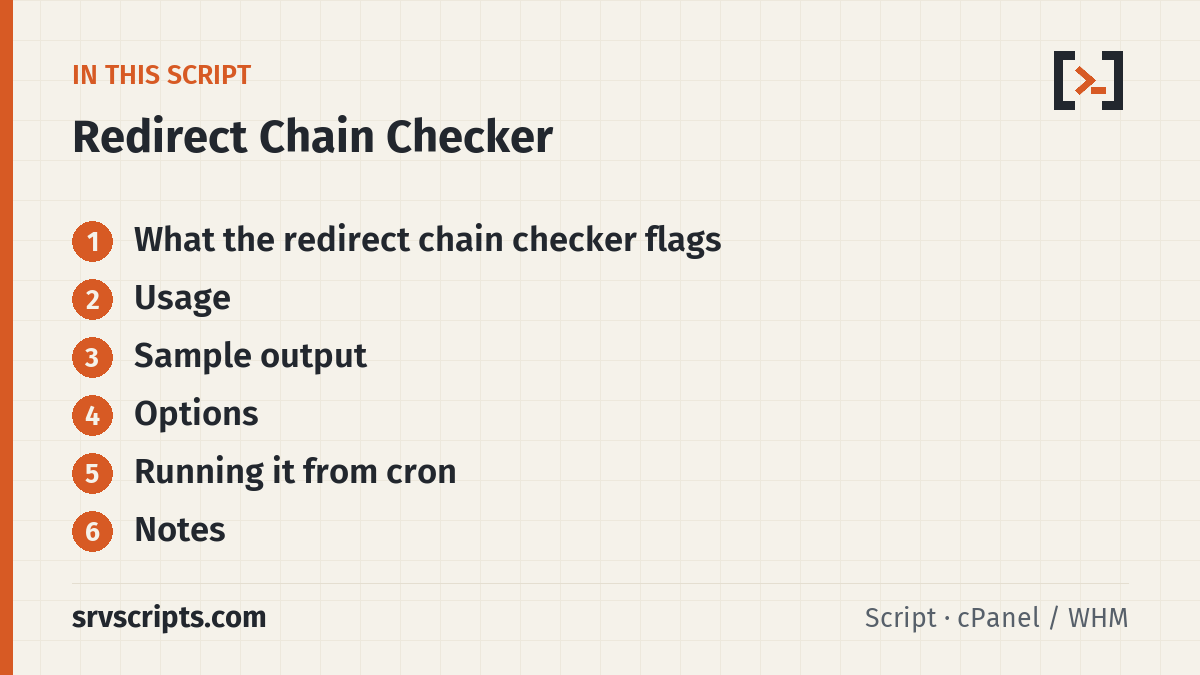
What the redirect chain checker flags
- Loops: a URL that redirects back to one already in the chain (FAIL).
- Too many hops: more than
--max-hopsredirects (FAIL). - Long chains: more than two redirects before the final page (WARN).
- Temporary redirects: 302, 303 or 307 in the chain where a permanent 301 or 308 is usually meant (WARN).
- HTTPS downgrades: an https URL redirecting to http, and chains that end on plain http (WARN).
- Bad endings: a final status other than 200, a 3xx without a Location header, or a request that failed (DNS, TLS, timeout) with curl’s own error message (FAIL).
- Variants (
--variants):http://,http://www.,https://andhttps://www.of each domain must all end on the same URL (FAIL if not).
Usage
curl -fsSL https://srvscripts.com/get/redirect-tester/ -o redirect-tester.sh
bash redirect-tester.sh http://example.com/old-page https://example.com/blog
bash redirect-tester.sh --variants example.com           # the four canonical variants
bash redirect-tester.sh --variants example.com/shop/     # same, for a path
bash redirect-tester.sh --file urls.txt -q               # only URLs with problems
bash redirect-tester.sh --user-agent "Mozilla/5.0" --timeout=20 https://example.com/
urls.txt holds one URL or domain per line; # comments and blank lines are ignored. A bare domain is tested as http://domain/.
Sample output
== http://www.example.com/old-page ==
   1  301  http://www.example.com/old-page -> https://www.example.com/old-page
   2  301  https://www.example.com/old-page -> https://example.com/old-page
   3  302  https://example.com/old-page -> https://example.com/new-page/
   4  200  https://example.com/new-page/
  WARN  chain of 3 redirects (more than 2 costs time and crawl budget)
  WARN  1 temporary redirect(s) (302/303/307); a permanent move should be 301 or 308

== Variants of example.com/ ==
  http://example.com/                      -> 200 https://example.com/
  http://www.example.com/                  -> 200 https://example.com/
  https://example.com/                     -> 200 https://example.com/
  https://www.example.com/                 -> 200 https://www.example.com/
  FAIL  the four variants end on 2 different URLs; pick one canonical URL and 301 the rest to it
The old page takes three hops, because the https rule, the www rule and the page redirect run one after another; the last one is a 302 left by a redirect plugin. Changing the plugin rule to 301 and pointing it straight at the final URL fixes both warnings. The variants block shows https://www. serving the site itself instead of redirecting, so search engines see two copies of the home page.
Tested on a real server
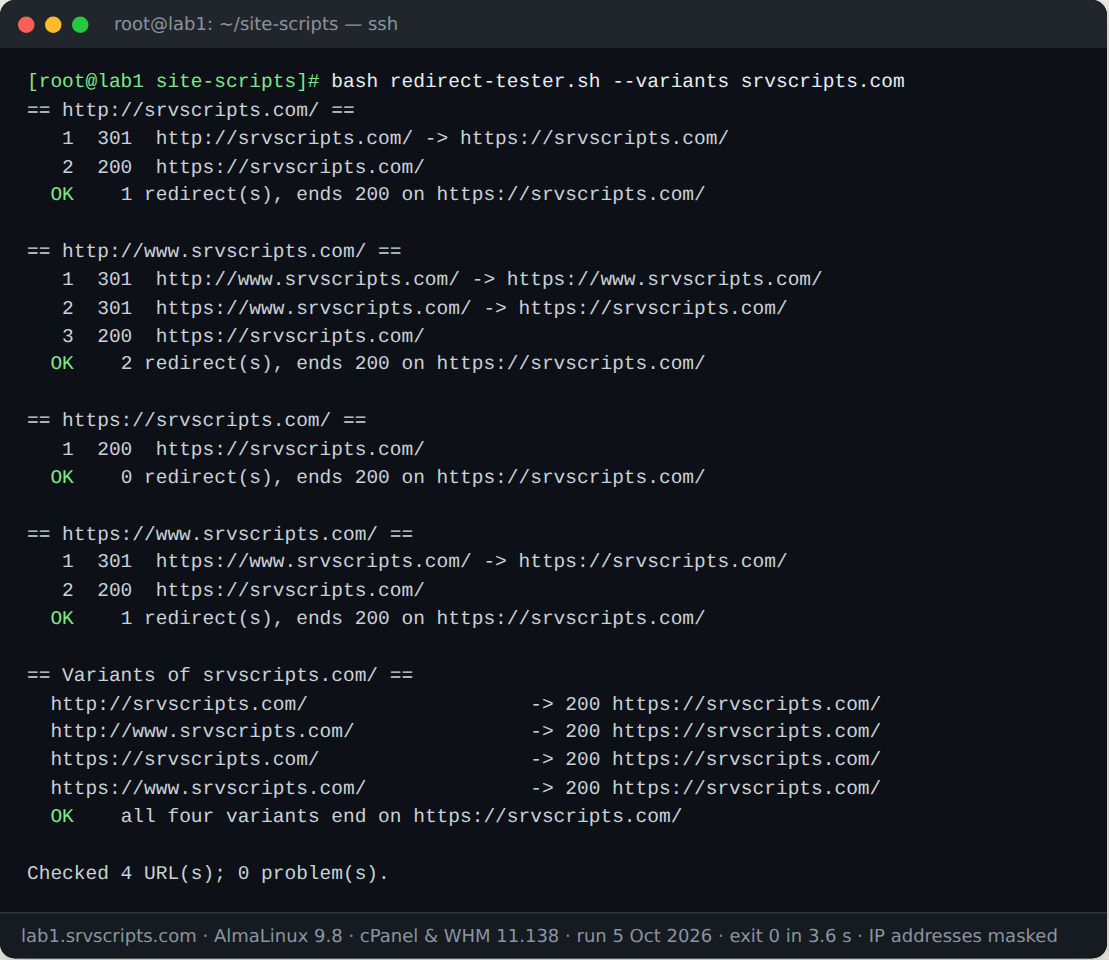
We ran this script on our lab server on 5 October 2026: AlmaLinux 9.8 with cPanel & WHM 11.138, MariaDB 10.11 and three WordPress test accounts. The screenshot is the real terminal output; only IP addresses are masked.
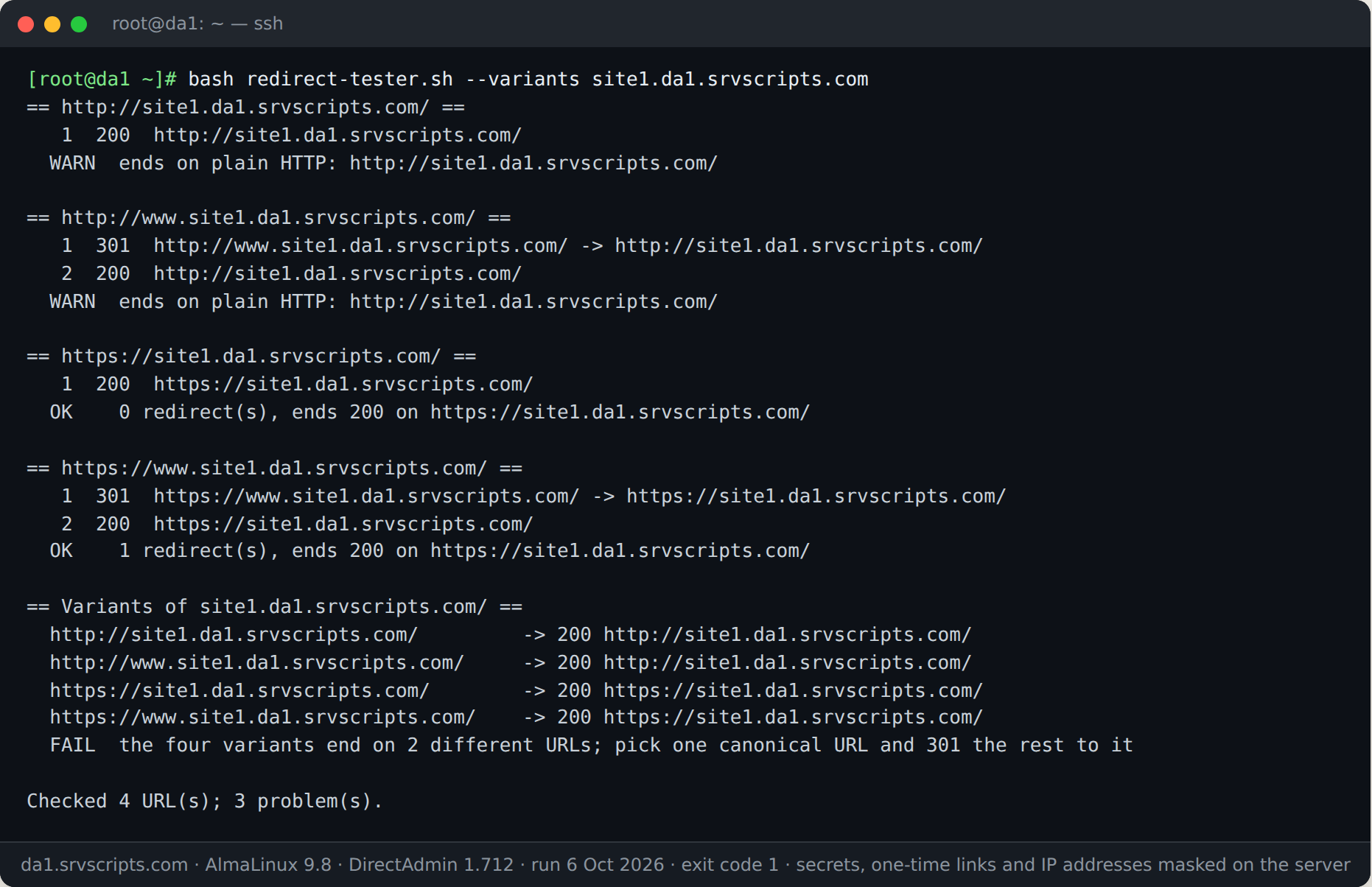
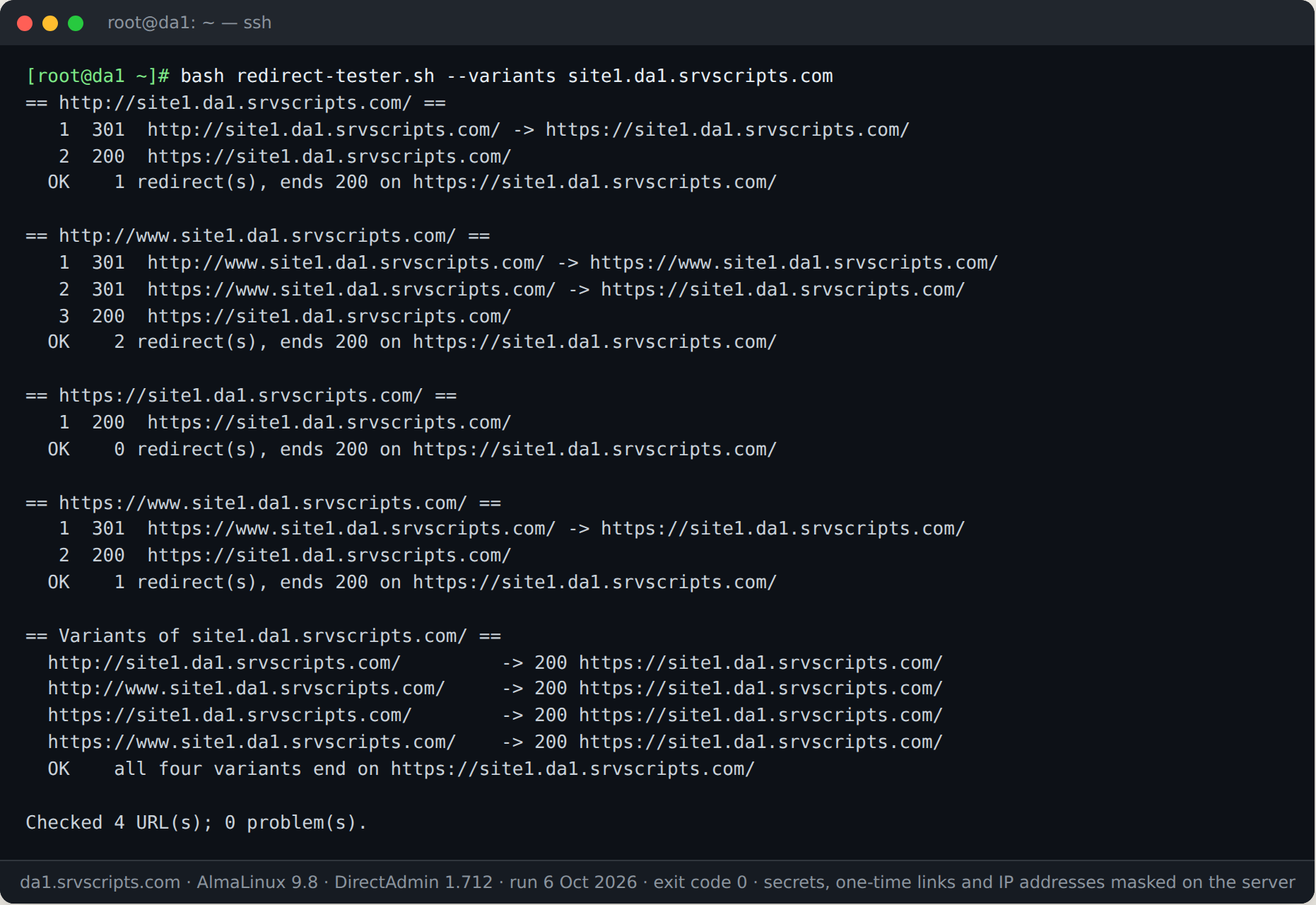
We also ran it on our DirectAdmin test server (DirectAdmin 1.712 on AlmaLinux 9.8, 6 October 2026) against a new WordPress domain. Out of the box DirectAdmin serves both HTTP and HTTPS, so the script reports three problems; after switching on Force SSL with https redirect for the domain, all four variants end on one HTTPS address.
Options
--file FILE— read URLs from a file, in addition to any on the command line.--variants— test http/https and www/non-www for each argument.--max-hops=N— stop after N redirects (default 10).--timeout=SEC— per-request timeout (default 10).--user-agent=STR— User-Agent to send; some firewalls answer unknown agents differently.-q,--quiet— print only URLs with a WARN or FAIL, plus the summary line.
Running it from cron
0 6 * * * /root/bin/redirect-tester.sh --file /root/redirects.txt -q > /root/redirects.out || mail -s "Redirect problems" you@example.com < /root/redirects.outKeep the list of important old URLs from your last migration in that file and you will know the day a rule disappears.
Notes
Read-only: it sends one GET per hop with curl and discards the body. It does not follow HTML meta refresh or JavaScript redirects, only HTTP status codes and Location headers. Certificate errors are reported as failures, not ignored; the SSL expiry check covers the certificate side. Results can differ by User-Agent and by country when a CDN or security plugin is in front of the site.
Redirect chain checker at a glance
Official documentation: cPanel & WHM documentation, AlmaLinux wiki, Linux man pages.
Related guides: VoIP Call Quality: Jitter, Packet Loss and MOS Explained With 3 Easy Targets · cPanel Quotas Unlimited: Easy fixquotas Repair · cPanel ELevate AlmaLinux 8 to 9 to 10: Safe Upgrade Steps.
The script
#!/usr/bin/env bash
# Redirect Chain Checker (v1.0.0) - from srvScripts.com
# Source, docs and updates: https://srvscripts.com/scripts/redirect-tester/
# Copyright (c) 2026 srvScripts.com. MIT licence: if you copy, share or adapt this script, keep this notice and credit srvScripts.com.
# redirect-tester.sh — follow redirect chains hop by hop and flag loops, long chains, 302s, HTTPS downgrades and bad endings
# https://srvscripts.com/scripts/redirect-tester/   License: MIT
#
# Read-only: it only sends GET requests with curl, one hop at a time, and prints every hop.
#   bash redirect-tester.sh http://example.com/old-page https://example.com/blog
#   bash redirect-tester.sh --file urls.txt -q          # only URLs with problems
#   bash redirect-tester.sh --variants example.com      # http/https x www/non-www
set -uo pipefail
export LC_ALL=C

usage() {
  cat <<'EOF'
Usage: redirect-tester.sh [options] URL|DOMAIN ...

Options:
  --file FILE         read URLs from FILE (one per line, # comments allowed)
  --variants          for each domain, test http/https x www/non-www and check
                      that all four end on the same URL
  --max-hops=N        give up after N redirects (default 10)
  --timeout=SEC       per-request timeout (default 10)
  --user-agent=STR    User-Agent header to send
  -q, --quiet         print only URLs that have a problem
  --no-color          plain output even on a terminal
  -h, --help          show this help

A bare domain (example.com) is tested as http://example.com/.
Exit codes: 0 all OK, 1 at least one WARN/FAIL, 2 usage or dependency error
EOF
}

MAXHOPS=10; TIMEOUT=10; UA='srvscripts-redirect-tester/1.0'; VARIANTS=0; QUIET=0; COLOR=1
TARGETS=()
read_list() {
  [[ -r $1 ]] || { echo "Cannot read $1" >&2; exit 2; }
  local l
  while IFS= read -r l; do l=${l%%#*}; l=${l//[[:space:]]/}; [[ -n $l ]] && TARGETS+=("$l"); done < "$1"
}
while (( $# )); do
  case $1 in
    --file) read_list "${2:-}"; shift ;;
    --file=*) read_list "${1#*=}" ;;
    --variants) VARIANTS=1 ;;
    --max-hops=*) MAXHOPS=${1#*=} ;;
    --max-hops) MAXHOPS=${2:-}; shift ;;
    --timeout=*) TIMEOUT=${1#*=} ;;
    --timeout) TIMEOUT=${2:-}; shift ;;
    --user-agent=*) UA=${1#*=} ;;
    --user-agent) UA=${2:-}; shift ;;
    -q|--quiet) QUIET=1 ;;
    --no-color) COLOR=0 ;;
    -h|--help) usage; exit 0 ;;
    -*) echo "Unknown option: $1 (see --help)" >&2; exit 2 ;;
    *) TARGETS+=("$1") ;;
  esac
  shift
done
[[ $MAXHOPS =~ ^[0-9]+$ && $TIMEOUT =~ ^[0-9]+$ ]] || { echo "--max-hops and --timeout need a number" >&2; exit 2; }
(( ${#TARGETS[@]} )) || { usage >&2; exit 2; }
command -v curl >/dev/null 2>&1 || { echo "curl is required and was not found." >&2; exit 2; }

C_OK=''; C_WARN=''; C_FAIL=''; C_OFF=''
if [[ -t 1 && $COLOR -eq 1 ]]; then C_OK=$'\e[32m'; C_WARN=$'\e[33m'; C_FAIL=$'\e[31m'; C_OFF=$'\e[0m'; fi
ERRF=$(mktemp) || exit 2
trap 'rm -f "$ERRF"' EXIT

OUT=''                                    # output of the current check, printed at the end
add()  { OUT+="$*"$'\n'; }
flag() {                                  # flag OK|WARN|FAIL message
  local c=$C_OK; [[ $1 == WARN ]] && c=$C_WARN; [[ $1 == FAIL ]] && c=$C_FAIL
  add "$(printf '  %s%-4s%s  %s' "$c" "$1" "$C_OFF" "$2")"
  [[ $1 != OK ]] && ISSUES=$((ISSUES + 1))
}
normalize() { [[ $1 == *://* ]] && printf '%s' "$1" || printf 'http://%s/' "$1"; }

# Follow one URL. Sets FINAL_URL and FINAL_CODE; adds hop lines and verdicts to OUT.
follow() {
  local url=$1 hop=0 code next reason redirects=0 temp=0 downgrade=0
  local -A seen=()
  FINAL_URL=$url; FINAL_CODE=000; ISSUES=0
  add "== $url =="
  while :; do
    seen[$url]=1
    reason=$(curl -sS -o /dev/null --max-time "$TIMEOUT" -A "$UA" -w '%{http_code} %{redirect_url}' -- "$url" 2>"$ERRF")
    code=${reason%% *}; next=${reason#* }; [[ $next == "$reason" ]] && next=''
    hop=$((hop + 1)); FINAL_URL=$url; FINAL_CODE=$code
    if [[ $code == 000 ]]; then
      add "$(printf '  %2d  ERR  %s' "$hop" "$url")"
      flag FAIL "request failed: $(head -n1 "$ERRF" | sed 's/^curl: ([0-9]*) //')"
      break
    fi
    if [[ $code =~ ^3 && -n $next ]]; then
      add "$(printf '  %2d  %s  %s -> %s' "$hop" "$code" "$url" "$next")"
      redirects=$((redirects + 1))
      [[ $code == 302 || $code == 303 || $code == 307 ]] && temp=$((temp + 1))
      [[ $url == https://* && $next == http://* ]] && downgrade=1
      if [[ -n ${seen[$next]:-} ]]; then flag FAIL "redirect loop: $next was already visited"; FINAL_CODE=loop; break; fi
      if (( redirects >= MAXHOPS )); then flag FAIL "gave up after $MAXHOPS redirects (--max-hops)"; FINAL_CODE=toolong; break; fi
      url=$next
      continue
    fi
    add "$(printf '  %2d  %s  %s' "$hop" "$code" "$url")"
    [[ $code =~ ^3 ]] && flag FAIL "$code response without a Location header"
    break
  done

  (( downgrade )) && flag WARN "redirects from HTTPS down to plain HTTP"
  [[ $FINAL_CODE == 200 && $FINAL_URL == http://* ]] && flag WARN "ends on plain HTTP: $FINAL_URL"
  (( redirects > 2 )) && flag WARN "chain of $redirects redirects (more than 2 costs time and crawl budget)"
  (( temp > 0 )) && flag WARN "$temp temporary redirect(s) (302/303/307); a permanent move should be 301 or 308"
  if [[ $FINAL_CODE =~ ^[0-9]+$ && $FINAL_CODE != 200 && $FINAL_CODE != 000 && ! $FINAL_CODE =~ ^3 ]]; then flag FAIL "final status $FINAL_CODE (expected 200)"; fi
  (( ISSUES == 0 )) && flag OK "$redirects redirect(s), ends 200 on $FINAL_URL"
  return 0
}

# Print OUT unless quiet mode is on and the check had no issues.
emit() { if (( ! QUIET || ISSUES > 0 )); then printf '%s\n' "$OUT"; fi; OUT=''; }

TOTAL_ISSUES=0; CHECKED=0
for t in "${TARGETS[@]}"; do
  if (( VARIANTS )); then
    host=${t#*://}; path=/
    [[ $host == */* ]] && path="/${host#*/}"
    host=${host%%/*}; base=${host#www.}
    finals=(); vissues=0
    vlist=("http://$base$path" "http://www.$base$path" "https://$base$path" "https://www.$base$path")
    for v in "${vlist[@]}"; do
      follow "$v"; emit
      CHECKED=$((CHECKED + 1)); vissues=$((vissues + ISSUES)); finals+=("$FINAL_CODE $FINAL_URL")
    done
    ISSUES=0
    add "== Variants of $base$path =="
    for i in 0 1 2 3; do add "$(printf '  %-40s -> %s' "${vlist[i]}" "${finals[i]}")"; done
    distinct=$(printf '%s\n' "${finals[@]}" | sort -u | wc -l)
    if (( distinct > 1 )); then flag FAIL "the four variants end on $distinct different URLs; pick one canonical URL and 301 the rest to it"
    else flag OK "all four variants end on ${finals[0]#* }"; fi
    emit
    TOTAL_ISSUES=$((TOTAL_ISSUES + vissues + ISSUES))
  else
    follow "$(normalize "$t")"; emit
    CHECKED=$((CHECKED + 1)); TOTAL_ISSUES=$((TOTAL_ISSUES + ISSUES))
  fi
done

echo "Checked $CHECKED URL(s); $TOTAL_ISSUES problem(s)."
(( TOTAL_ISSUES > 0 )) && exit 1
exit 0
e802a8a5354cf3312f4f09481b4bc56616db1706356ba2d22e23f04c3c7b0e4ecurl -fsSL -o redirect-tester.sh https://scr.srvscripts.com/redirect-tester/redirect-tester.sh && curl -fsSL https://scr.srvscripts.com/redirect-tester/redirect-tester.sh.sha256 | sha256sum -cInvoke-WebRequest -Uri 'https://scr.srvscripts.com/redirect-tester/redirect-tester.sh' -OutFile 'redirect-tester.sh'; if ((Get-FileHash 'redirect-tester.sh' -Algorithm SHA256).Hash -eq 'E802A8A5354CF3312F4F09481B4BC56616DB1706356BA2D22E23F04C3C7B0E4E') { 'OK: the file is intact' } else { 'MISMATCH: do not run this file' }curl and sha256sum are not the Linux tools, so use the PowerShell line there.Also on GitHub: github.com/srvscripts/scripts
Frequently asked questions
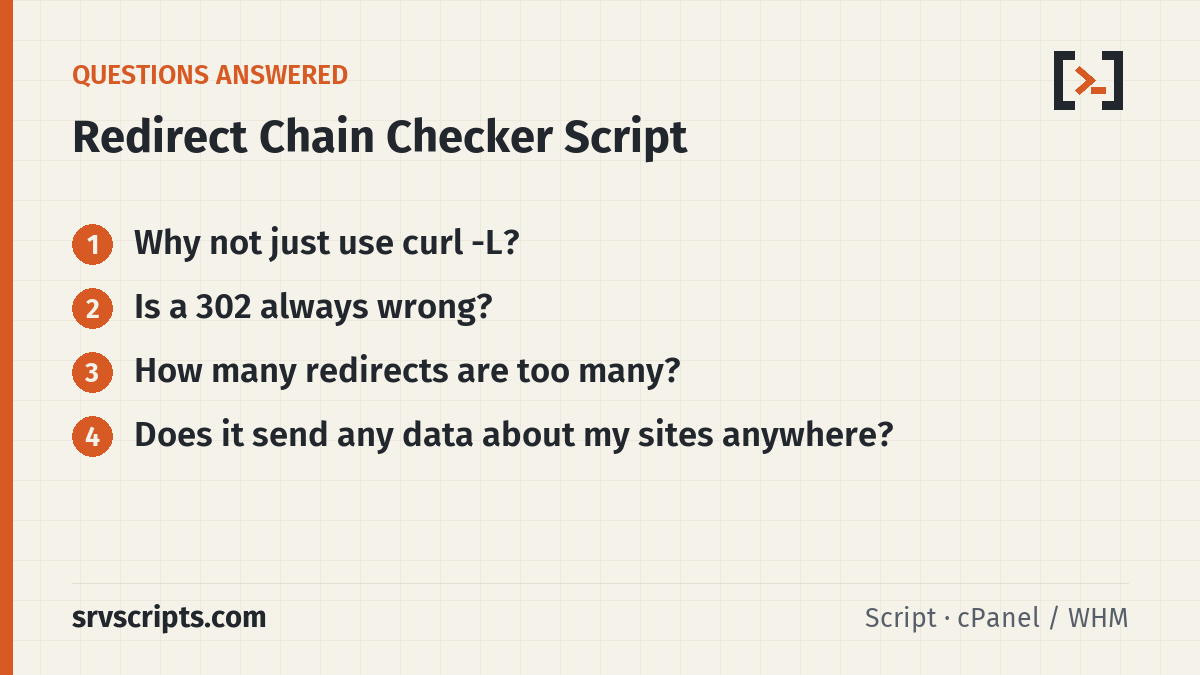
Why not just use curl -L?
curl -L jumps straight to the final page and prints only its headers. Stepping one hop at a time shows every status code, which is where 302s and extra hops hide.
Is a 302 always wrong?
No. Logins, carts and language switches use temporary redirects on purpose. For moved pages and http-to-https or www rules, use 301 or 308.
How many redirects are too many?
One is normal and two are acceptable. Beyond that every hop adds a round trip for visitors, and search engines may stop following long chains.
Does it send any data about my sites anywhere?
No. The only traffic is the requests to the URLs you give it.