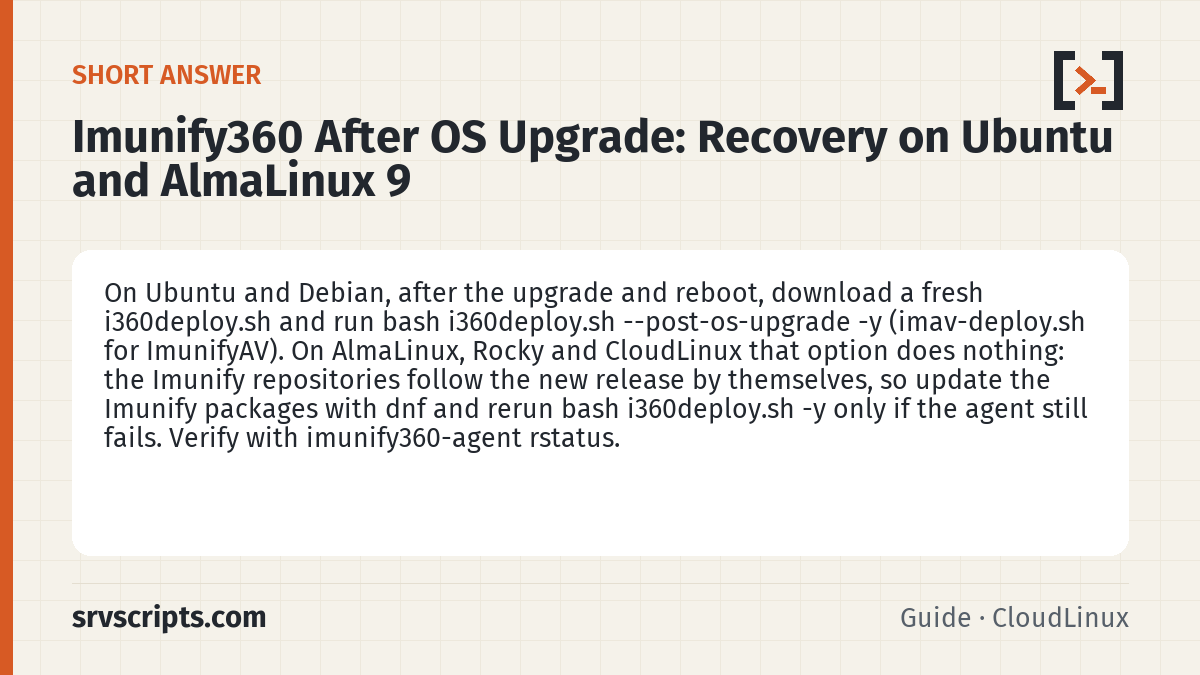
Short answer: On Ubuntu and Debian, after the OS upgrade has finished and the server has rebooted into the new release, download a fresh copy of the deployment script and run bash i360deploy.sh --post-os-upgrade -y. It installs the Imunify repository package for the new release, refreshes the package lists, reinstalls the main package built for it and restarts the services. For ImunifyAV-only servers use imav-deploy.sh with the same flag. On AlmaLinux, Rocky and CloudLinux (for example after ELevate) the option does nothing: the script prints “OS upgrade repo refresh is only needed for Debian/Ubuntu systems” and exits, because the Imunify repositories follow the new release by themselves. There, update the Imunify packages with dnf and reinstall only if the agent still fails (see below). Verify with imunify360-agent rstatus and systemctl status imunify360. (Reviewed October 2026.)
Applies to i360deploy.sh 2.155 (post-os-upgrade code path read 11 Oct 2026: Debian/Ubuntu only; no-op on EL)
Table of Contents
In-place operating system upgrades are more common than they used to be: Ubuntu 22.04 to 24.04 with do-release-upgrade, Debian 12 to 13 with a sources change and apt full-upgrade, and AlmaLinux 8 to 9 or 9 to 10 through the ELevate project, which cPanel wraps in its own upgrade script. Imunify360 ships packages built per distribution release and its agent runs on a bundled Python runtime with kernel-adjacent components, so after the upgrade the agent often refuses to start, the WHM plugin shows the agent as not running, and the firewall rules quietly vanish. The vendor provides a specific recovery mode for exactly this situation.
Confirm the state after the upgrade
Check what the upgraded system thinks about the agent before changing anything:
cat /etc/os-release | head -3
imunify360-agent version
systemctl status imunify360 imunify360-webshield
journalctl -u imunify360 -b | tail -40
Typical errors include missing shared libraries, a Python module import failure, or repository errors because the package manager now looks for a release directory that does not exist for the old repository definition. On EL systems the Imunify repository files (/etc/yum.repos.d/imunify360.repo and imunify-rollout.repo) use $releasever in their URLs, so they follow the new release by themselves; run dnf repolist to confirm they load without errors. On Debian and Ubuntu the repository files in /etc/apt/sources.list.d/ still name the old release, which is what --post-os-upgrade fixes.
Run the post-upgrade recovery
On Ubuntu and Debian, always download the script anew so you run the current version (we checked the option in version 2.155):
cd /root
wget -O i360deploy.sh https://repo.imunify360.cloudlinux.com/defence360/i360deploy.sh
bash i360deploy.sh --post-os-upgrade -y
We read what this option does in i360deploy.sh 2.155. On Ubuntu and Debian it downloads and installs the imunify-release package for the new release, refreshes the package lists, reinstalls the main package (imunify360-firewall, or imunify-antivirus with imav-deploy.sh) built for the new release and restarts the services. On AlmaLinux and other RPM-based systems it only prints a message and exits, so after an ELevate upgrade update the Imunify packages with dnf instead (for example dnf update 'imunify*') and check the agent. The -y flag suppresses the confirmation prompts, which matters when you run it over a flaky connection inside screen or tmux. On an ImunifyAV or ImunifyAV+ server run imav-deploy.sh --post-os-upgrade -y instead. The licence key is read from the existing registration and does not need re-entering.
When the script fails
If the script stops with a package conflict, the usual cause is a leftover package from the old release that the new one obsoletes differently. Remove it explicitly and rerun:
dnf list installed | grep -i imunify
dnf remove imunify360-firewall imunify-antivirus -y
bash i360deploy.sh -y          # a fresh install: --post-os-upgrade does not reinstall removed packages
imunify360-agent rstatus       # if it is not OK: imunify360-agent register YOUR_KEY (or IPL)
On Debian and Ubuntu use dpkg -l | grep -i imunify and apt-get remove. Removing the packages does not delete /var/imunify360/, where the database with whitelists, incidents and settings lives, so a reinstall picks them up. If the WHM plugin is absent after recovery, follow Fix Imunify360 missing from the WHM interface. Kernel-related components such as the file-change monitor may need the new kernel headers, which dnf install kernel-devel-$(uname -r) supplies on EL systems.
Check the firewall integration
An OS upgrade can also change the firewall backend underneath Imunify360. AlmaLinux 10 and recent Ubuntu releases use nftables natively, and if CSF is installed alongside, its behaviour on EL10 differs because ipset support is broken there. Confirm that Imunify360’s rules are present and that no second firewall is fighting them:
imunify360-agent rstatus
nft list ruleset | grep -ci imunify
iptables -S | grep -ci i360
One of the last two should show a non-zero count depending on which backend the agent selected. If both are zero, restart the agent and re-check the journal for an error about the backend. If CSF was retained through the upgrade, verify it started cleanly with csf -l | head and consider whether it is still needed; the CloudLinux migration tool exists to replace CSF with Imunify360 entirely.
Verify
Confirm the agent, WebShield and the WAF are all running, and that protection is genuinely active rather than only the service being up:
systemctl is-active imunify360 imunify360-webshield
imunify360-agent check-domains 2>/dev/null | head -5
imunify360-agent proactive list 2>/dev/null | head -3
imunify360-agent malware history list --limit 3
Then log in to the WHM plugin and confirm the dashboard renders with no warning banner. The most common pitfall is running the recovery before the OS upgrade is genuinely finished: ELevate in particular reboots more than once and leaves a final stage that runs on boot, and running the Imunify script before that stage completes installs packages for the wrong release. Wait for cat /etc/os-release to show the target version and for dnf check-update to run cleanly first.
Imunify360 after OS upgrade at a glance
Official documentation: Imunify360 documentation, AlmaLinux wiki, Linux man pages.
Related guides: Account quotas show “unlimited”: fixquotas and XFS/ext4 quota repair on cPanel · mariadb-dump vs mysqldump: modern backup commands and wildcard database dumps · Mitigating Copy Fail, Dirty Frag and the DirectAdmin 1.711 TLS privilege escalation.
Frequently asked questions
Does the post-os-upgrade mode also work after an ELevate upgrade run by cPanel?
No. On AlmaLinux and other RPM-based systems the option only prints that the refresh is needed on Debian and Ubuntu, and exits. After ELevate, update the Imunify packages with dnf and check the agent; reinstall with i360deploy.sh only if it still fails.
How long does Imunify360 recovery take after an OS upgrade?
The script normally completes in five to ten minutes, most of it package download and installation. Allow another few minutes for the agent to rebuild its rule set and reconnect to the vendor’s servers.
Can I undo the recovery if the new packages misbehave?
The old-release packages cannot be reinstalled on the new OS, so there is no rollback of the packages themselves. If the new build causes problems, downgrade to an earlier version built for the new release, as described in the update and rollback guide, and report the issue to the vendor.
Maintenance record
This guide changes servers, data or security settings, so we re-check it against current versions on a fixed schedule. Take a backup or snapshot before you start.
- Maintained by
- srvScripts editorial team
- Supported versions
- i360deploy.sh 2.155 (post-os-upgrade code path read 11 Oct 2026: Debian/Ubuntu only; no-op on EL)
- Last full review
- Next review
