Every WordPress site tells the world which WordPress version it runs, and many also announce the PHP version, unless you switch that off. Automated scanners read those numbers to pick exploits for your exact release. This guide hides both on every site on a server: a small must-use plugin for WordPress, two lines of web server config for PHP and the server banner, and a script to roll it out.
Applies to WordPress 5.x–7.1; Apache, LiteSpeed and nginx; cPanel and DirectAdmin; PHP 8.x. Lab: WordPress 7.1.1, Apache + PHP-FPM, DirectAdmin 1.712, AlmaLinux 9
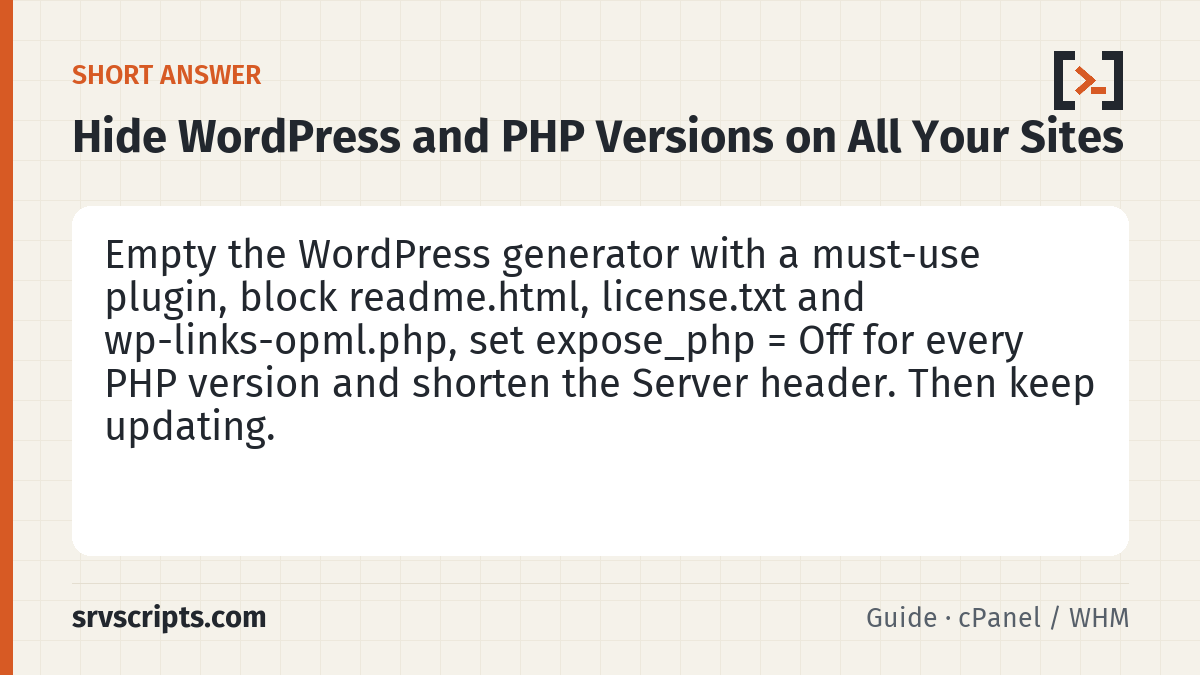
Short answer: put a must-use plugin in wp-content/mu-plugins/ that empties the generator, block readme.html, license.txt and wp-links-opml.php, set expose_php = Off for every PHP version on the server, and shorten the Server header. Then check with curl or our WordPress Security Check. Hiding versions is cheap hygiene; it does not replace updating.
Scope and evidence: the must-use plugin and the .htaccess block were tested on 22 October 2026 on our lab site (WordPress 7.1.1, Apache with PHP-FPM, DirectAdmin 1.712, AlmaLinux 9); the results are in the table below. expose_php = Off was already the DirectAdmin CustomBuild default there. The cPanel, CloudLinux, LiteSpeed and nginx steps follow the vendor documentation and were not run on a production server for this guide. The bulk script was tested against throwaway accounts (results in the rollout section), not on a production server: run it with DRY=1 first and test one site.
What gives your versions away
| Where | What a visitor sees | Fix |
|---|---|---|
Home page <meta name="generator"> | WordPress 7.1.1 | Must-use plugin |
RSS and Atom feeds (/feed/) | <generator>https://wordpress.org/?v=7.1.1 | Must-use plugin |
/wp-links-opml.php | generator="WordPress/7.1.1" | Must-use plugin and block the file |
?ver= on core CSS and JS, including the login page | style.min.css?ver=7.1.1 | Must-use plugin (hash instead of the version) |
/readme.html, /license.txt | Confirms WordPress; old releases also showed the version | Block the files (updates put them back if you delete them) |
X-Powered-By response header | PHP/8.3.20 | expose_php = Off |
Server response header | Apache/2.4.62 (AlmaLinux), nginx/1.26.2 | ServerTokens / Server Signature / server_tokens |
Lab result on 22 October 2026, before and after the must-use plugin and the .htaccess block:
| Check | Before | After |
|---|---|---|
| Generator tag on the home page | WordPress 7.1.1 | gone |
| Feed generator | ?v=7.1.1 | gone |
wp-links-opml.php | 200, WordPress/7.1.1 | 403 |
?ver=7.1.1 on the home page / login page | 2 / 11 times | 0 / 0 |
readme.html, license.txt | 200 | 403 |
| Home page and login page | 200 | 200 |
| WordPress Security Check | WordPress 7.1.1 (latest 7.1.3) | actual version hidden · estimated 7.1.1, 7.1.2 from public core files |
The last row matters: hiding stops the easy reads, but an outside check can still estimate a release by comparing public core files such as block-library/style.min.css with WordPress.org checksums. Changing those files would break updates, so do not try. Keeping WordPress current is what actually protects you.
Hide the WordPress version with a must-use plugin
Save this as wp-content/mu-plugins/hide-wp-version.php (create the mu-plugins folder if it does not exist). Must-use plugins load automatically, cannot be switched off from the dashboard and survive theme changes.
<?php
/**
 * Plugin Name: Hide WordPress version
 * Description: Removes the WordPress version from the generator tag, feeds and wp-links-opml.php, and replaces ?ver=<WordPress version> on core CSS/JS with a hash that still changes on every update.
 */
defined( 'ABSPATH' ) || exit;
remove_action( 'wp_head', 'wp_generator' );
add_filter( 'the_generator', '__return_empty_string' ); // generator tag, RSS/Atom feeds, OPML comment
function srvs_hide_wp_ver_src( $src ) {
	$v = get_bloginfo( 'version' );
	if ( ! $src || ! $v ) { return $src; }
	return preg_replace( '/([?&]ver=)' . preg_quote( $v, '/' ) . '(?=&|$)/', '${1}' . substr( md5( $v . wp_salt( 'auth' ) ), 0, 10 ), $src );
}
add_filter( 'style_loader_src', 'srvs_hide_wp_ver_src', 20 );
add_filter( 'script_loader_src', 'srvs_hide_wp_ver_src', 20 );
The the_generator filter covers the generator tag, the feeds and the OPML comment in one go. The two loader filters swap ver=7.1.1 on core files for a short hash of the version and a site secret, so browser caches still refresh after every update. Plugin and theme files keep their own ?ver=; that is their version, not WordPress’s.
Block readme.html, license.txt and wp-links-opml.php
Apache and LiteSpeed: put this at the top of the site’s .htaccess, above the # BEGIN WordPress block. Each directive goes on its own line.
<FilesMatch "^(readme\.html|license\.txt|wp-links-opml\.php)$">
    Require all denied
</FilesMatch>
nginx: add this inside the site’s server block and reload nginx.
location ~* ^/(readme\.html|license\.txt|wp-links-opml\.php)$ {
    deny all;
}
Optional: hide most plugin versions too by blocking plugin readme.txt files. On Apache and LiteSpeed, add readme\.txt to the FilesMatch list above (it matches the file name in any folder). The nginx rule above only covers the site root, so nginx needs a separate rule:
location ~* ^/wp-content/plugins/[^/]+/readme\.txt$ {
    deny all;
}
Some support tools read those files, so only block them if you do not need that.
Hide the PHP version for every PHP version on the server
expose_php controls the X-Powered-By: PHP/8.x.y header. It is a system-level setting, so a site cannot turn it back on with .user.ini; set it once per PHP version.
| Server | Where to set expose_php = Off |
|---|---|
| cPanel / WHM | WHM → Software → MultiPHP INI Editor → Editor Mode → choose each PHP version → set expose_php = Off → Save. |
| DirectAdmin | Check grep -n expose_php /usr/local/phpXX/lib/php.ini (it was already Off on our lab). If it is On, add a file such as /usr/local/phpXX/lib/php.conf.d/99-hide-version.ini containing expose_php = Off; files in php.conf.d are read after php.ini. |
| CloudLinux alt-php | Set it in the php.ini of each alt-php version the sites use, following CloudLinux’s documentation for your setup. We did not test alt-php for this guide, so verify with the header check below. |
| Plain PHP-FPM | In the php.ini (or a conf.d file) of each PHP version. |
PHP reads the setting when it starts, so restart or reload that PHP version’s PHP-FPM service the way your control panel documents it. As a belt-and-braces measure on Apache with mod_headers, you can also add Header always unset X-Powered-By and Header unset X-Powered-By to the global configuration.
Shorten the Server header
| Web server | Setting |
|---|---|
| Apache (cPanel) | WHM → Service Configuration → Apache Configuration → Global Configuration: Server Tokens ProductOnly, Server Signature Off. |
| Apache (DirectAdmin) | ServerTokens and ServerSignature in /etc/httpd/conf/extra/httpd-default.conf; our lab had ServerTokens Major (header Apache/2) and ServerSignature Off. Use ServerTokens Prod for just Apache, through CustomBuild’s custom configuration so a rebuild does not undo it. |
| LiteSpeed Enterprise | WebAdmin → Configuration → Server → General → Server Signature: Hide Version. |
| nginx | server_tokens off; in the http block. |
Roll it out to every WordPress site on a server
On a shared or reseller server the site folders belong to hosting accounts, and an account can plant symbolic links. A root script that writes into those folders can be tricked into writing somewhere else. The script below therefore never writes as root: it writes as each site’s own user with runuser, so a planted link can only lead where that account could already write. It also refuses links in wp-content, mu-plugins or the plugin file, skips sites whose wp-content belongs to a system account or sits outside the owner’s home, never replaces an existing hide-wp-version.php, checks every step, records each added file in a rollback log and exits non-zero if any site failed.
Save the plugin from the first section as /root/hide-wp-version.php and this as hide-wp-all.sh:
#!/bin/bash
# hide-wp-all.sh - add the hide-wp-version.php must-use plugin to every WordPress site under /home.
#   DRY=1 bash hide-wp-all.sh   list what would happen, change nothing (run this first)
#   bash hide-wp-all.sh         add the plugin; every added file is recorded in a rollback log
# Safety rules:
#  - every write runs as the site's own user (runuser), never as root, so a link planted by a hosting
#    account can only lead where that account could already write;
#  - links in wp-content, mu-plugins or the target file are refused, and wp-content must be inside the user's home;
#  - an existing hide-wp-version.php is never replaced: identical = skipped, different = left alone and reported;
#  - each step's exit code is checked; the script exits non-zero if any site failed.
set -u
SRC=${SRC:-/root/hide-wp-version.php}
ROOTS=${ROOTS:-/home/*/}
LOG=${LOG:-/root/hide-wp-rollout-$(date +%Y%m%d-%H%M%S).log}
[ -f "$SRC" ] && [ ! -L "$SRC" ] || { echo "ERROR: $SRC missing or a link"; exit 2; }
SUM=$(sha256sum < "$SRC" | cut -d' ' -f1)
fails=0
[ -z "${DRY:-}" ] && { : > "$LOG" || { echo "ERROR: cannot write $LOG"; exit 2; }; echo "rollback log: $LOG"; }
while IFS= read -r -d '' cfg; do
	d=$(dirname -- "$cfg"); w="$d/wp-content"; mu="$w/mu-plugins"; dst="$mu/hide-wp-version.php"
	if [ ! -d "$w" ] || [ -L "$w" ]; then echo "SKIP  $d: wp-content missing or a link"; continue; fi
	u=$(stat -c %U -- "$w"); uid=$(stat -c %u -- "$w")
	if [ "$uid" -lt 1000 ] 2>/dev/null || [ "$u" = UNKNOWN ]; then echo "SKIP  $d: wp-content owned by $u (system account)"; continue; fi
	home=$(getent passwd "$u" | cut -d: -f6); rw=$(realpath -e -- "$w" 2>/dev/null); rh=$(realpath -e -- "$home" 2>/dev/null)
	case "$rw/" in "$rh"/*) ;; *) echo "SKIP  $d: wp-content is not inside $u's home"; continue ;; esac
	if [ -L "$mu" ] || [ -L "$dst" ]; then echo "SKIP  $d: mu-plugins or the plugin file is a link"; continue; fi
	if [ -e "$dst" ]; then
		if [ "$(sha256sum < "$dst" | cut -d' ' -f1)" = "$SUM" ]; then echo "SAME  $d: already installed"; else echo "KEEP  $d: a different hide-wp-version.php exists, not replaced"; fi
		continue
	fi
	echo "PLAN  $d (as $u)"; [ -n "${DRY:-}" ] && continue
	# As the site user: refuse links again, create the folder, write a temp file, move it in without overwriting.
	runuser -u "$u" -- sh -c 'umask 022
		[ -L "$1" ] && exit 3
		mkdir -p -- "$1" || exit 4
		[ -L "$1" ] && exit 3
		t=$(mktemp "$1/.hide-wp-version.XXXXXX") || exit 4
		cat > "$t" || { rm -f -- "$t"; exit 4; }
		chmod 644 -- "$t" || { rm -f -- "$t"; exit 4; }
		mv -n -- "$t" "$2" || { rm -f -- "$t"; exit 4; }
		if [ -e "$t" ]; then rm -f -- "$t"; exit 5; fi
		exit 0' sh "$mu" "$dst" < "$SRC"
	rc=$?
	if [ $rc -ne 0 ]; then echo "FAIL  $d: write as $u failed (code $rc)"; fails=$((fails+1)); continue; fi
	if [ -L "$dst" ] || [ "$(sha256sum < "$dst" | cut -d' ' -f1)" != "$SUM" ]; then echo "FAIL  $d: file check failed after writing"; fails=$((fails+1)); continue; fi
	printf '%s\t%s\t%s\n' "$u" "$dst" "$SUM" >> "$LOG" || { echo "FAIL  $d: could not write the rollback log"; fails=$((fails+1)); continue; }
	echo "ADDED $dst"
done < <(find $ROOTS -maxdepth 5 -type f -name wp-config.php -print0 2>/dev/null)
echo "failed: $fails"; [ $fails -eq 0 ]
Undo with the rollback log. It removes only files the rollout added, as the site user, and keeps any file that was changed afterwards (save as hide-wp-rollback.sh):
#!/bin/bash
# hide-wp-rollback.sh LOG - remove only the files hide-wp-all.sh added (as the site user), and only if unchanged.
set -u
LOG=${1:?usage: hide-wp-rollback.sh /root/hide-wp-rollout-....log}
fails=0
while IFS=$'\t' read -r u dst sum; do
	[ -n "$dst" ] || continue
	if [ -L "$dst" ] || [ ! -f "$dst" ]; then echo "SKIP    $dst: missing or a link"; continue; fi
	if [ "$(sha256sum < "$dst" | cut -d' ' -f1)" != "$sum" ]; then echo "KEEP    $dst: changed since rollout, not removed"; continue; fi
	if runuser -u "$u" -- rm -f -- "$dst"; then echo "REMOVED $dst"; else echo "FAIL    $dst"; fails=$((fails+1)); fi
done < "$LOG"
echo "failed: $fails"; [ $fails -eq 0 ]
How to run it: DRY=1 bash hide-wp-all.sh first and read every line (PLAN, SKIP, KEEP, SAME), then run it for one site by limiting the search, for example ROOTS=/home/alice/ bash hide-wp-all.sh, check that site, and only then run it for all. Accounts with a user ID below 1000 are treated as system accounts and skipped.
How we tested the script: on 22 October 2026 we ran it against throwaway accounts on a test machine, not on a production server; 15 of 15 checks passed. A mu-plugins link to a root-only folder was refused and the folder stayed untouched (mode 700, empty). With the link checks deliberately removed, the write through the link still failed, because it ran as the account. An existing different plugin was kept unchanged; a read-only mu-plugins was reported as FAIL with a non-zero exit; a bad rollback-log path stopped the run before any change; the rollback removed the unchanged file and kept one edited after the rollout.
For the file block, add the .htaccess lines per site, or on a server you control use a global Apache include with a LocationMatch for the same file names (that also blocks a readme.html in non-WordPress apps). To undo everything: run the rollback, remove the .htaccess block, and set expose_php and the server signature back.
Check the result
SITE=https://example.com
curl -s $SITE/ | grep -io '<meta[^>]*generator[^>]*>'          # nothing, or only plugin generators
curl -s $SITE/feed/ | grep -o '<generator>[^<]*'                # nothing
curl -s -o /dev/null -w '%{http_code}\n' $SITE/readme.html      # 403
curl -s -o /dev/null -w '%{http_code}\n' $SITE/wp-links-opml.php # 403
curl -sI $SITE/ | grep -i '^x-powered-by\|^server'              # no PHP version, no web server version
Or run the site through our WordPress Security Check: you should see Version disclosure: passed, the WordPress version as actual version hidden with an estimate (or no estimate), and PHP as not disclosed. If a version still shows, a page cache or CDN may be serving an old copy; purge it and check again.
What hiding does not do
Hiding version numbers removes easy targeting; it does not fix anything. Scanners also try exploits blindly, and an outside check can still estimate the WordPress release. What protects the site is staying current: WordPress and plugin updates, and patched PHP. On 21 October 2026, for example, PHP 8.2.35, 8.3.36, 8.4.27 and 8.5.12 fixed two critical flaws (CVE-2026-109618 and CVE-2026-109619); with the version hidden, check the PHP package that serves your sites on the server instead, as explained in how to update PHP on cPanel, DirectAdmin and CloudLinux.
At a glance
Frequently asked questions
Is hiding the WordPress version security through obscurity?
Partly, and that is fine as long as it is not the only measure. It costs nothing and stops scanners that pick exploits by version number. Updates are still what fixes vulnerabilities.
Will the must-use plugin break caching or updates?
No. Core files get a hash of the version instead of the version itself, so the URL still changes after every update and browsers fetch the new file. WordPress updates do not touch wp-content/mu-plugins.
Why does the WordPress Security Check still show an estimated version?
Some public core files differ between releases. The check compares a few of them with the official WordPress.org checksums and labels the result as an estimate. Hiding that would mean changing core files, which breaks updates.
Can a site owner turn expose_php back on in .user.ini?
No. expose_php can only be set in the main php.ini or a server-level ini file, so one setting per PHP version covers every site that uses it.
Should I delete readme.html instead of blocking it?
Blocking is better: WordPress puts readme.html and license.txt back on every update, while the .htaccess or nginx rule keeps working.