Short answer: To change SSH port 22 to another port in Linux without locking yourself out, open the new port in the firewall first, label it for SELinux on AlmaLinux, Rocky or RHEL, add the new port next to port 22 in a drop-in file under /etc/ssh/sshd_config.d/, check the syntax with sshd -t and reload SSH. Then log in on the new port from a second terminal, update fail2ban, and only after that remove port 22 from SSH and from the firewall. On Ubuntu 24.04 and later, SSH is started by a systemd socket, so you also run systemctl daemon-reload and restart ssh.socket.
Applies to AlmaLinux 9.8 with DirectAdmin 1.712 and CSF (OpenSSH 9.9p1); Debian 12 (OpenSSH 9.2p1); fail2ban 1.1.0 with nftables on AlmaLinux 9.8; Ubuntu 24.04 (OpenSSH 9.6p1) and 26.04 (OpenSSH 10.2p1) sshd-socket-generator
We tested every step on 9 October 2026 on our lab servers: AlmaLinux 9.8 with DirectAdmin 1.712 and CSF (OpenSSH 9.9p1), Debian 12 (OpenSSH 9.2p1), fail2ban 1.1.0 with nftables on AlmaLinux 9.8, and the socket generator in the Ubuntu 24.04 and 26.04 OpenSSH packages. The example port is 2299; pick your own. All output below is copied from those runs, and every lab server was put back on port 22 afterwards.
Table of Contents
Does it help to change SSH port 22?
A little, and mostly in a useful way: it removes the automated noise. On the day we wrote this, our three lab servers that still listen on port 22 logged between 169 and 1,764 failed or probing SSH connections in 24 hours, from 37 to 47 different addresses each. Our production server, which has used a non-standard SSH port for years, logged none in the same period.
That quiet log matters: real attacks are easier to spot, fail2ban and CSF have less to do, and leaked or weak passwords are tried far less often. It is not a defence on its own, because a targeted port scan finds the new port in seconds. Keep the real protections in place: SSH keys instead of passwords, no direct root password login, and a brute-force blocker. Our SSH hardening guide for AlmaLinux 9 covers those.
Choose a port
Use a number between 1024 and 65535 that nothing on the server uses yet. Check both the listening sockets and, on SELinux systems, the port labels:
ss -ltnp | grep -w ':2299'                 # no output = free
semanage port -l | grep -w 2299            # RHEL family only; no output = not labelled
Avoid ports that panels and common services already use, because a clash is hard to diagnose later:
- DirectAdmin: 2222 is the panel itself, so never move SSH there on a DirectAdmin server. 2222 is also the first port scanners try after 22.
- cPanel and WHM: 2077 to 2080, 2082, 2083, 2086, 2087, 2095 and 2096.
- Plesk: 8443 and 8880. Webmin: 10000.
- Databases and mail: 3306, 5432, 6379, 25, 465, 587, 993 and 995.
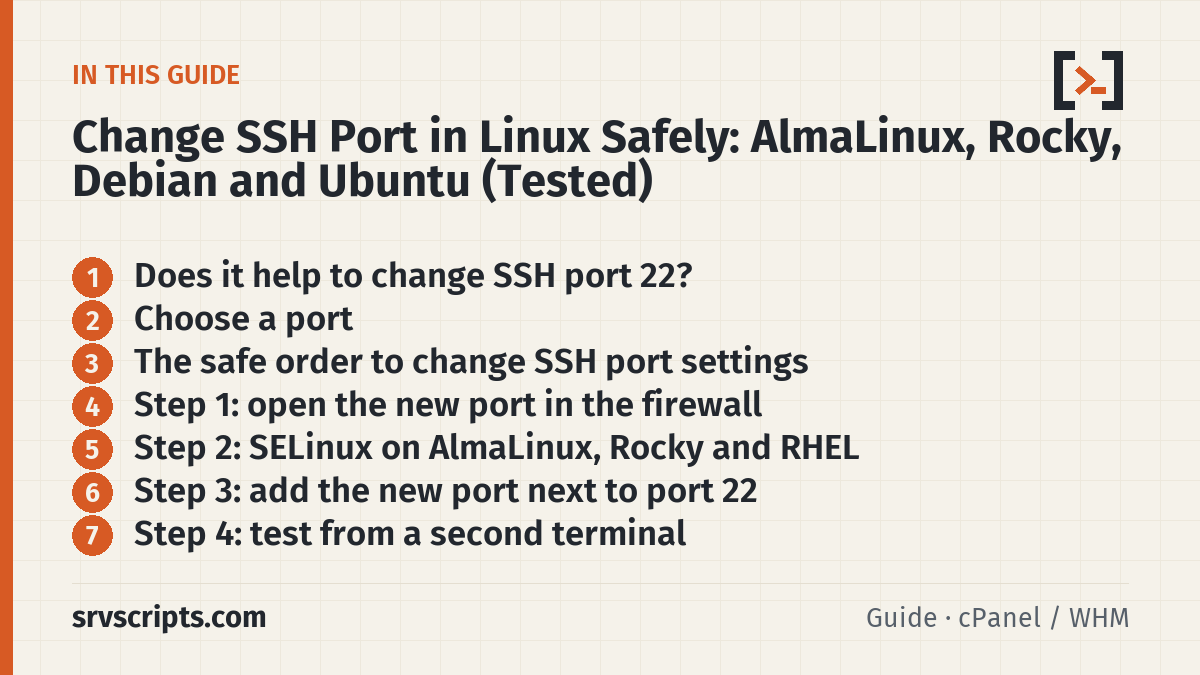
The safe order to change SSH port settings
When people change SSH port settings and get locked out, it is almost always because the steps ran in the wrong order. Follow this sequence and keep your current SSH session open until the end:
- Open the new port in every firewall (server firewall and your provider’s cloud firewall).
- On AlmaLinux, Rocky or RHEL with SELinux enforcing, label the port for SSH.
- Make SSH listen on the new port and port 22, then reload it.
- Log in on the new port from a second terminal.
- Point fail2ban at the new port.
- Remove port 22 from SSH, then from the firewall.
- Update your SSH clients, backup jobs and scripts.
Before you start, make sure you can reach the server’s console through your provider (web console, VNC, KVM or rescue mode). It is the only way back in if something goes wrong.
Step 1: open the new port in the firewall
CSF (common on cPanel and DirectAdmin servers): add the port to TCP_IN and TCP6_IN in /etc/csf/csf.conf, then restart CSF. On our DirectAdmin server the lines read:
TCP_IN = "35000:35999,20,21,22,25,53,853,80,110,143,443,465,587,993,995,2222,2299"
TCP6_IN = "35000:35999,20,21,22,25,53,853,80,110,143,443,465,587,993,995,2222,2299"
csf -rForgetting TCP6_IN is a common mistake: the port then works over IPv4 but times out for anyone who connects over IPv6. lfd, CSF’s login failure daemon, reads the SSH log and blocks the whole IP address, so it keeps working on any port without changes.
firewalld (default on AlmaLinux, Rocky and RHEL):
firewall-cmd --permanent --add-port=2299/tcp
firewall-cmd --reload
firewall-cmd --list-ports
UFW (Ubuntu, and Debian when installed):
ufw allow 2299/tcp
ufw status
Cloud firewalls: AWS security groups, Azure network security groups, Google Cloud firewall rules, Hetzner, DigitalOcean and Oracle Cloud firewalls sit in front of the server and are not visible from inside it. Allow the new port there too. If you are unsure which rules your firewall needs, the firewall rule builder writes them for CSF, firewalld, nftables and UFW.
Step 2: SELinux on AlmaLinux, Rocky and RHEL
With SELinux enforcing, sshd may only bind to ports labelled ssh_port_t. Without the label, sshd fails with error: Bind to port 2299 on 0.0.0.0 failed: Permission denied. Check the mode first; if it says Disabled, skip this step:
getenforce
dnf install -y policycoreutils-python-utils      # provides semanage, if missing
semanage port -a -t ssh_port_t -p tcp 2299
semanage port -l | grep ^ssh_port_t
ssh_port_t tcp 2299, 22Check that the port is not already labelled for another service before you add it. In our test, adding a port that already belonged to the web server did not fail: semanage printed Port tcp/80 already defined, modifying instead and silently moved port 80 from http_port_t to ssh_port_t, which would break the web server on an enforcing system. We undid it with semanage port -d -t ssh_port_t -p tcp 80.
Step 3: add the new port next to port 22
Current AlmaLinux, Rocky, RHEL, Debian and Ubuntu releases read drop-in files from /etc/ssh/sshd_config.d/ (look for the Include line at the top of /etc/ssh/sshd_config). A drop-in keeps your change separate from the vendor file, so package updates do not overwrite it. Unlike most SSH options, Port can be given more than once, and sshd listens on every port listed:
printf 'Port 22\nPort 2299\n' > /etc/ssh/sshd_config.d/10-port.conf
sshd -t && echo "syntax OK"
If /etc/ssh/sshd_config itself has an active Port 22 line, leave it for now and remove it in step 6. sshd -T | grep ^port shows the ports sshd will actually use.
Optional safety net: schedule an automatic undo before you reload. If you lose access, the server removes the drop-in by itself after 10 minutes. On Debian and Ubuntu, replace sshd with ssh in the command:
systemd-run --unit=sshport-revert --on-active=10m /bin/sh -c 'rm -f /etc/ssh/sshd_config.d/10-port.conf; systemctl reload sshd'
# when everything works:
systemctl stop sshport-revert.timer
Now reload SSH. A reload keeps existing sessions open. The service name depends on the distribution:
# AlmaLinux, Rocky, RHEL, CentOS Stream, Fedora
systemctl reload sshd

# Debian, and Ubuntu 22.04 or older
systemctl reload ssh

# Ubuntu 24.04 and later (socket activation)
systemctl daemon-reload
systemctl restart ssh.socket
$ ss -ltn | grep -E ':(22|2299) '
LISTEN 0 128 0.0.0.0:2299 0.0.0.0:*
LISTEN 0 128 0.0.0.0:22 0.0.0.0:*
LISTEN 0 128 [::]:2299 [::]:*
LISTEN 0 128 [::]:22 [::]:*Why Ubuntu 24.04 is different: systemd, not sshd, opens the listening port through ssh.socket, which is enabled by default while ssh.service is not. A generator in the OpenSSH package, /usr/lib/systemd/system-generators/sshd-socket-generator, reads the Port lines from your configuration and writes them into the socket unit during daemon-reload. With our drop-in it produced:
# Automatically generated by sshd-socket-generator

[Socket]
ListenStream=
ListenStream=0.0.0.0:2299
ListenStream=[::]:2299
ListenStream=0.0.0.0:22
ListenStream=[::]:22
If you only reload ssh.service on Ubuntu 24.04, the socket keeps listening on the old port. This is the most common reason a port change “does nothing” there.
Step 4: test from a second terminal
Keep the first session open and connect again on the new port. Test from outside the server, because a connection from the server to itself skips the firewall:
ssh -p 2299 root@server.example.comIf it times out, the firewall or a cloud firewall is blocking the port. If it is refused, nothing listens on it (on Ubuntu 24.04, check that you restarted ssh.socket). Our free open port checker tests the port from the internet if you are not sure which side blocks it.
Step 5: point fail2ban at the new port
fail2ban bans by port. If its sshd jail still says port 22, attackers on the new port are detected but their traffic is never blocked. Set the port in your jail.local or a file in /etc/fail2ban/jail.d/. While both ports are open, list both:
[sshd]
enabled = true
port    = 22,2299
Then restart fail2ban. A reload is not enough: in our test, fail2ban-client reload sshd updated the jail setting but left the existing nftables rule on port 22. Only a restart rebuilt it:
$ fail2ban-client reload sshd
$ nft list chain inet f2b-table f2b-chain | grep dport
        tcp dport 22 ip saddr @addr-set-sshd reject with icmp port-unreachable

$ systemctl restart fail2ban
$ nft list chain inet f2b-table f2b-chain | grep dport
        tcp dport { 22, 2299 } ip saddr @addr-set-sshd reject with icmp port-unreachable
CSF users need no change here: lfd blocks the attacker’s whole IP address on every port. Not sure which of the two you should run? See fail2ban vs CSF.
Step 6: remove port 22
Once you have logged in on the new port, take port 22 out of the drop-in (and out of /etc/ssh/sshd_config if it is there), check, and reload as in step 3:
printf 'Port 2299\n' > /etc/ssh/sshd_config.d/10-port.conf
sshd -t && systemctl reload sshd          # Debian/Ubuntu: see step 3
sshd -T | grep ^port
port 2299Port 22 now refuses connections, and the new port works:
$ ssh root@server.example.com
ssh: connect to host server.example.com port 22: Connection refused
$ ssh -p 2299 root@server.example.com
Last login: ...
Close port 22 in the firewall and set fail2ban to the new port only (port = 2299, then restart fail2ban):
# CSF: remove 22 from TCP_IN and TCP6_IN in /etc/csf/csf.conf, then
csf -r

# firewalld
firewall-cmd --permanent --remove-service=ssh
firewall-cmd --reload

# UFW
ufw delete allow 22/tcp      # or: ufw delete allow OpenSSH
Leave the SELinux label on port 22 alone; it is part of the system policy and cannot be removed.
Step 7: update clients, backups and scripts
After you change SSH port 22, everything that connects to the server over SSH needs the new port. Add it to ~/.ssh/config on your own computer so you can keep typing the short command:
Host myserver
    HostName server.example.com
    Port 2299
User root- scp takes a capital P:
scp -P 2299 file root@server:/root/. - rsync:
rsync -e "ssh -p 2299" .... - Git over SSH:
ssh://git@server.example.com:2299/repo.git. - Backups: JetBackup, Backuply, restic and borg destinations that use SFTP or SSH store the port separately. A backup job that silently fails after a port change is the most expensive mistake on this list.
- Monitoring, deploy tools and CI that log in over SSH, and allow-lists on other servers that permit outgoing SSH only to port 22.
Troubleshooting a failed SSH port change
- sshd will not start, log says
Bind to port 2299 on 0.0.0.0 failed: Permission denied: SELinux; do step 2. Address already in use: another service has the port; choose another one.- Connection times out: a firewall drops the packets. Check CSF
TCP_INandTCP6_IN, firewalld, UFW and the provider’s cloud firewall. - Connection refused: sshd is not listening on that port. Run
ss -ltnp | grep ssh; on Ubuntu 24.04 runsystemctl daemon-reloadand restartssh.socket. - Locked out: use the provider’s console or rescue system, remove
/etc/ssh/sshd_config.d/10-port.confand reload SSH.
Change SSH port at a glance
Official documentation: OpenSSH sshd_config(5): Port, semanage-port(8), Ubuntu: sshd socket-based activation.
Related guides: Harden SSH on AlmaLinux 9 · fail2ban vs CSF.
Frequently asked questions
Is changing the SSH port just security through obscurity?
Partly. It does not stop a targeted attacker, who finds the port with one scan, but it removes almost all automated login attempts. On our servers, port 22 drew hundreds to almost two thousand failed attempts a day, while a non-standard port drew none. Use it together with SSH keys and a brute-force blocker, not instead of them.
Which port number should I use for SSH?
Any free port between 1024 and 65535 that no panel or service uses. Avoid 2222, which DirectAdmin uses for its panel and scanners try first, and the cPanel, Plesk and Webmin ports.
Does changing the SSH port disconnect my current session?
No. Reloading sshd, or restarting ssh.socket on Ubuntu 24.04, keeps existing sessions open. Keep one session open until you have logged in on the new port.
Why does Ubuntu 24.04 still listen on port 22 after I changed sshd_config?
Ubuntu 24.04 starts SSH through ssh.socket. Run systemctl daemon-reload so the sshd-socket-generator picks up the new Port lines, then systemctl restart ssh.socket.
Do I have to change fail2ban after changing the SSH port?
Yes, if fail2ban bans by port. Set port = 2299 (your port) in the sshd jail and restart fail2ban; a reload left the old port in the nftables rule in our test. CSF’s lfd blocks the whole IP address and needs no change.
Reading a lot of our guides? Go ad-free with srvScripts Pro for $6 a month. It also pays for new guides. Cancel any time.