Short answer: A new domain in DirectAdmin answers on both HTTP and HTTPS, so the same site is reachable at two addresses. Once the domain has a valid certificate, open Domain Setup, select the domain and tick Force SSL with https redirect. DirectAdmin then sends a 301 from every http:// address to https://. From the command line the same switch is the CMD_API_DOMAIN call shown below.
We tested this on our DirectAdmin test server on 6 October 2026 (DirectAdmin 1.712, AlmaLinux 9.8, Apache, WordPress 7.1) with our redirect tester before and after the change. The screenshots are the real output.
Table of Contents
What a new domain does out of the box
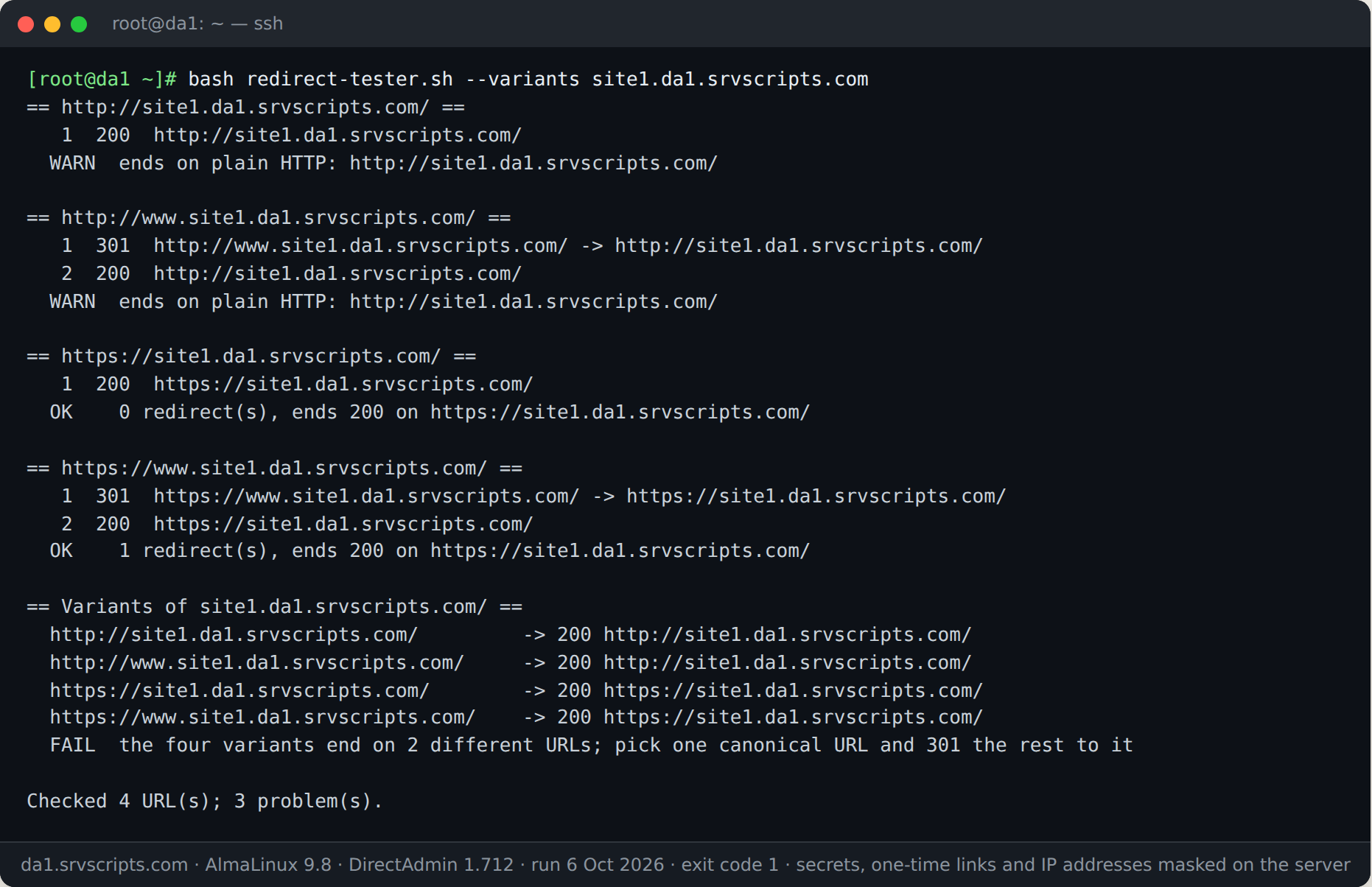
On a fresh DirectAdmin 1.712 install, http://example.com/ returns 200 without a redirect. www is redirected to the bare domain, but stays on HTTP. Search engines see two copies of every page, and visitors who type the address without https never get the secure version:
1. Make sure the domain has a certificate
Forcing HTTPS without a valid certificate sends every visitor to a browser warning. With the default admin_ssl_cert_on_create=1, DirectAdmin requests a Let’s Encrypt certificate when the domain is created, as long as the name already points at the server. On our server two of three new domains had a certificate within a minute; the third we requested by hand:
/usr/local/directadmin/scripts/letsencrypt.sh request example.com
echo | openssl s_client -connect example.com:443 -servername example.com 2>/dev/null | openssl x509 -noout -subject -issuer -enddate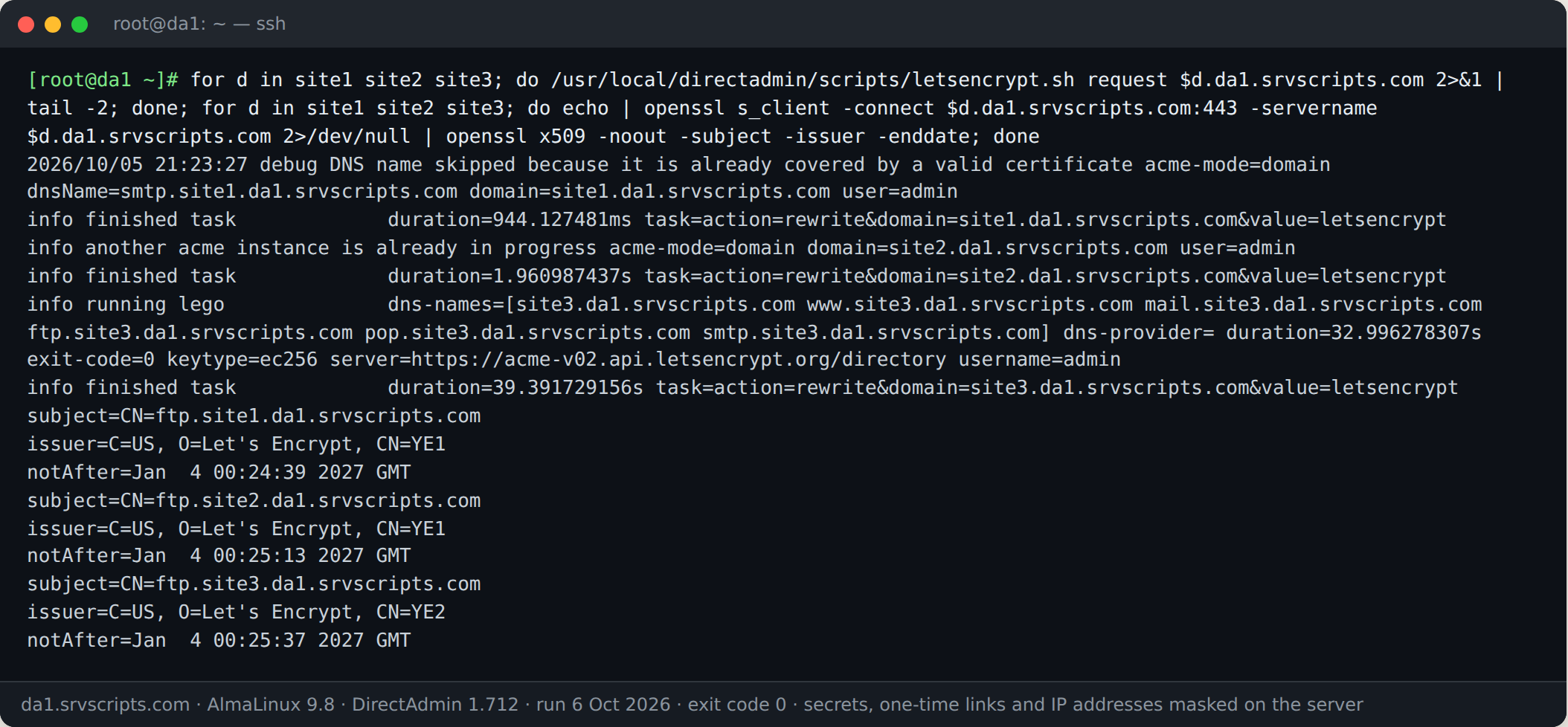
2. Turn on Force SSL
In the web interface: Account Manager → Domain Setup, click the domain, tick Force SSL with https redirect and save. If you do not see the option, SSL is not enabled for the domain yet.
From the command line, as root, with a short-lived login key from da api-url:
U=$(da api-url --user=bob)
curl -s "$U/CMD_API_DOMAIN" --data "action=private_html&domain=example.com&val=symlink&force_ssl=yes"
grep force_ssl /usr/local/directadmin/data/users/bob/domains/example.com.conf
The answer is error=0&text=Setting changed, and the domain’s config gains force_ssl=yes. DirectAdmin rewrites the web-server configuration through its task queue, so the redirect starts working within about a minute (70 seconds on our server). val=symlink keeps private_html as a link to public_html, which is what you want unless you serve different content on HTTPS.
3. Check the result
bash redirect-tester.sh --variants example.com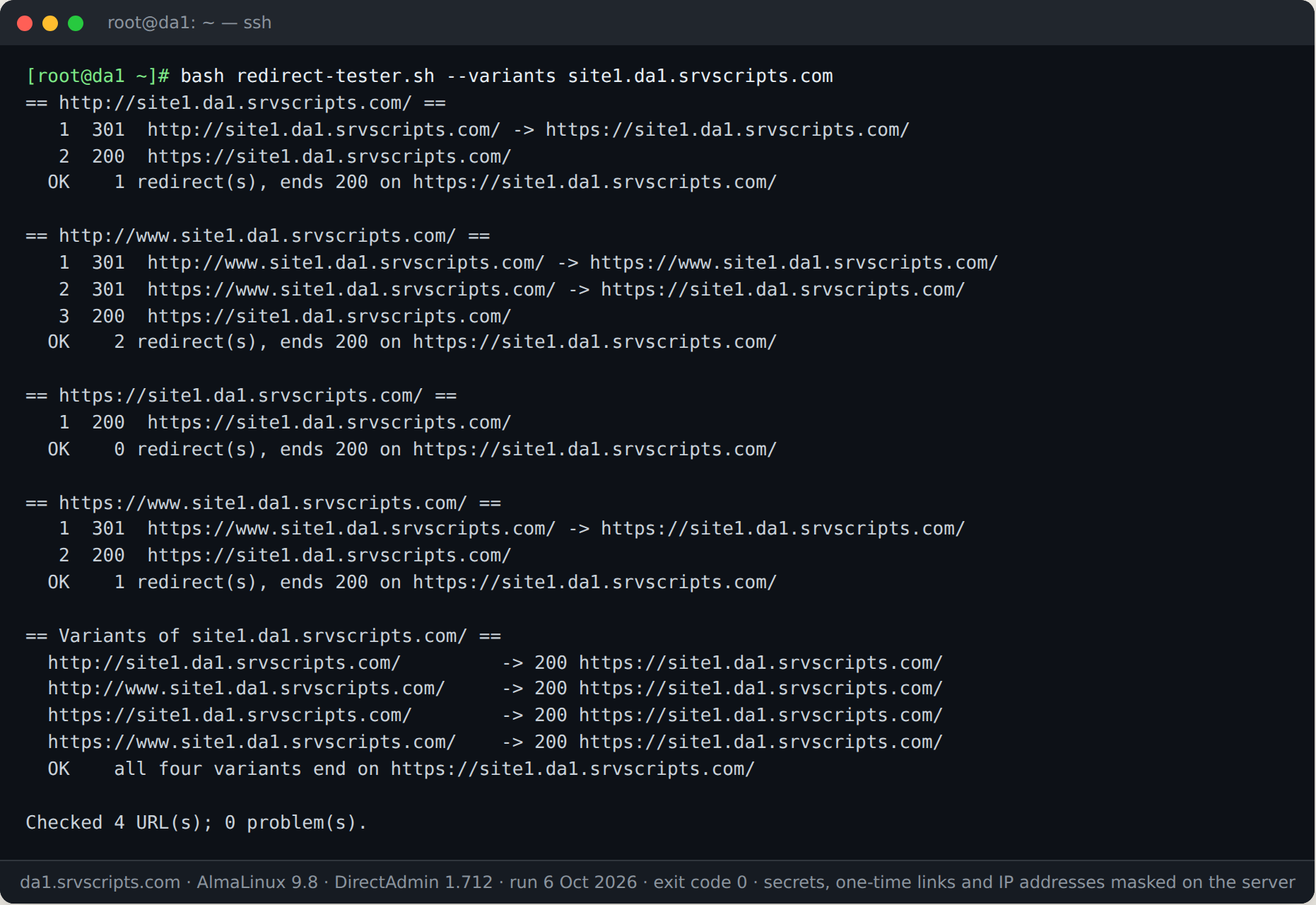
All four variants (http, http://www, https, https://www) now end on the same HTTPS address with at most two redirects.
WordPress and other applications
Set the site address to HTTPS as well, or WordPress keeps generating http:// links and you get mixed-content warnings. With WP-CLI, as the account owner:
cd /home/bob/domains/example.com/public_html
wp option get siteurl
wp search-replace "http://example.com" "https://example.com" --all-tables --dry-run
wp search-replace "http://example.com" "https://example.com" --all-tables
Run the dry run first and take a backup of the database. On DirectAdmin, WP-CLI may stop with “Allowed memory size of 134217728 bytes exhausted” on large jobs because PHP’s CLI limit is 128 MB; run it as php -d memory_limit=512M /usr/local/bin/wp … in that case (we hit this with wp core download).
Common problems
- Redirect loop behind Cloudflare: Cloudflare’s SSL mode is Flexible, so it talks HTTP to the server and gets redirected forever. Switch it to Full (strict).
- Option is missing in Domain Setup: SSL is not enabled for the domain, or the user package does not allow SSL.
- Still 200 on http:// after a minute: check that the task queue ran (
journalctl -u directadmin | grep rewrite) and that no.htaccessrule sends HTTPS back to HTTP.
See also: DirectAdmin CustomBuild Failed: Logs, Lock File, Re-run and Rollback · Migrate DirectAdmin to DirectAdmin: Move All Users to a New Server · Restore a File, Database or Account from a DirectAdmin Backup (CLI, Tested)
Frequently asked questions
Does Force SSL cover subdomains?
It is a per-domain setting. Test each subdomain with the redirect tester and turn the option on wherever one still answers on plain HTTP.
Is the redirect a 301 or a 302?
A 301 (permanent), which is what search engines expect for a move to HTTPS.
Can I force HTTPS with .htaccess instead?
Yes, but the DirectAdmin option is written into the web-server configuration by DirectAdmin itself, so it survives configuration rewrites and does not depend on the site’s own .htaccess. Use it unless you need a custom rule.