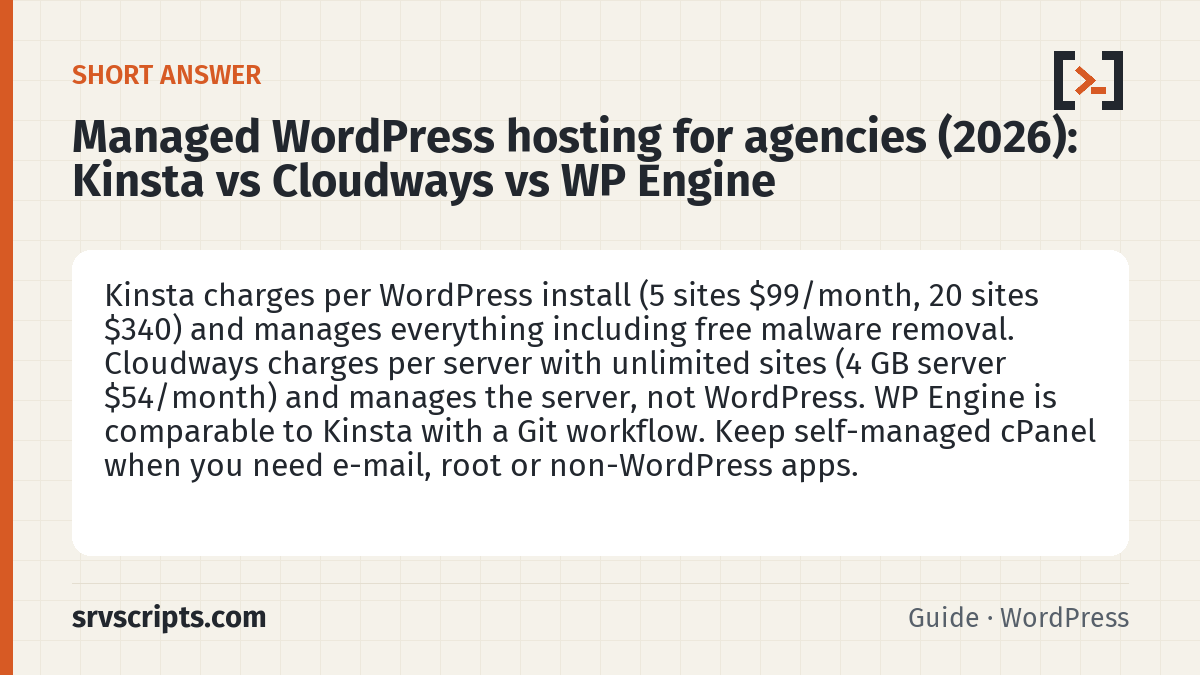
Short answer: for an agency or freelancer running client WordPress sites, the choice is between paying per site and paying per server. Kinsta charges per WordPress install on a fully managed platform (Business “Expand”: 5 sites for $99 a month, or $83 billed yearly; Agency 20 sites for $340) and includes staging, daily backups, a managed WAF and free malware removal on every plan. Cloudways charges per server with no limit on the number of sites (a 4 GB DigitalOcean Premium server is $54 a month) and manages the server, not the WordPress installs. WP Engine sits between them on price and is strongest for teams that want Git-based deployment. Pick Kinsta when a hacked or slow site must become somebody else’s problem; pick Cloudways when you have many small sites and are happy to look after WordPress yourself; keep self-managed cPanel or DirectAdmin when you need root, e-mail hosting or non-WordPress apps on the same box. (Reviewed October 2026.)
This page contains partner links. See our affiliate disclosure.
Kinsta prices come from kinsta.com/plans, checked on 2 November 2026 in a browser, excluding tax. Cloudways prices are the DigitalOcean Premium figures we checked on 7 October 2026 for our Cloudways vs DigitalOcean vs Vultr guide. WP Engine shows prices by region (we were shown Australian dollars), so we quote it only approximately. We run this site on our own server, not on any of the three; the hands-on notes are from client migrations, not from a paid account of our own.
Table of Contents
Price for five client sites
Five sites of a typical size (a brochure site, two small shops, two blogs, together well under 350,000 visits a month) is the point where the three pricing models separate:
| Need | Kinsta Check price (opens in a new tab) → | Cloudways Check price (opens in a new tab) → | WP Engine (no partner link) |
|---|---|---|---|
| 1 site, small | Launch: $35 / month ($30 yearly); 75k visits, 15 GB | Micro/Small server, 2 GB: from $14–28 / month, unlimited sites | Essential: about $30 / month billed yearly in the US list; localised prices shown on their site |
| 5 client sites | Expand: $99 / month ($83 yearly); 5 installs, 350k visits, 40 GB disk, 500 GB CDN | 4 GB / 2 vCPU server: $54 / month, 5 sites on one server (80 GB NVMe, 4 TB transfer) | Essential tiers scale by visits and storage; 5 small sites usually need the mid tier |
| 20 client sites | Agency 20: $340 / month ($284 yearly); 20 installs, 500k visits or 250 GB bandwidth, 50 GB disk, 30-day backups | 8 GB / 4 vCPU server: $99 / month, or two 4 GB servers at $108 — your call on isolation | Business: from about $560 AUD / month billed yearly in our check (≈ 20 sites with isolated resources) |
| Extra site beyond the plan | $30 / month per site | $0 — until the server runs out of RAM | Per-plan site limits; overage billed |
| Backups | Daily, 14 days (30 on Agency); hourly add-on $100 / site | Daily, mandatory, offsite storage $0.033 / GB | Daily, included |
| Staging | Free one-click staging per site | Free staging per application | One-click staging |
| Hacked site | Free malware removal on every plan | Imunify360-based firewall on the server; clean-up is yours or ours | Clean-up assistance included in support (their claim; we have not tested it) |
The per-site model punishes agencies with many tiny sites: 20 brochure sites on Kinsta cost $340 a month, the same sites on one 8 GB Cloudways server cost $99. The per-server model punishes agencies with one or two heavy sites: a busy WooCommerce store that needs 8 GB of its own costs $99 on Cloudways and roughly the same on Kinsta’s Build or Expand tier, except that Kinsta also handles the WordPress side.
What each one manages for you
- Kinsta manages the whole stack: Google Cloud VMs, Nginx (Edge caching), PHP, MariaDB, a Cloudflare-backed CDN and WAF, automatic backups, SSL, and the WordPress install itself. You get SSH and WP-CLI per site, but no root and no non-WordPress apps. Support is 24/7 by chat (Kinsta’s own description; we have not tested it under load).
- Cloudways manages the server: OS patches, the LEMP/LiteSpeed stack, Imunify360, backups, monitoring and a control panel for applications. Inside each application you are on your own: plugin updates, PHP version per app, WordPress security, performance tuning. Add-ons (Cloudflare Enterprise CDN from $4.99 per domain, SafeUpdates, Advance Support $100 a month) bring it closer to Kinsta at a price.
- WP Engine manages the stack like Kinsta and adds a developer workflow: Git push deployment, Local (their desktop tool), environment copies and a one-click “transferable site” model for agencies. We have not run a paid WP Engine account; the feature list is from their plans page.
- Self-managed cPanel / DirectAdmin (our day job) manages nothing for you, but it is the only option with root, e-mail hosting, cron and any application you like. The cheap cPanel VPS guide covers the costs.
After a hack: who cleans up
This is the question that decides it for most of the agencies we work with. A client site gets injected, the agency spends a weekend cleaning it, and three weeks later it is back. The three options behave differently:
- Kinsta: malware removal is included on every plan (“if your site is hacked while hosted with us, we fix it for free”), the WAF and bot protection are managed, and PHP and WordPress core patches are theirs. After a clean-up this is the option we point clients to when they do not want to self-host again.
- Cloudways: Imunify360 on the server blocks the common exploit traffic and quarantines known malware, but a compromised theme or a stale plugin is still yours to find. Cloudways support will not clean a WordPress install for you.
- Self-managed: everything is yours, which is fine if you have the tooling. Our clean a hacked WordPress site on cPanel guide and the WordPress security and PHP check are built for exactly this, and the $149 clean-up package exists because agencies kept asking.
Agency features: staging, cloning, transfers, white label
| Feature | Kinsta | Cloudways | WP Engine |
|---|---|---|---|
| Staging per site | Free one-click; premium staging (5 environments) $20 / site | Free staging application per app | One-click staging |
| Clone a site | Site cloning on Build and above (not on Launch plans) | Clone application or whole server | Copy environment |
| Hand a site to the client’s own account | “Easy site transfer” on Build and above | Transfer application / server to another Cloudways account | Transferable sites on every plan |
| White-label / unbranded admin | Unbranded WordPress admin on Agency plans | Agency partner program; white-label support is a separate agreement | Not stated on the plans page |
| Team access | Unlimited users, roles per company and per site | Team members with per-server/app permissions | Users per account |
| Multisite | Launch Plus and above | Yes (it is your WordPress) | Yes on higher tiers |
| Hosting credits for agencies | Up to $10,000 for eligible agencies, free hosting for the agency’s own site | Agency partner perks (tiered) | Agency partner program |
When self-managed still wins
Managed WordPress hosting is a bad fit when the client needs mailboxes on the same domain (none of the three host e-mail; Kinsta and WP Engine do not even relay it), when the agency runs non-WordPress apps (Laravel, a Node API, a legacy PHP app) next to the sites, when PHP extensions or server settings outside the vendor’s list are required, or when 20+ small sites make per-site pricing absurd. In those cases a cPanel or DirectAdmin VPS with LiteSpeed Cache and a proper backup job is cheaper and more flexible, and we will happily run it for you by the hour.
Our recommendation
- One to ten valuable client sites, or any site that has already been hacked once: Kinsta. Start on Build (2 sites, $69) or Expand (5 sites, $99) and move to Agency 20 when you pass ten; the free malware removal and the managed WAF are what you are paying for.
- Many small sites, a technical team, tight budgets: Cloudways on a 4 GB or 8 GB DigitalOcean Premium server; add Cloudflare Enterprise for the sites that matter and keep plugin updates on a schedule.
- Developer-led shops that deploy from Git: WP Engine, on price and features comparable to Kinsta; we have no partner link and no paid account, so compare their current regional price yourself.
- E-mail on the domain, mixed apps, root access, 20+ brochure sites: self-managed cPanel or DirectAdmin.
Managed WordPress hosting at a glance
Official pricing pages: Kinsta plans, Cloudways pricing, WP Engine plans.
Related guides: Cloudways vs DigitalOcean vs Vultr for WordPress · Clean a hacked WordPress site on cPanel · Cheap cPanel VPS: real monthly cost.
If you are comfortable managing your own server, running WordPress yourself on Vultr or DigitalOcean costs a fraction of either managed host; the trade-off is handling patching, caching and backups yourself.
Frequently asked questions
Is Kinsta worth it for an agency compared with Cloudways?
Yes when the sites are valuable enough that a hack or an outage costs more than the hosting difference: Kinsta includes malware removal, a managed WAF, and per-site staging and backups. No when you host many small sites: 20 sites cost $340 a month on Kinsta against $99 for one 8 GB Cloudways server.
Does Kinsta fix hacked sites for free?
Kinsta states that malware removal is included on every plan: if a site is hacked while hosted there, they clean it at no charge. Keep your own backups and a security scan anyway; the guarantee covers clean-up, not the cause.
Can I host client e-mail on Kinsta, Cloudways or WP Engine?
No. None of the three provide mailboxes. Keep e-mail on Microsoft 365, Google Workspace or a cPanel/DirectAdmin server and point only the website at the managed host; transactional mail from WordPress goes through an SMTP relay.
How does Cloudways pricing work with many sites?
You pay for the server, not the site: any number of WordPress applications can run on one Cloudways server until CPU or RAM runs out. A 4 GB DigitalOcean Premium server was $54 a month when we checked; add Cloudflare Enterprise per domain and backup storage per GB.
