Node.js released security updates on 21 October 2026 for its 22, 24 and 26 release lines. The most serious flaw, CVE-2026-111497, is an out-of-bounds write in the Brotli decoder that the Node.js project says can allow remote code execution. The fixed versions are 22.23.4, 24.22.1 and 26.12.1; Node.js 20 and older are end of life and get no fix.
Applies to Node.js 18–26 on Linux; NodeSource, distribution packages, nvm/n/fnm/Volta/asdf, cPanel ea-nodejs, CloudLinux alt-nodejs, Plesk, Docker. Labs: Debian 12 (FreePBX), AlmaLinux 9 (DirectAdmin 1.712, nvm 0.40.8)
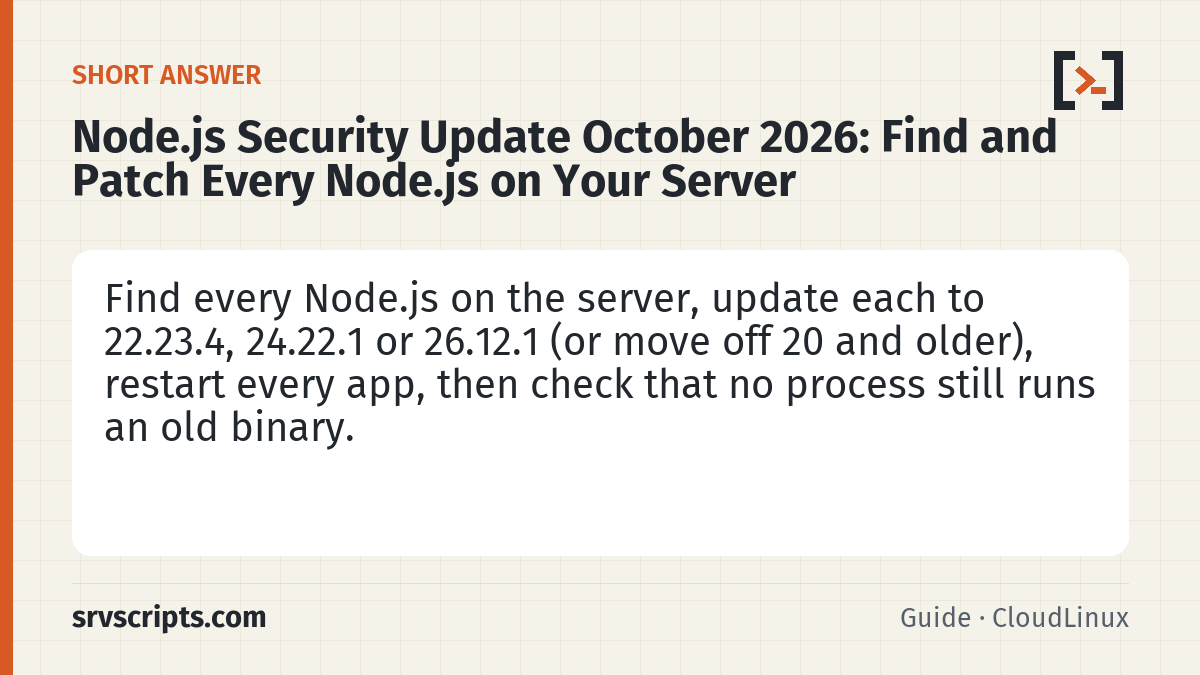
Short answer: find every Node.js on the server, not just the one node -v shows: system packages, NodeSource, nvm and other version managers in each user’s home, cPanel and CloudLinux packages, and Docker images. Update each one to a fixed version (or move off Node.js 20 and older), restart every app that uses it, then check again that no running process still uses an old binary. The read-only script below does the finding and the final check.
Scope and evidence: facts are from the Node.js security release post, the CloudLinux status post and the Node.js download index, checked on 22 October 2026. The inventory script (version 2, revised on 23 October 2026 after an independent review) was tested with fixtures on a test machine (33 of 33 checks passed), read-only on our FreePBX lab (Debian 12) and on our production server, and on our DirectAdmin lab through a full nvm update and a PM2 upgrade with its boot service. The NodeSource, cPanel, CloudLinux, Plesk, Docker and n/fnm/Volta/asdf update steps follow the vendors’ documentation and were not run for this guide.
What the 21 October 2026 releases fix
| Release line | Fixed in | Status |
|---|---|---|
| Node.js 26 | 26.12.1 | Supported |
| Node.js 24 | 24.22.1 | Supported |
| Node.js 22 | 22.23.4 | Supported |
| Node.js 20, 18 and older; odd lines such as 23 and 25 | no upstream fix | End of life: the project says end-of-life versions are always affected; move to 22 or newer |
| CVE | Severity | Lines | What it is (per the Node.js post) |
|---|---|---|---|
| CVE-2026-111497 | High | 26, 24, 22 | Out-of-bounds write in the Brotli decoder; can allow remote code execution |
| CVE-2026-105482 | High | 26, 24, 22 | dns.resolve truncates names that contain a NUL character |
| CVE-2026-105483 | High | 26, 24 | TLS hostname check bypassed when an IP address is written with fullwidth digits |
| CVE-2026-106069 | High | 26, 24, 22 | TLS hostname check bypassed when the host loosely resolves to an IP address |
| CVE-2026-105481, -106072, -106074 | Medium | 26, 24, 22 | Keep-alive response confusion; non-canonical IPv4 names matching DNS certificate names; repeated random values in startup snapshots and single-executable apps |
| CVE-2026-106070, -106071, -106073 | Low | mostly 26 | ZipFile prefix bytes; Permission Model over-grant and bypass |
The releases also update c-ares, the CA certificate list, OpenSSL (24 and 22), SQLite (22) and Undici. The Node.js post does not say which inputs or APIs trigger the Brotli flaw, so treat every internet-facing Node.js app as in scope rather than guessing.
Why node -v is not enough
node -v reports only the first Node.js in your shell’s PATH. A typical server can also have a NodeSource or distribution package, a separate copy for each user installed with nvm, n, fnm, Volta or asdf, cPanel ea-nodejs and CloudLinux alt-nodejs packages for the Node.js Selector, Plesk’s Node.js versions, and Node.js inside Docker images. Automatic OS updates cover only some of these, and none of them touch software inside containers.
Running apps are the second gap: a process keeps using the binary it started with. After an update, an app that was not restarted still runs the old Node.js, and if the old version was removed, it runs a deleted file that node -v will never show.
Find every Node.js on the server
This script lists every Node.js it finds in the usual places, every running Node.js process and every running container, and marks each one OK, UPDATE, EOL, RESTART or UNKNOWN. It is read-only, but it does run <binary> -v to read a version, with a 5-second timeout. As root it does that only for binaries whose whole path (the file and every folder above it) is owned by root and not writable by anyone else. A binary inside a user’s home is run as that user, and anything else is reported as UNKNOWN without being run, so a file another account can swap is never executed as root.
Anything it cannot check is UNKNOWN, never OK: pre-release builds such as v22.23.4-rc.1, release lines the advisory does not cover, binaries it may not run, and containers. It only runs a shell inside containers when you set DOCKER_EXEC=1, with a 10-second limit, and separates “no node on the container’s PATH” from “could not look”. It does not print process command lines, because they can contain passwords and tokens; SHOW_ARGS=1 adds them with a warning. For distribution packages it also reports whether Node.js uses the system Brotli library.
#!/bin/bash
# node-inventory.sh v2 - read-only check of every Node.js on a Linux server against the 21 October 2026
# security releases (fixed: 22.23.4, 24.22.1, 26.12.1). It changes nothing.
#   bash node-inventory.sh                  installed copies, running processes, containers
#   DOCKER_EXEC=1 bash node-inventory.sh    also runs a shell inside each running container to ask "node -v"
#   SHOW_ARGS=1 bash node-inventory.sh      also prints process command lines (may contain passwords or tokens)
# To read a version it runs "<binary> -v". As root it does that only for binaries whose whole path is owned by
# root and not writable by anyone else; a binary inside a user's home is run as that user; anything else is
# reported UNKNOWN and not run. Exit code: 0 = nothing to do, 1 = update or restart needed, 2 = something unknown.
set -u
ROOT=${ROOT:-}; PROC=${PROC:-/proc}           # test prefixes; leave empty on a real server
T=5; CT=10                                      # timeouts in seconds: node -v, container commands
declare -A FIXED=( [22]=22.23.4 [24]=24.22.1 [26]=26.12.1 ); HIGHEST=26
need=0; unknown=0

ge() { [ "$(printf '%s\n%s\n' "$2" "$1" | sort -V | head -1)" = "$2" ]; }        # $1 >= $2
trusted_chain() { # the file and every parent directory owned by root and not writable by group or others
	local p=$1 u m
	while :; do
		read -r u m < <(stat -c '%u %a' -- "$p" 2>/dev/null) || return 1
		[ "$u" = 0 ] && (( (8#$m & 8#022) == 0 )) || return 1
		[ "$p" = / ] && return 0
		p=$(dirname -- "$p")
	done
}
home_account() { # account (uid >= 1000) whose home directory contains $1 and owns that directory
	local p=$1 user uid home best="" blen=0 o
	while IFS=: read -r user _ uid _ _ home _; do
		[ "$uid" -ge 1000 ] 2>/dev/null && [ "$uid" -ne 65534 ] && [ -n "$home" ] && [ "$home" != / ] || continue
		case "$p" in "$home"/*) ;; *) continue ;; esac
		o=$(stat -c %u -- "$home" 2>/dev/null) || continue; [ "$o" = "$uid" ] || continue
		[ ${#home} -gt $blen ] && { best=$user; blen=${#home}; }
	done < <(getent passwd)
	[ -n "$best" ] && echo "$best"
}
version_of() { # prints "<output>" ; return 3 = not run (untrusted location), 4 = failed or timed out
	local b=$1 a out
	if [ "$(id -u)" -ne 0 ]; then out=$(timeout $T "$b" -v 2>/dev/null) || return 4
	elif trusted_chain "$b"; then out=$(timeout $T "$b" -v 2>/dev/null) || return 4
	elif a=$(home_account "$b"); then out=$(runuser -u "$a" -- timeout $T "$b" -v 2>/dev/null) || return 4
	else return 3; fi
	printf '%s' "$out" | head -1
}
pkg_of() { local f=$1 o
	if command -v rpm >/dev/null 2>&1 && o=$(rpm -qf --qf '%{NAME}\n' -- "$f" 2>/dev/null); then printf '%s\n' "$o" | head -1; return; fi
	if command -v dpkg >/dev/null 2>&1 && o=$(dpkg -S -- "$f" 2>/dev/null); then printf '%s\n' "$o" | head -1 | cut -d: -f1; fi; }
pkg_ver() { rpm -q --qf '%{VERSION}-%{RELEASE}' "$1" 2>/dev/null || dpkg-query -W -f='${Version}' "$1" 2>/dev/null; }
brotli_note() { # distribution builds can use the system Brotli library instead of the copy bundled in Node.js
	command -v readelf >/dev/null 2>&1 || return 0
	local libs l lp p
	libs=$(readelf -d -- "$1" 2>/dev/null | sed -n 's/.*Shared library: \[\(.*\)\]/\1/p')
	for l in $libs; do case $l in libnode.so*) lp=$(ldconfig -p 2>/dev/null | awk -v l="$l" '$1==l {print $NF; exit}'); [ -n "$lp" ] && libs="$libs $(readelf -d -- "$lp" 2>/dev/null | sed -n 's/.*Shared library: \[\(.*\)\]/\1/p')" ;; esac; done
	libs=$(printf '%s\n' $libs | tr '\n' ' ')
	case " $libs " in *" libbrotlidec.so"*) ;; *) return 0 ;; esac
	lp=$(ldconfig -p 2>/dev/null | awk '$1 ~ /^libbrotlidec\.so/ {print $NF; exit}'); [ -n "$lp" ] || return 0
	p=$(pkg_of "$(readlink -f -- "$lp")"); echo "uses the system Brotli library${p:+ from package $p $(pkg_ver "$p")}: check that package's security status too"
}
verdict() { # $1 = output of node -v
	local raw=${1#v} M
	if [[ ! $raw =~ ^([0-9]+)\.([0-9]+)\.([0-9]+)$ ]]; then
		if [[ $raw =~ ^[0-9]+\.[0-9]+\.[0-9]+[-+.~]?(rc|pre|dev|nightly|alpha|beta|canary) ]]; then echo "UNKNOWN pre-release build $1: not a stable release, check it by hand"
		else echo "UNKNOWN version not readable (${1:0:40})"; fi; return
	fi
	M=${BASH_REMATCH[1]}
	if [ -n "${FIXED[$M]:-}" ]; then
		if ge "$raw" "${FIXED[$M]}"; then echo "OK      $raw is at or above ${FIXED[$M]}"; else echo "UPDATE  $raw is older than ${FIXED[$M]}"; fi
	elif [ "$M" -lt 22 ]; then echo "EOL     $raw: Node.js $M is end of life, no upstream fix; move to 22 or newer"
	elif [ "$M" -lt $HIGHEST ] && [ $((M % 2)) -eq 1 ]; then echo "EOL     $raw: Node.js $M is no longer supported; move to 22, 24 or 26"
	else echo "UNKNOWN $raw: Node.js $M is not covered by the 21 October 2026 advisory, check its own release notes"; fi
}
show() { # $1 kind, $2 subject, $3 verdict, $4 note
	case "$3" in UPDATE*|EOL*|RESTART*) need=1 ;; UNKNOWN*) unknown=1 ;; esac
	printf '%-9s %s\n          %s%s\n' "$1" "$2" "$3" "${4:+ · $4}"
}
explain_rc() { case $1 in 3) echo "UNKNOWN not run: not in a root-only location or inside a user's home" ;; *) echo "UNKNOWN could not read the version (failed or timed out)" ;; esac; }

echo "== Installed copies"
declare -A seen; found=0
set -f   # keep the patterns literal here; they are expanded below, under $ROOT
globs=( /usr/bin/node /usr/bin/nodejs /usr/local/bin/node /usr/local/n/versions/node/*/bin/node /opt/nodejs*/bin/node /opt/node*/bin/node
	/opt/cpanel/ea-nodejs*/bin/node /opt/alt/alt-nodejs*/root/usr/bin/node /opt/plesk/node/*/bin/node
	/root/.nvm/versions/node/*/bin/node /home/*/.nvm/versions/node/*/bin/node /root/.volta/tools/image/node/*/bin/node /home/*/.volta/tools/image/node/*/bin/node
	/root/.local/share/fnm/node-versions/*/installation/bin/node /home/*/.local/share/fnm/node-versions/*/installation/bin/node
	/root/.asdf/installs/nodejs/*/bin/node /home/*/.asdf/installs/nodejs/*/bin/node )
set +f
for g in "${globs[@]}"; do
	for f in $ROOT$g; do
		[ -e "$f" ] || continue
		r=$(readlink -f -- "$f"); [ -n "${seen[$r]:-}" ] && continue; seen[$r]=1
		[ -f "$r" ] && [ -x "$r" ] || continue
		found=1; owner=$(stat -c %U -- "$r")
		ver=$(version_of "$r"); vr=$?
		if [ $vr -ne 0 ]; then show COPY "$r" "$(explain_rc $vr)" "owner $owner"; continue; fi
		p=$(pkg_of "$r"); note="owner $owner"
		if [ -n "$p" ]; then
			note="package $p $(pkg_ver "$p"), $note"
			b=$(brotli_note "$r"); [ -n "$b" ] && note="$note; $b"
		fi
		v=$(verdict "$ver")
		[ -n "$p" ] && case "$v" in UPDATE*|EOL*) note="$note; a distribution may backport fixes, check its advisory" ;; esac
		show COPY "$r" "$v" "$note"
	done
done
[ $found -eq 0 ] && echo "          no Node.js binary found in the usual places"

echo "== Running processes"
[ -n "${SHOW_ARGS:-}" ] && echo "          WARNING: command lines below can contain passwords or tokens; do not share this output"
any=0
for d in "$PROC"/[0-9]*; do
	exe=$(readlink -- "$d/exe" 2>/dev/null) || continue
	case "$(basename -- "${exe% (deleted)}")" in node|nodejs) ;; *) continue ;; esac
	any=1; pid=${d##*/}; u=$(stat -c %U -- "$d" 2>/dev/null)
	tag=""; grep -qa 'PM2 v' "$d/cmdline" 2>/dev/null && tag=" [PM2 daemon]"
	subj="pid $pid, account $u, ${exe}${tag}"
	[ -n "${SHOW_ARGS:-}" ] && subj="$subj, args: $(tr '\0' ' ' < "$d/cmdline" 2>/dev/null)"
	if [[ "$exe" == *" (deleted)" ]]; then show PROCESS "$subj" "RESTART its binary was replaced or removed after it started: it still runs the old Node.js"; continue; fi
	ver=$(version_of "$exe"); vr=$?
	if [ $vr -ne 0 ]; then show PROCESS "$subj" "$(explain_rc $vr)"; continue; fi
	show PROCESS "$subj" "$(verdict "$ver")"
done
[ $any -eq 0 ] && echo "          no running Node.js process"

echo "== Containers"
rts=0
for rt in docker podman; do
	command -v $rt >/dev/null 2>&1 || continue; rts=1
	if ! list=$(timeout $CT $rt ps --format '{{.ID}} {{.Image}} {{.Names}}' 2>/dev/null); then show CONTAINER "$rt" "UNKNOWN containers could not be listed (service not running, no permission or timeout)"; continue; fi
	[ -z "$list" ] && { echo "          $rt: no running containers"; continue; }
	while read -r id img name; do
		if [ -z "${DOCKER_EXEC:-}" ]; then show CONTAINER "$name ($img)" "UNKNOWN not checked inside: run with DOCKER_EXEC=1 or \"$rt exec $name node -v\""; continue; fi
		out=$(timeout $CT $rt exec "$id" sh -c 'command -v node >/dev/null 2>&1 || exit 64; node -v' 2>/dev/null); rc=$?
		case $rc in
			0)   show CONTAINER "$name ($img)" "$(verdict "$(printf '%s' "$out" | head -1)")" ;;
			64)  printf '%-9s %s\n          NONE    no node on the container'"'"'s PATH\n' CONTAINER "$name ($img)" ;;
			124) show CONTAINER "$name ($img)" "UNKNOWN timed out after ${CT}s" ;;
			*)   show CONTAINER "$name ($img)" "UNKNOWN could not run a shell in the container (exit $rc)" ;;
		esac
	done <<< "$list"
done
[ $rts -eq 0 ] && echo "          Docker and Podman not installed"

echo "== Result"
if [ $need -eq 1 ]; then echo "Action needed: update the items marked UPDATE or EOL (or confirm a vendor backport) and restart those marked RESTART."; [ $unknown -eq 1 ] && echo "Some items could not be checked (UNKNOWN): check them by hand."; exit 1; fi
if [ $unknown -eq 1 ]; then echo "Nothing marked for update, but some items could not be checked (UNKNOWN): check them by hand."; exit 2; fi
echo "Nothing to do for the 21 October 2026 Node.js security releases."; exit 0
bash node-inventory.sh # installed copies, processes, containers (names only)
DOCKER_EXEC=1 bash node-inventory.sh # also runs a shell in each running container to ask node -v
SHOW_ARGS=1 bash node-inventory.sh # also prints command lines: they can contain secrets, do not share the output
echo $? # 0 = nothing to do, 1 = update or restart needed, 2 = something could not be checkedWhat it found on our FreePBX lab (Debian 12): the distribution package nodejs 18.20.4+dfsg-1~deb12u3, which uses the system Brotli library from libbrotli1 1.0.9-2+b6, and three running FreePBX processes on it (the PM2 daemon and two apps). All are marked EOL with the note to check Debian’s advisories, because a distribution can backport fixes into an old line. On our production server it found no Node.js at all and exited 0.
Update each kind of installation
| Installed with | Update to a fixed version |
|---|---|
| NodeSource (apt) | apt update && apt install --only-upgrade nodejs. Automatic updates do not cover NodeSource packages. |
| NodeSource (dnf/yum) | dnf upgrade nodejs |
| Distribution packages (Debian, Ubuntu, AlmaLinux AppStream) | Usually an older line. Follow your distribution’s security advisory for the package; if the line is end of life upstream, plan a move to Node.js 22 or newer from NodeSource or a version manager. |
| nvm | nvm install 22.23.4 --reinstall-packages-from=<old version> (global packages such as PM2 are per version), nvm alias default 22.23.4, restart the apps (and PM2, below), then nvm uninstall the old version |
| n | n 22.23.4 (or n lts) |
| fnm | fnm install 22.23.4 and fnm default 22.23.4 |
| Volta | volta install node@22.23.4 (and update the version pinned in each project’s package.json) |
| asdf | asdf install nodejs 22.23.4, then set it as the version for the user or project with your asdf version’s command |
CloudLinux alt-nodejs, cPanel ea-nodejs | rpm -qa 'alt-nodejs*' 'ea-nodejs*' to see what is installed; CloudLinux gives yum update 'alt-nodejs*' once its fixed builds are in the repositories (on 22 October it announced builds for 22, 24 and 26, including cPanel’s ea-nodejs22, with 18 and 20 backports in preparation) |
| Plesk | Update the Node.js versions through Plesk’s updates, then restart the apps from the Node.js page |
| Docker | Change pinned tags such as node:20.20.1 to a fixed line (for example node:22), then docker compose pull, docker compose build --pull, docker compose up -d, and check with docker compose exec <service> node -v |
| Apps that bundle Node.js (FreePBX, control panels, appliances) | Follow the vendor. Do not swap the Node.js underneath a vendor product; wait for its update or ask the vendor. |
Use the line you already run (22 → 22.23.4, 24 → 24.22.1, 26 → 26.12.1). Moving from 20 or older to 22 or newer is a major upgrade: test the app first, because native modules usually need a rebuild (npm rebuild or a fresh npm ci).
Restart the apps and check again
Restart every app that runs on the updated Node.js, the way it is managed: PM2 as described below, systemctl restart <your-service>, the Node.js Selector or cloudlinux-selector restart --json --interpreter nodejs --user <user> --app-root <app_root> on CloudLinux, the Node.js page in Plesk, or docker compose up -d. Then run the inventory script again: every line should be OK and the exit code 0.
What that looked like on our DirectAdmin lab with nvm, as a normal user:
| Step | What the script reported | Exit |
|---|---|---|
| App started on 22.23.3 | Installed copy: UPDATE 22.23.3; running process: UPDATE 22.23.3 | 1 |
nvm install 22.23.4, app not restarted | 22.23.3 UPDATE, 22.23.4 OK; the process still UPDATE 22.23.3 | 1 |
nvm uninstall 22.23.3, app still not restarted | Process: RESTART (its binary was removed, it still runs the old Node.js) | 1 |
| App restarted on 22.23.4 | Installed copy and process both OK 22.23.4 | 0 |
PM2: update the daemon, the boot service and each app
PM2 itself runs on Node.js, and so does the service that starts it at boot. PM2’s documentation says to update the Node.js version starting PM2 and to regenerate the startup script after a Node.js upgrade. Our lab showed why: after nvm alias default 22.23.4, the boot service still started PM2 and the app on 22.23.3, because the generated unit points at the old version’s path. After regenerating the unit, PM2 ran on 22.23.4 but the app still did not, because PM2 had saved the old PATH with it. Do this for each account that runs PM2, as that account unless noted:
- Install the fixed version together with PM2 (with nvm:
nvm install 22.23.4 --reinstall-packages-from=<old version>) and put it first inPATH(nvm use 22.23.4). Runpm2 save. - If PM2 starts at boot, keep a copy of the current unit first:
systemctl cat pm2-<account> > pm2-<account>.service.before. Put your own changes in a drop-in (systemctl edit pm2-<account>) so they survive the regeneration. - As root, with the new version’s
binfolder first inPATH(PM2 starts with whichevernodecomes first, even when you call the newpm2by its full path):env PATH="<new>/bin:$PATH" "<new>/bin/pm2" unstartup systemd -u "<account>" --hp "<home>", then the same withstartupinstead ofunstartup. Check that the new unit’sEnvironment=PATHstarts with the new version’sbinand compare it with your saved copy, thensystemctl restart pm2-<account>. Without a boot service, runpm2 updatewith the new version first inPATHinstead. - Restart the apps with the new environment and save:
pm2 restart all --update-env, thenpm2 save.pm2 describe <app>shows the Node.js version each app uses. - Run
node-inventory.sh: the line tagged [PM2 daemon] and every app should be OK. Only then remove the old version.
Our DirectAdmin lab run (nvm 0.40.8, PM2 7.1.0, as a normal account with a systemd boot service), step by step:
| Step | Daemon | App |
|---|---|---|
| App started under PM2 on 22.23.3, boot unit generated | 22.23.3 (UPDATE) | 22.23.3 (UPDATE) |
| 22.23.4 installed and set as default; service restarted | 22.23.3: the unit still uses the old path | 22.23.3 |
pm2 unstartup / pm2 startup with 22.23.4, service restarted (unit otherwise identical) | 22.23.4 (OK) | 22.23.3: old PATH saved with the app |
pm2 restart all --update-env and pm2 save | 22.23.4 (OK) | 22.23.4 (OK) |
| Old version uninstalled, service restarted as a reboot test | 22.23.4 (OK) | 22.23.4 (OK); script exit 0 |
Why the order of PATH matters, from a second lab run on 23 October 2026 with the old Node.js deliberately first in PATH: appending the new folder (PATH=$PATH:<new>/bin) produced a unit whose ExecStart pointed at the new PM2 but whose PATH began with the old version, and after a restart the PM2 daemon ran on 22.23.3. Putting the new folder first produced a unit starting with the new version, and the daemon and the app ran on 22.23.4 after a restart.
FreePBX and other products that manage their own PM2 are the exception: leave their PM2 and Node.js to the vendor’s updates.
If you are on Node.js 20 or older
Node.js 20, 18 and older get no upstream fix, and the Node.js project treats end-of-life versions as always affected. Move the app to Node.js 22 or newer and test it. If a vendor supplies the runtime (a distribution package, CloudLinux alt-nodejs18 or alt-nodejs20, or software such as FreePBX), check that vendor’s advisory for a backported fix and its timeline, and in the meantime keep Node.js services off the public internet where you can.
On Debian and Ubuntu, the distribution’s Node.js is built against the system Brotli library instead of the copy bundled with Node.js. Check the security status of both the nodejs and the brotli source packages (libbrotli1) in your distribution’s security tracker; the inventory script shows which Brotli package a distribution build uses.
Related: deploying Node.js apps on cPanel, Node.js apps on DirectAdmin with Nginx Unit, Uptime Kuma (a Node.js app) install and upgrade, and the same week’s PHP security update guide.
At a glance
Frequently asked questions
Which Node.js versions fix the October 2026 vulnerabilities?
22.23.4, 24.22.1 and 26.12.1, released on 21 October 2026. Later patch releases on the same line also include the fixes.
Is Node.js 20 fixed?
No. Node.js 20 and older are end of life and get no upstream fix. Move to 22 or newer, or rely on a vendor that backports fixes and says so in its advisory.
I updated Node.js. Why does the script still say RESTART or UPDATE for my app?
The app was started before the update and still runs the old binary. Restart it the way it is managed and run the script again. Under PM2 also regenerate the boot service and use pm2 restart all --update-env, or the app can keep the old Node.js.
Does node -v show every Node.js on my server?
No. It shows the first one in your PATH. Version managers install separate copies per user, control panels and CloudLinux add their own packages, and containers carry their own Node.js.
Do automatic OS updates fix Node.js inside Docker containers?
No. Containers keep the Node.js from their image. Change pinned image tags to a fixed line, pull or rebuild, and recreate the containers.
Maintenance record
This guide changes servers, data or security settings, so we re-check it against current versions on a fixed schedule. Take a backup or snapshot before you start.
- Maintained by
- srvScripts
- Supported versions
- Node.js 18–26 on Linux; NodeSource, distribution packages, nvm/n/fnm/Volta/asdf, cPanel ea-nodejs, CloudLinux alt-nodejs, Plesk, Docker. Labs: Debian 12 (FreePBX), AlmaLinux 9 (DirectAdmin 1.712, nvm 0.40.8)
- Last full review
- Next review