Short answer: Most SQL is the same in MySQL, MariaDB and PostgreSQL: SELECT, JOIN, GROUP BY, CTEs and window functions. The differences are in the details: upserts (ON DUPLICATE KEY UPDATE vs ON CONFLICT), string aggregation (GROUP_CONCAT vs string_agg), identifier quoting (backticks vs double quotes), auto-increment keys, LIKE case sensitivity and RETURNING. The tables below show each pattern side by side, with admin queries for processes, sizes, users and backups.
The examples in this SQL cheat sheet were run on 9 October 2026 against scratch databases on MariaDB 10.11.14 and PostgreSQL 16.13. MySQL-only syntax was checked against the MySQL 8.4 Reference Manual.
Table of Contents
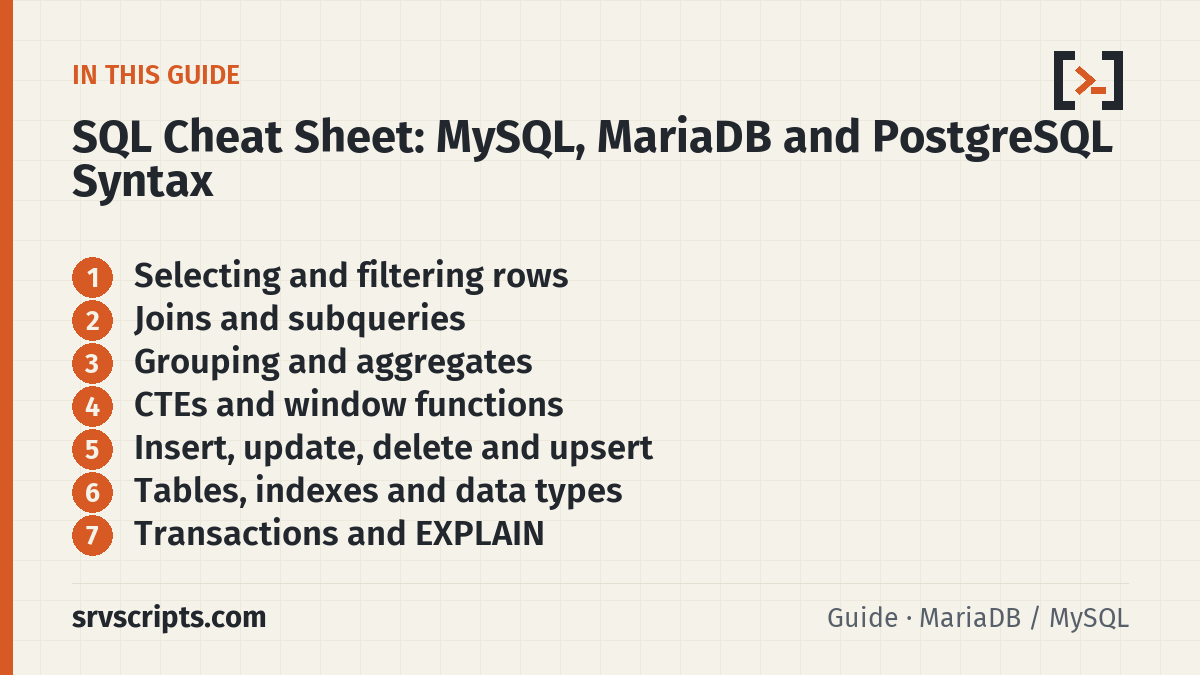
Selecting and filtering rows
| Syntax | What it does | Notes |
|---|---|---|
SELECT name, email FROM customers WHERE country = 'GB' ORDER BY name LIMIT 10; | Columns, filter, sort, first 10 rows | Same in all three |
LIMIT 10 OFFSET 20 | Skip 20 rows, return 10 | PostgreSQL also accepts FETCH FIRST 10 ROWS ONLY |
SELECT DISTINCT country FROM customers; | Unique values | |
WHERE total BETWEEN 50 AND 150 | Inclusive range | |
WHERE status IN ('paid','pending') | Match a list | NOT IN returns no rows if the list contains NULL |
WHERE email IS NULL | Missing values | = NULL is never true |
WHERE name LIKE 'a%' | Pattern: % any run, _ one character | Case-insensitive in MySQL/MariaDB with the default _ci collations; case-sensitive in PostgreSQL |
WHERE name ILIKE 'a%' | Case-insensitive LIKE | PostgreSQL only |
CASE WHEN country = 'GB' THEN 'UK' ELSE 'Other' END | Conditional value | Standard SQL |
COALESCE(phone, email, 'none') | First non-NULL argument | Standard SQL |
On our test data, WHERE name LIKE 'a%' returned Alice on MariaDB and no rows on PostgreSQL. Use ILIKE or lower(name) LIKE 'a%' in PostgreSQL when you want the MySQL behaviour.
Joins and subqueries
| Syntax | What it does |
|---|---|
SELECT c.name, o.total FROM customers c JOIN orders o ON o.customer_id = c.id; | Inner join: only rows with a match on both sides |
... FROM customers c LEFT JOIN orders o ON o.customer_id = c.id WHERE o.id IS NULL; | Customers with no orders (anti-join) |
RIGHT JOIN / FULL OUTER JOIN | FULL OUTER JOIN exists in PostgreSQL only; emulate it in MySQL/MariaDB with a LEFT JOIN UNION a RIGHT JOIN |
WHERE EXISTS (SELECT 1 FROM orders o WHERE o.customer_id = c.id AND o.total > 100) | Correlated subquery; stops at the first match |
SELECT ... UNION SELECT ... | Combine results and remove duplicates; UNION ALL keeps them and is faster |
Grouping and aggregates
| Syntax | What it does | MySQL / MariaDB vs PostgreSQL |
|---|---|---|
COUNT(*), COUNT(col), SUM, AVG, MIN, MAX | Aggregates. COUNT(col) skips NULLs | Same |
GROUP BY status HAVING COUNT(*) > 1 | Filter groups after aggregation | Same |
| List values in one string | Concatenate per group | GROUP_CONCAT(name ORDER BY name SEPARATOR ', ') vs string_agg(name, ', ' ORDER BY name) |
| Group by month | Date bucket | DATE_FORMAT(created_at, '%Y-%m') vs to_char(created_at, 'YYYY-MM') or date_trunc('month', created_at) |
| Join strings | Concatenation | CONCAT(a, b) in both. || concatenates only in PostgreSQL; in MySQL/MariaDB it is logical OR by default ('a' || 'b' returned 0) |
SELECT c.name, COUNT(o.id) AS orders, COALESCE(SUM(o.total), 0) AS spent
FROM customers c
LEFT JOIN orders o ON o.customer_id = c.id
GROUP BY c.id, c.name
ORDER BY spent DESC;
NULL handling differs: CONCAT('a', NULL) returned NULL on MariaDB but a on PostgreSQL, where 'a' || NULL is NULL. Wrap nullable columns in COALESCE when building strings.
CTEs and window functions
Both need MySQL 8.0+ or MariaDB 10.2+; PostgreSQL has had them for years.
| Syntax | What it does |
|---|---|
WITH paid AS (SELECT ...) SELECT ... FROM paid; | Named subquery (common table expression) |
WITH RECURSIVE ... | Walk trees and hierarchies |
ROW_NUMBER() OVER (PARTITION BY customer_id ORDER BY created_at DESC) | Number rows inside each group |
SUM(total) OVER (ORDER BY created_at) | Running total |
RANK(), DENSE_RANK(), LAG(col), LEAD(col) | Ranking and previous/next row values |
Latest order per customer, a common pattern:
SELECT * FROM (
  SELECT o.*, ROW_NUMBER() OVER (PARTITION BY customer_id ORDER BY created_at DESC) AS rn
  FROM orders o
) t
WHERE rn = 1;
Insert, update, delete and upsert
| Task | MySQL / MariaDB | PostgreSQL |
|---|---|---|
| Insert rows | INSERT INTO tags (name) VALUES ('a'), ('b'); | Same |
| Update | UPDATE orders SET status = 'cancelled' WHERE status = 'pending'; | Same |
| Delete | DELETE FROM orders WHERE status = 'cancelled'; | Same |
| Upsert | INSERT ... ON DUPLICATE KEY UPDATE hits = hits + VALUES(hits); | INSERT ... ON CONFLICT (name) DO UPDATE SET hits = tags.hits + EXCLUDED.hits; |
| Skip duplicates | INSERT IGNORE INTO ... (turns errors into warnings) | INSERT ... ON CONFLICT DO NOTHING; |
| Get the new ID | SELECT LAST_INSERT_ID(); | INSERT ... RETURNING id; |
| RETURNING | MariaDB 10.5+ on INSERT and DELETE (not UPDATE); MySQL has none | INSERT, UPDATE and DELETE |
MySQL 8.0.20 and later deprecate VALUES() inside ON DUPLICATE KEY UPDATE. Use a row alias instead: INSERT INTO tags (name, hits) VALUES ('linux', 1) AS new ON DUPLICATE KEY UPDATE hits = hits + new.hits;. MariaDB still uses VALUES().
Run the WHERE clause as a SELECT first, then turn it into UPDATE or DELETE. An UPDATE without WHERE changes every row. Both upsert forms consumed an ID value on our test even when they updated an existing row, so gaps in AUTO_INCREMENT and identity columns are normal.
Tables, indexes and data types
| Task | MySQL / MariaDB | PostgreSQL |
|---|---|---|
| Auto-increment key | id INT AUTO_INCREMENT PRIMARY KEY | id INT GENERATED ALWAYS AS IDENTITY PRIMARY KEY (serial is the older form) |
| Quote an identifier | `order` (backticks) | "order" (double quotes; unquoted names fold to lower case) |
| Date and time | DATETIME, TIMESTAMP | timestamptz (stores UTC, shows in session time zone) |
| Boolean | BOOLEAN is an alias for TINYINT(1) | Real boolean type |
| JSON | JSON_VALUE(doc, '$.a.b') | jsonb with doc ->> 'key' and doc #>> '{a,b}' |
| List tables | SHOW TABLES; | \dt in psql |
| Describe a table | DESCRIBE orders; or SHOW CREATE TABLE orders\G | \d orders |
| Add a column | ALTER TABLE t ADD COLUMN c INT NOT NULL DEFAULT 0; | Same |
| Rename a column | ALTER TABLE t RENAME COLUMN a TO b; | Same |
| Create an index | CREATE INDEX idx_orders_customer ON orders (customer_id, created_at); | Same; add CONCURRENTLY to avoid blocking writes |
Transactions and EXPLAIN
| Syntax | What it does |
|---|---|
BEGIN; or START TRANSACTION; | Start a transaction |
COMMIT; / ROLLBACK; | Keep or undo the changes |
EXPLAIN SELECT ... | Show the plan without running the query |
EXPLAIN ANALYZE SELECT ... | Run the query and show real timings (PostgreSQL, MySQL 8.0.18+). MariaDB uses ANALYZE SELECT ... |
DDL behaves differently. In MySQL and MariaDB, CREATE, ALTER and DROP commit the open transaction implicitly: our CREATE TABLE inside a transaction survived ROLLBACK on MariaDB. In PostgreSQL the same rollback removed the table. Also remember that EXPLAIN ANALYZE really executes the statement, so wrap an UPDATE or DELETE in BEGIN and ROLLBACK.
Users and privileges
| Task | MySQL / MariaDB | PostgreSQL |
|---|---|---|
| Create a login | CREATE USER 'app'@'localhost' IDENTIFIED BY 'S3cret-pass'; | CREATE ROLE app LOGIN PASSWORD 'S3cret-pass'; |
| Grant data access | GRANT SELECT, INSERT, UPDATE, DELETE ON shop.* TO 'app'@'localhost'; | GRANT CONNECT ON DATABASE shop TO app; then GRANT SELECT, INSERT, UPDATE, DELETE ON ALL TABLES IN SCHEMA public TO app; |
| Cover future tables | Database-level grant already does | ALTER DEFAULT PRIVILEGES IN SCHEMA public GRANT SELECT, INSERT, UPDATE, DELETE ON TABLES TO app; |
| Show grants | SHOW GRANTS FOR 'app'@'localhost'; | \du app and \dp |
| Revoke | REVOKE DELETE ON shop.* FROM 'app'@'localhost'; | REVOKE DELETE ON ALL TABLES IN SCHEMA public FROM app; |
FLUSH PRIVILEGES is not needed after GRANT or CREATE USER; it only matters if someone edits the grant tables directly. In PostgreSQL 15 and later, ordinary roles can no longer create objects in the public schema unless you grant CREATE on it.
Admin queries for server admins
| Task | MySQL / MariaDB | PostgreSQL |
|---|---|---|
| Running queries | SHOW FULL PROCESSLIST; | SELECT pid, usename, state, now() - query_start AS runtime, left(query, 60) FROM pg_stat_activity WHERE state <> 'idle'; |
| Stop a query | KILL QUERY 1234; (KILL 1234 drops the connection) | SELECT pg_cancel_backend(1234); or pg_terminate_backend(1234) |
| Connections now / limit | SHOW GLOBAL STATUS LIKE 'Threads_connected'; and SHOW VARIABLES LIKE 'max_connections'; | SELECT count(*) FROM pg_stat_activity; and SHOW max_connections; |
| Database sizes | Query below | SELECT datname, pg_size_pretty(pg_database_size(datname)) FROM pg_database; |
| Backup | mariadb-dump --single-transaction --routines --triggers shop > shop.sql (mysqldump on MySQL) | pg_dump -Fc shop > shop.dump |
| Restore | mariadb shop < shop.sql | pg_restore -d shop_copy shop.dump |
SELECT table_schema AS db,
       ROUND(SUM(data_length + index_length) / 1024 / 1024, 2) AS size_mb
FROM information_schema.tables
GROUP BY table_schema
ORDER BY size_mb DESC;
The defaults we saw for max_connections were 151 on MariaDB and 100 on PostgreSQL. On cPanel servers, also check per-user limits such as max_user_connections before raising the global value.
Official documentation (checked 9 October 2026): MariaDB: SQL Statements · MariaDB: INSERT ON DUPLICATE KEY UPDATE · MySQL 8.4 Reference Manual: SQL Statements · MySQL 8.4: INSERT … ON DUPLICATE KEY UPDATE · PostgreSQL: SQL Commands · PostgreSQL: INSERT (ON CONFLICT, RETURNING) · PostgreSQL: Window Functions · PostgreSQL: Cumulative Statistics System (pg_stat_activity)
SQL Cheat Sheet at a glance
Related: SQL Formatter and Beautifier · AI Slow Query Advisor for MySQL and MariaDB · Find cPanel, DirectAdmin and MySQL Passwords from the CLI (and One-Time Login Links).
Reading a lot of our guides? Go ad-free with srvScripts Pro for $6 a month. It also pays for new guides. Cancel any time.