VoIP one-way audio, where one party hears the other but not the reverse, is almost never a codec or phone fault. It means RTP media is flowing in one direction only, and nine times out of ten the cause is NAT: the PBX or phone advertises a private address in the call setup, so the far end sends its audio somewhere unreachable. The six checks below find the cause in order of likelihood.
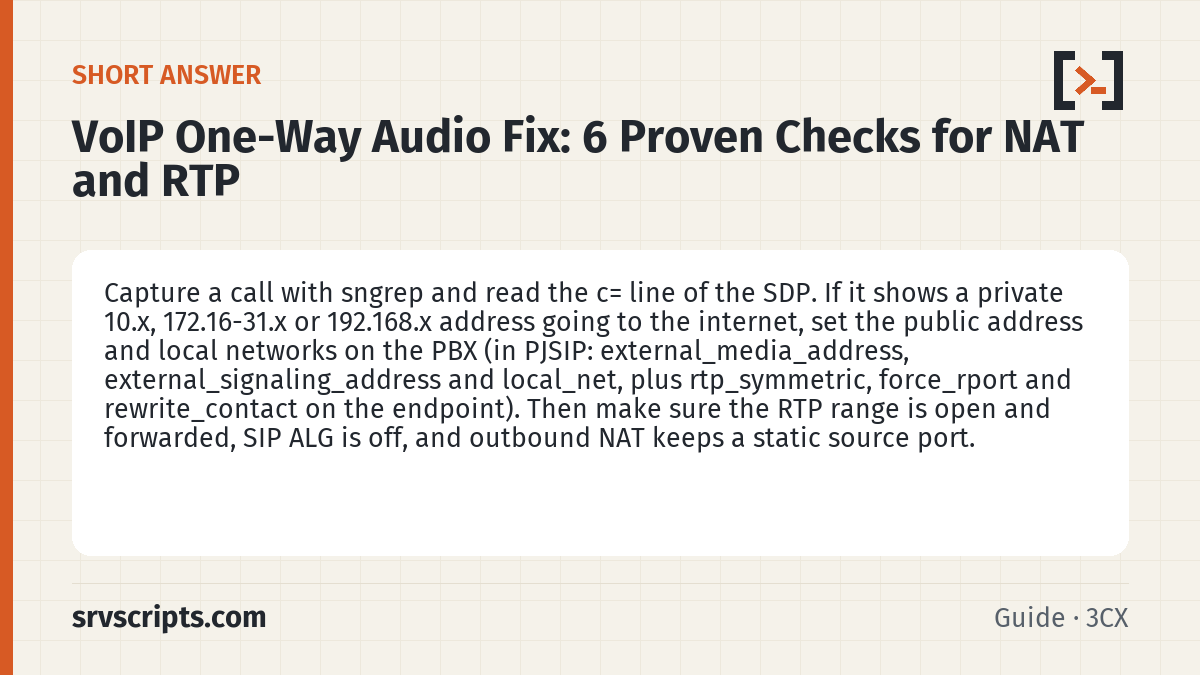
Short answer: Capture a call with sngrep and read the c= line of the SDP. If it shows a private 10.x, 172.16-31.x or 192.168.x address going to the internet, set the public address and local networks on the PBX (in PJSIP: external_media_address, external_signaling_address and local_net, plus rtp_symmetric, force_rport and rewrite_contact on the endpoint). Then make sure the RTP range is open and forwarded, SIP ALG is off, and outbound NAT keeps a static source port. (Reviewed November 2026.)
Table of Contents
1. Read the SDP
Record a failing call and open it in sngrep’s call flow. The INVITE and the 200 OK each carry an SDP body with a c=IN IP4 address and an m=audio port: that is where the sender wants to receive audio.
sngrep -d any port 5060 or portrange 10000-20000
# inside the call flow press F2 to show the SDP, look for:
# c=IN IP4 192.168.1.20      <-- private address sent to the internet = NAT problem
# m=audio 14562 RTP/AVP 0 8 101
2. Fix NAT settings on the PBX
On Asterisk with PJSIP, tell the transport which networks are local and what the public address is, and make endpoints reply to wherever packets actually come from:
[transport-udp]
type=transport
protocol=udp
bind=0.0.0.0:5060
external_media_address=203.0.113.25
external_signaling_address=203.0.113.25
local_net=192.168.1.0/24

[office-phones](!)
type=endpoint
direct_media=no
rtp_symmetric=yes
force_rport=yes
rewrite_contact=yes
In FreePBX the same values are under Settings » Asterisk SIP Settings: set the external address and add every internal subnet under local networks, then reload. On 3CX run the firewall checker in the admin console; it confirms the detected public IP and whether the media ports reach the server.
3. Confirm RTP arrives
Watch the RTP range on the PBX during a call. Packets in only one direction pinpoint which side is blocked:
tcpdump -ni any udp portrange 10000-20000 -c 40     # stops by itself after 40 packets
asterisk -rx "rtp set debug ip 198.51.100.10"       # only RTP to and from this address
# make the test call, then switch debugging off again
asterisk -rx "rtp set debug off"
RTP debug prints a line for every packet, about 50 a second in each direction per call, so scope it to the provider’s media address and turn it off as soon as the test call ends. If nothing arrives from the provider, the RTP range is not open or not forwarded; the SIP ports firewall guide shows the rules for CSF, firewalld and pfSense.
4. Turn off SIP ALG
A router that rewrites SIP on top of the PBX’s own NAT handling produces mismatched addresses and ports. Disable it on every device in the path; the disable SIP ALG guide has commands for the common brands.
5. Keep NAT mappings stable
Firewalls that randomise source ports or expire UDP mappings quickly break audio mid-call or after a hold. On pfSense use static-port outbound NAT for the PBX, and raise UDP timeouts above the registration and RTP keepalive intervals. Phones behind NAT should send keepalives every 20 to 30 seconds.
6. Rule out routing and VPN issues
Where phones reach the PBX over a VPN, make sure direct_media is off so audio does not try to flow phone-to-provider directly, and check that the tunnel carries the return route for the phone subnet. Asymmetric routing, where replies leave by a different interface, also produces one-way audio and shows up as RTP leaving but never returning on the same path.
Which side cannot hear?
The direction that fails tells you where to start. For a PBX in the office with a SIP trunk to a provider:
| Symptom | Where the audio stops | Check first |
|---|---|---|
| Office user hears nothing; the outside caller hears them | The provider’s RTP never reaches the PBX | Private address in the PBX’s c= line (checks 1 and 2); RTP range not forwarded (check 3) |
| Outside caller hears nothing; the office user hears them | Audio from the PBX does not reach the far end, or arrives from an unexpected address or port | SIP ALG (check 4); outbound NAT changing the source port (check 5) |
| Only remote, home or VPN phones are affected | Between the phone and the PBX, not on the trunk | Endpoint NAT options (check 2); local_net missing the VPN range (below); return route (check 6) |
| Audio stops after hold, transfer or about 30 seconds | A re-INVITE or an expired NAT mapping | SDP in the re-INVITE; UDP timeouts (check 5) |
| Only encrypted (SRTP) calls, after hold or resume | SRTP replay protection in Asterisk | See the FAQ below |
Common mistakes when fixing NAT
- A
local_netthat misses a subnet: Asterisk rewrites the SDP toexternal_media_addressonly when the destination is outsidelocal_netand the SDP address is inside it. Leave out a VPN or second-office range and those phones are sent the public address, so their audio breaks just as the trunk starts working. Add onelocal_netline per internal range; in FreePBX use “Add Local Network”. - A firewall range that does not match
rtp.conf: the samplertp.confsetsrtpstart=10000andrtpend=20000, but without those lines Asterisk falls back to 5000 to 31000. Check that/etc/asterisk/rtp.confmatches what the firewall forwards. FreePBX sets the range under Asterisk SIP Settings, RTP Ranges (default 10000 to 20000). - A template that is defined but not used: options in
[office-phones](!)only apply to endpoints declared with it, such as[201](office-phones). PJSIP defaults arertp_symmetric=no,rewrite_contact=noanddirect_media=yes, so an endpoint that misses the template behaves very differently. - Expecting a reload to change the transport: with the default
allow_reload=no, a reload does not apply changes to a transport’s protocol, bind, TLS, TCP, ToS or CoS options, and Asterisk logs that the transport “is not fully reloadable”. Restart Asterisk after changing those.
Verify the fix
Watch the Asterisk console (asterisk -rvvv) and make a test call from an office phone to a mobile. In this example the PBX sits behind NAT at 192.168.1.20 with the public address 203.0.113.25, the provider’s SIP server (where the PBX registers and sends INVITEs) is 198.51.100.5, and its media server is 198.51.100.10. Many providers send media from different addresses than their SIP signalling, so take the media address from the c= line in the provider’s SDP rather than assuming it matches the SIP server:
# 1. log SIP with the provider's signalling address, then place the call
asterisk -rx "pjsip set logger host 198.51.100.5"
#    the SDP Asterisk sends should now show the public address:
#    c=IN IP4 203.0.113.25
#    the c= line in the provider's SDP is its media address (here 198.51.100.10)
asterisk -rx "pjsip set logger off"

# 2. RTP should flow both ways between the PBX and the provider's media address
tcpdump -ni eth0 -c 40 udp and host 198.51.100.10 and portrange 10000-20000

# 3. both Receive and Transmit counts should rise during the call
asterisk -rx "pjsip show channelstats"
The capture runs on the PBX, which is on the LAN side of the NAT, so in the tcpdump output you want packets from 198.51.100.10 to 192.168.1.20 as well as the reverse. The public address 203.0.113.25 appears only in the SDP and in a capture taken on the router’s or firewall’s WAN interface. If the provider’s packets show on the WAN side but not on the PBX, the router is not forwarding the RTP range; if they are missing on the WAN side too, do not blame the provider yet. Packets go wherever the SDP points, so first check three things: that the c= and m= lines the PBX sent carry the public address and a port inside the forwarded RTP range, that the provider’s SDP really names the media address you filtered on, and that the capture filter is not hiding the traffic (run it once as tcpdump -ni eth0 udp and host 198.51.100.10 without the port range). Only when all three are right and still nothing arrives is the fault with the provider or further upstream. Then repeat the test with hold and resume, a transfer and a call of a few minutes, because those are where re-INVITE and timeout problems appear.
VoIP one-way audio at a glance
Official documentation: Asterisk PJSIP configuration, 3CX documentation, RFC 3550: RTP.
Related guides: Disable SIP ALG · SIP ports firewall rules · VoIP call quality.
Different symptom? See Common VoIP problems and how to fix them for the 11 problems we see most, with a free tool for each.
Frequently asked questions
Why does one-way audio start after about 30 seconds?
That pattern points to a NAT or firewall UDP timeout, or to a re-INVITE that moves media to an address the far end cannot reach. Increase UDP timeouts and check the SDP of any re-INVITE sent during the call.
Can a codec mismatch cause one-way audio?
Rarely. A codec mismatch usually makes the call fail to connect or produces no audio both ways. When audio works in exactly one direction, look at NAT, RTP ports and SIP ALG first.
Does one-way audio happen with cloud phone systems?
Less often, because the provider handles NAT traversal, but a restrictive office firewall blocking inbound UDP media or an active SIP ALG can still cause it. The same packet capture approach applies on the office router.
Why do VPN phones lose audio after I set external_media_address?
Because their subnet is not listed in local_net. Asterisk rewrites the SDP to the public address for any destination outside local_net, so VPN phones are told to send audio to the public IP. Add the VPN range as another local_net line, or under Add Local Network in FreePBX.
Why does audio fail on encrypted calls after hold or resume?
Some SIP phones reset the RTP sequence number on a re-INVITE while keeping the same SSRC, which trips SRTP replay protection; Asterisk then logs “replay check failed (index too old)” and the call can lose audio in one or both directions. The real fix is a firmware update from the phone vendor. Only if the vendor has no fixed firmware, set srtpreplayprotection=no in rtp.conf as a temporary workaround. It switches replay protection off for every SRTP call on the server, not just the affected phones, so a captured encrypted packet could be replayed into a call. Remove the line and run module reload res_rtp_asterisk.so once the phones are updated.
