Most VoIP problems come down to a short list of causes: the network path (jitter, packet loss, delay), NAT and firewalls that break SIP or RTP, SIP ALG on a router, wrong trunk or phone settings, or not enough channels. The trick is to read the symptom correctly, because each one points at a different layer. This guide lists the 11 problems we see most on Asterisk, FreePBX, 3CX and hosted phone systems, with how to confirm the cause and how to fix it, and links each one to the free srvScripts tool or detailed guide that does the work.
Applies to Troubleshooting overview; commands as used in our Asterisk 22 and FreePBX 17 guides. Not a new lab test (13 Oct 2026)
Short answer: Choppy or robotic audio is the network (jitter or packet loss); one-way or no audio is NAT, SIP ALG or blocked RTP; calls that drop after about 32 seconds are a missing ACK because of NAT; phones that will not register are credentials, a firewall ban or the wrong port; and error codes such as 403, 404, 488 and 503 each name their cause. Capture one failing call with sngrep or the PJSIP logger before changing anything, then use the table below to jump to the fix.
Table of Contents
Find your problem in 30 seconds
| What you notice | Most likely cause | First check | Free tool |
|---|---|---|---|
| Choppy, robotic or breaking-up audio | Jitter or packet loss on the path | mtr to the provider during a call | MOS calculator |
| One side cannot hear the other | NAT, SIP ALG or RTP ports blocked | c= line in the SDP (sngrep) | SIP trace analyzer |
| Call drops after about 32 seconds | ACK never arrives (NAT, Contact header) | Repeated 200 OK in the SIP ladder | PJSIP NAT generator |
| Call drops at 15 or 30 minutes, or at random | Session timers, RTP timeout, NAT binding expiry | Who sends the BYE, and why | SIP trace analyzer |
| Phone shows No Service or will not register | Wrong password, firewall ban, wrong port or transport | Response to the REGISTER (401, 403, nothing) | SIP response codes |
| Outbound calls fail with a message or a code | Trunk auth, number format, codec, trunk full | The first 4xx/5xx/6xx from the provider | SIP response codes |
| Inbound calls do not ring or go to voicemail | Trunk not registered, IP not matched, inbound route | pjsip show registrations, inbound DID format | SIP SRV checker |
| Caller hears an echo of their own voice | Speakerphone or headset, analog gateway, high delay | Which side hears it, and on which phones | MOS calculator |
| All lines busy at peak times | Too few channels or too little upload bandwidth | Peak concurrent calls in the CDR | Erlang calculator |
| Calls shown as Spam Likely or blocked | Caller ID attestation or number reputation | Identity header on an outgoing call | STIR/SHAKEN decoder |
| Unknown international calls on the bill | Toll fraud through a weak extension or open route | CDR for overnight international calls | SIP firewall rules |
Before you change anything: capture one failing call
Guessing wastes hours. One SIP capture of a failing call tells you which side gave up and why. On an Asterisk or FreePBX server:
# SIP ladder of every call on port 5060 (F2 saves a pcap or text file)
sngrep -d any port 5060

# or inside Asterisk
asterisk -rvvv
pjsip set logger on
pjsip show endpoints
pjsip show contacts
pjsip show registrations

# audio packets for one phone or provider only (rtp debug for everything floods the console)
rtp set debug ip 203.0.113.10

# path quality to the provider: loss and latency per hop
mtr -rwc 100 sip.provider.example
Paste the SIP part into our SIP trace analyzer: it points out private addresses in the SDP, codec mismatches, missing ACKs and who hung up. The full method is in Troubleshoot SIP calls with sngrep and the PJSIP logger.
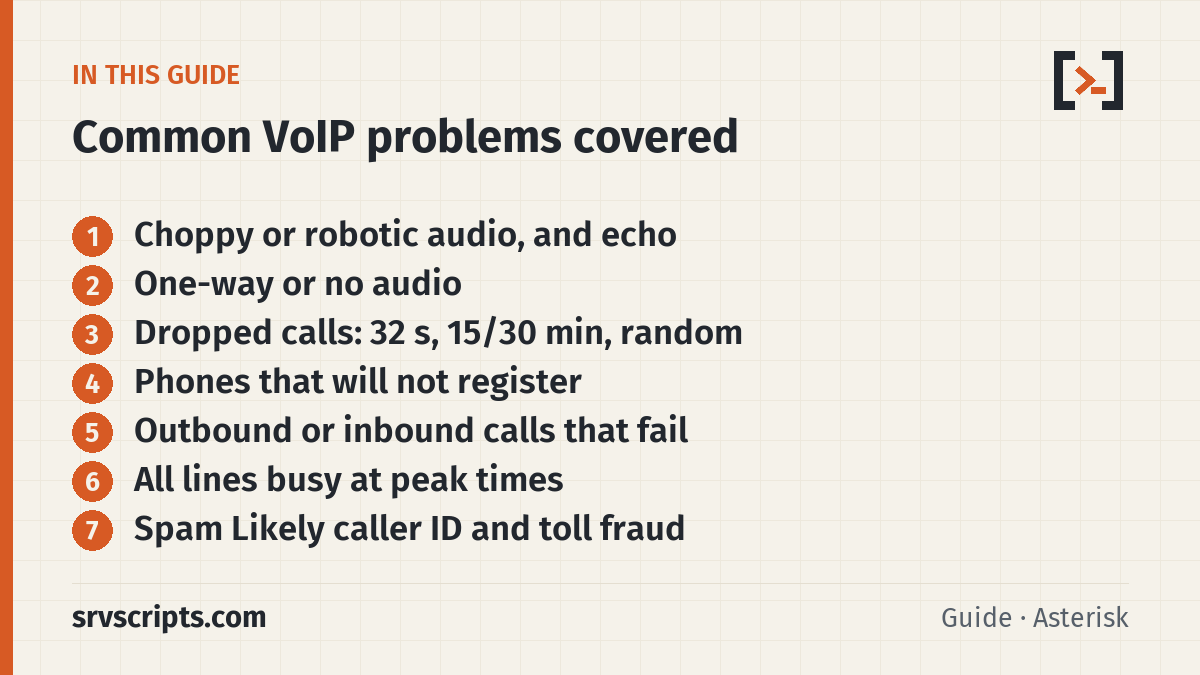
1. Choppy, robotic or breaking-up audio
What you notice: Words cut out, voices sound metallic or robotic, or there are short gaps, often worse at busy times of day or when someone uploads a large file.
Usual causes: jitter (packets arriving at uneven intervals), packet loss, or a saturated upload link. VoIP needs little bandwidth (about 87 kbit/s per direction for a G.711 call over Ethernet) but needs it steadily. Wi-Fi, especially a busy 2.4 GHz network, is a common source of jitter.
How to confirm: run mtr to your provider’s SIP server while a call is in progress and look for loss at the last hop, and check the jitter and loss figures in the RTCP statistics on the PBX. The targets most providers use: one-way delay under 150 ms, jitter under 30 ms, packet loss under 1%. Put your figures into the MOS calculator to see how callers will rate the call.
How to fix it: put phones on a wired network or a separate VLAN, mark voice traffic with DSCP EF (46) and give it priority on the upload side of the router, which is where congestion happens, and make sure the link has enough bandwidth for your peak number of calls. If loss appears only beyond your router, the problem is with your ISP or the provider: send them the mtr report.
Tools for this: VoIP MOS calculator · VoIP bandwidth calculator · Ping test from several countries · Online traceroute.
In depth: VoIP call quality: jitter, packet loss and MOS and VoIP codec bandwidth: G.711 vs G.729 vs Opus.
2. One-way audio or no audio
What you notice: the call connects and the timer runs, but one side hears nothing, or neither side does.
Usual causes: the audio (RTP) is being sent to an address the other side cannot reach. Almost always this is NAT: the PBX or phone advertises its private address in the SDP, SIP ALG on a router rewrites the SIP badly, or the RTP port range is blocked or not forwarded.
How to confirm: capture the call and read the c= line of each SDP. A 10.x, 172.16-31.x or 192.168.x address going to the internet means the NAT settings are missing. If the addresses are right, check that UDP 10000-20000 (Asterisk and FreePBX) or 9000-10999 (3CX) reaches the PBX.
How to fix it: on PJSIP set local_net, external_media_address and external_signaling_address on the transport when the PBX is behind NAT, and rtp_symmetric, force_rport, rewrite_contact and direct_media=no on endpoints that are behind NAT. Turn SIP ALG off on every router and firewall, then reboot the phones so they register fresh.
Tools for this: PJSIP NAT settings generator · SIP trace analyzer · What is my IP · SIP firewall rules generator.
In depth: VoIP one-way audio fix, PJSIP behind NAT and Disable SIP ALG on 9 routers and firewalls.
3. Calls drop after about 32 seconds
What you notice: the call connects and audio may even work, then it ends at 30 to 32 seconds, every time.
Usual causes: the side that answered never receives the ACK for its 200 OK. SIP resends the 200 OK and gives up after 64 times T1, which is 32 seconds, then ends the call. The ACK goes to the address in the Contact header, so a private address there (NAT without external_signaling_address or rewrite_contact) or SIP ALG is the usual reason.
How to confirm: in the SIP ladder you see the 200 OK repeated several times with no ACK, followed by a BYE at about 32 seconds.
How to fix it: set external_signaling_address on the PJSIP transport when the PBX is behind NAT, rewrite_contact=yes and force_rport=yes on endpoints behind NAT, and disable SIP ALG. For a trunk, make sure the provider’s signalling can reach the PBX (port forward or a registration that keeps the NAT pinhole open).
Tools for this: PJSIP NAT settings generator · SIP trace analyzer.
In depth: PJSIP behind NAT: Asterisk and FreePBX settings.
4. Calls drop at 15 or 30 minutes, or at random
What you notice: long calls end at the same length every time (often 15 or 30 minutes), or calls drop at random, sometimes after being on hold.
Usual causes: a fixed length points at SIP session timers: one side asks for a session refresh (a re-INVITE or UPDATE) and the refresh fails or is never answered, often because NAT or SIP ALG blocks it. Drops after hold or silence point at an RTP timeout on the PBX or provider. Random drops are usually NAT bindings expiring on the router, or the ISP.
How to confirm: find the BYE in the capture and see which side sent it. A BYE straight after an unanswered re-INVITE is a session timer problem; a BYE from the PBX with no audio before it is an RTP timeout (the Asterisk log says so).
How to fix it: fix the NAT path first (most failed refreshes are NAT). In PJSIP you can set timers=no on a trunk that handles them badly, and set rtp_timeout and rtp_timeout_hold to values longer than your hold music gaps. Keep phones’ NAT pinholes open with qualify_frequency of about 25 to 30 seconds, and raise the router’s UDP timeout if it is very short.
Tools for this: SIP trace analyzer · PJSIP NAT settings generator.
In depth: PJSIP endpoint unreachable: qualify and NAT.
5. Phones will not register
What you notice: the phone shows No Service, Registration failed or a red line key, or the extension shows Unavailable in the PBX.
Usual causes: wrong user name or password, the phone’s IP banned by fail2ban or the FreePBX firewall after failed attempts, the wrong port or transport (UDP, TCP or TLS), a TLS certificate the phone does not trust, or NAT dropping the replies.
How to confirm: look at what answers the REGISTER. A 401 followed by a successful retry is normal. Repeated 401 or 403 means the credentials or an IP restriction; no answer at all means the request never arrives or the reply never gets back, which is a firewall, a ban or the wrong address.
# Asterisk: is the phone registered, and from which address?
pjsip show contacts
# is its IP banned?
fail2ban-client status
iptables -L -n | grep 198.51.100.20
How to fix it: check the secret on both sides, check the ban lists, and make sure the phone uses the transport and port the PBX listens on. For hosted systems, check the SIP domain’s SRV records and TLS certificate.
Tools for this: SIP response codes lookup · SIP SRV and TLS checker · Open port checker (TCP and TLS ports).
In depth: PJSIP endpoint unreachable or unavailable, fail2ban for Asterisk and FreePBX and FreePBX responsive firewall vs intrusion detection.
6. Outbound calls fail with an error or a recorded message
What you notice: dialling out gives a fast busy, a recorded message from the provider, or All circuits are busy.
Usual causes: the provider refuses the call. The SIP response says why: 403 is usually authentication, an IP allowlist or a blocked destination; 404 and 484 are the number format; 408 and 480 mean nothing answered; 488 is a codec or encryption mismatch; 503 is a trunk that is down, full or out of credit.
How to confirm: turn on the PJSIP logger, make one failing call and find the first 4xx, 5xx or 6xx response that comes back from the provider (not the one your PBX sends to the phone).
How to fix it: match the fix to the code: correct the trunk credentials or allowlisted IP, send the number in the format the provider expects (for example E.164 with a plus), offer a codec the provider supports, or check the trunk’s balance and channel limit.
Tools for this: SIP response codes lookup · SIP trace analyzer.
In depth: SIP error codes on Asterisk and FreePBX, FreePBX PJSIP trunk setup and Asterisk dialplan pattern matching.
7. Inbound calls do not ring, or go straight to voicemail
What you notice: callers hear ringing that never reaches a phone, get a not in service message, or land in voicemail without the phone ringing.
Usual causes: the call never reaches the PBX (registration trunk not registered, or the provider sending to an old IP), the PBX does not recognise the provider (calls from an unmatched IP are rejected when anonymous inbound calls are off), the number arrives in a different format from the inbound route, or the extension has Do Not Disturb, call forwarding or Follow Me set.
How to confirm: check that the trunk is registered, then watch the incoming INVITE in the logger: is it there, which IP is it from, and which number is in the To or request line?
pjsip show registrations
pjsip show identifies
pjsip set logger on
How to fix it: fix the registration, add all of the provider’s signalling IPs to the trunk’s identify (match) list, make the inbound route’s DID match the format the provider sends, and clear DND or forwarding on the extension.
Tools for this: SIP SRV checker · SIP trace analyzer · SIP response codes lookup.
In depth: FreePBX PJSIP trunk setup: registration, IP auth, routes and NAT.
8. Echo
What you notice: one person hears their own voice a moment after they speak.
Usual causes: the echo is created at the far end of the person who hears it: a speakerphone or cheap headset feeding the speaker back into the microphone, or an analog line (FXO port, ATA or PSTN gateway) where the two-wire to four-wire conversion reflects the signal. VoIP delay does not create echo, but it makes existing echo much easier to hear.
How to confirm: ask which side hears it and on which phones. If only calls through an analog line or gateway echo, it is the hybrid; if only one person’s handset or speakerphone causes it, it is acoustic.
How to fix it: use proper headsets or a better speakerphone, lower the speaker and microphone gains, and enable or tune the echo canceller on the analog card, ATA or gateway. Reducing delay (problem 1) makes any remaining echo less noticeable.
Tools for this: VoIP MOS calculator · Ping test.
9. All lines busy at peak times
What you notice: callers get busy at peak times, or staff cannot dial out while others are on calls.
Usual causes: the SIP trunk has fewer channels than your busiest hour needs, or the upload bandwidth runs out before the channels do.
How to confirm: find the busiest hour in your CDR, multiply its calls by the average call length in minutes and divide by 60 to get Erlangs, then size the trunk with Erlang B at 1% blocking.
How to fix it: add channels (or a second trunk) to cover the peak with some headroom, and make sure the upload link has the bandwidth for that many calls with your codec.
Tools for this: Erlang calculator · VoIP bandwidth calculator.
In depth: How many SIP channels do you need?.
10. Calls shown as Spam Likely or blocked
What you notice: people do not answer because your number shows as Spam Likely or Scam Likely, or calls to some carriers fail.
Usual causes: in the US and Canada, carriers check the STIR/SHAKEN attestation of each call and the reputation of the calling number. Calls with a caller ID your provider has not assigned to you get lower attestation, and numbers that make many short calls get flagged by analytics.
How to confirm: look at the Identity header on an outgoing call (your provider adds it) and decode it to see the attestation level and the originating number.
How to fix it: send only caller IDs your provider has assigned to you so it can give A attestation, ask the provider to confirm how it signs your calls, and register your numbers with the carriers’ analytics services (for example through the Free Caller Registry in the US). Avoid patterns that look like robocalling.
Tools for this: STIR/SHAKEN Identity header decoder.
In depth: STIR/SHAKEN for Asterisk and FreePBX.
11. Toll fraud and SIP attacks
What you notice: unexpected calls to international or premium numbers, often overnight, a high bill, or logs full of failed registrations from unknown IPs.
Usual causes: SIP ports open to the whole internet, weak extension or voicemail passwords, outbound routes that allow any international number, and no limit on how many calls one trunk can make.
How to confirm: check the CDR for international calls outside office hours and the security log for failed registrations; fail2ban should be banning those IPs.
How to fix it: allow SIP only from your provider and known office IPs, use long random passwords, block or PIN-protect international routes, set channel and spending limits with the provider, and alert on international calls. Keep the RTP range open, but only the RTP range.
Tools for this: SIP firewall rules generator · IP blacklist check (for attacking IPs).
In depth: Toll fraud prevention: 10-point checklist, fail2ban for Asterisk and FreePBX and SIP ports firewall rules.
After the call: recordings that will not play
Asterisk often saves recordings as GSM, WAV49 or raw formats that browsers and phones do not play. Convert them in the browser with our call recording converter, convert in bulk on the server with this MP3 conversion guide, or turn them into text with call recording transcription.
Prevent most of these problems
- Turn SIP ALG off on every router and firewall, and give voice traffic priority (DSCP EF) on the upload side.
- Keep phones on wired Ethernet or a voice VLAN; avoid crowded 2.4 GHz Wi-Fi for desk phones.
- Size trunks and bandwidth for your busiest hour, not your average, with the Erlang calculator and bandwidth calculator.
- Set NAT options correctly once, with the PJSIP NAT generator, and keep qualify on so you see unreachable phones early.
- Allow SIP only from known IPs, run fail2ban, use long passwords and limit international calling.
- Keep Asterisk, FreePBX and phone firmware on supported versions: see Asterisk versions and EOL dates.
- Keep one known-good SIP capture of a working call, so you can compare it with a failing one.
Every VoIP guide and tool on srvScripts is listed on the VoIP and telephony hub. If you would rather not run a PBX at all, compare hosted options in best cloud phone systems for small teams.
How this guide was written: it is a troubleshooting overview. The causes and fixes are standard SIP and RTP behaviour (RFC 3261 and RFC 3550) and the commands are the ones we use in our detailed Asterisk 22 and FreePBX 17 guides, each of which states its own testing. This page itself was not run as a new lab test.
Common VoIP problems at a glance
Frequently asked questions
What are the most common VoIP problems?
Choppy or robotic audio from jitter and packet loss, one-way audio from NAT and SIP ALG, dropped calls, phones that will not register, outbound calls rejected by the provider, inbound calls that do not ring, echo, too few channels, calls marked as spam and toll fraud. Most of them come from the network path or from NAT and firewall settings rather than from the phone system itself.
Why do VoIP calls drop after 30 seconds?
Calls that drop at about 32 seconds are almost always a missing ACK. The answering side resends its 200 OK and gives up after 32 seconds because the ACK never arrives, usually because NAT or SIP ALG put a private or wrong address in the Contact header. Set the external signalling address and rewrite_contact, and turn SIP ALG off.
How do I fix one-way audio on VoIP?
Capture a call and read the c= line of the SDP. A private address sent to the internet means the PBX or phone needs its NAT settings (external_media_address, external_signaling_address and local_net on the PBX; rtp_symmetric, force_rport and rewrite_contact on endpoints behind NAT). Then open and forward the RTP port range and disable SIP ALG.
What internet speed do I need for VoIP?
Bandwidth per call is small: about 87 kbit/s each way for G.711 and about 31 kbit/s for G.729 over Ethernet. Stability matters more than speed: aim for one-way delay under 150 ms, jitter under 30 ms and packet loss under 1%, and prioritise voice on the upload side of the router.
Is SIP ALG good or bad for VoIP?
On almost every router it causes more problems than it solves: one-way audio, failed registrations and dropped calls. Modern phones and PBXs handle NAT themselves, so turn SIP ALG off and configure the PBX’s NAT settings instead.
Reading a lot of our guides? Go ad-free with srvScripts Pro for $6 a month. It also pays for new guides. Cancel any time.